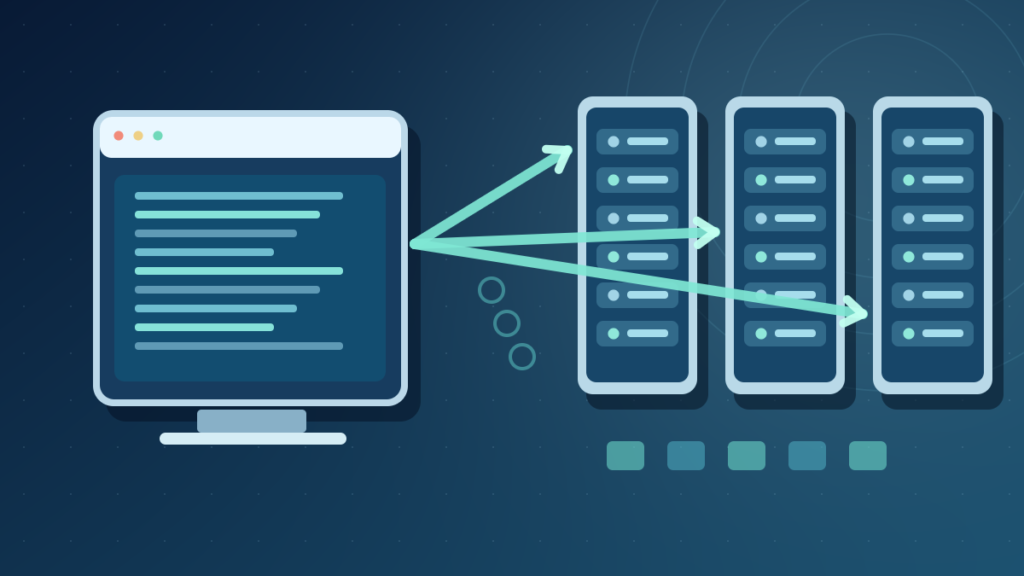

A software repository is an organized place to store and retrieve software resources. A Git repository tracks source-code history, a package repository distributes installable software and metadata, and an artifact repository holds built outputs such as installers and container images. Trust and access controls depend on the repository’s purpose.
Repositories help teams collaborate, manage dependencies and distribute tested releases. This guide explains their differences, safe software installation and practical supply-chain security.
What A Software Repository Actually Stores
A software repository is an organized location or service used to store and manage software-related material. Depending on the context, that material may be source code, version history, installable packages, compiled libraries, container images, configuration or release metadata. The word repository therefore describes a role rather than one required file format or one particular website.
A developer might use a Git repository to record changes to an application’s source code. A Linux user might install software from a distribution package repository. A team might publish reusable packages to a registry or store compiled artifacts in a managed repository. These systems share the principle of organizing and retrieving software, but they do not perform identical operations.
GitHub’s repository overview explains how code repositories hold project files and revision history. Debian’s APT documentation describes package sources that publish metadata and installable software. Reading both makes it clear why a Git project and an operating-system software source are distinct uses of the same word.
A repository is not automatically public or trustworthy. Private source repositories can contain proprietary work, while public package feeds can include third-party packages with varying security and maintenance practices. Access control, publisher identity, signatures, auditing and update procedures matter regardless of whether the repository is hosted locally or remotely.
For beginners, the simplest definition is a managed store of software or related artifacts. To understand its wider role, see our cloud computing guide and server explanation. A repository may run on a server or use cloud storage, but the storage technology alone does not define its contents or governance.
Source Code Repositories And Revision History
A source code repository organizes project files and often records how they changed over time. Git is a distributed version control system that allows developers to commit snapshots of project content, inspect history, create branches and collaborate through supported workflows. A repository can live on a laptop with no remote service at all.
In Git, the working tree holds editable files, the index or staging area holds the proposed next snapshot, and the local repository stores committed history and related objects. Remote hosting services can provide a shared location for synchronization, code review and access controls. They do not replace the underlying version-control concepts.
A team using a hosted Git service might clone a repository, create a branch, edit files, stage selected changes, commit them locally and push relevant commits for review. Another developer can fetch the resulting history. The sequence helps preserve authorship, compare versions and coordinate work, though a meaningful review still depends on human and automated quality checks.
GitHub’s remote repository documentation distinguishes a local copy from a repository hosted elsewhere. This is important because committing a change locally does not automatically publish it to collaborators. A push operation is separate and may fail because of authentication or branch policies.
Our Git versus GitHub explanation addresses the difference between version-control software and a hosting platform. Understanding that distinction prevents mistakes such as assuming the project’s only valid repository copy must exist on a particular website.
A source repository does not always include compiled programs ready for end users. Builds, packages, licenses and release artifacts may require additional tools or a separate distribution channel.
Package Repositories And Installable Applications
A package repository publishes software in formats that an operating system or package manager understands. It can provide metadata describing package names, versions, dependencies, architectures and origins. A package manager uses this information to find suitable software and install or update it according to the system’s dependency and trust rules.
Debian-based Linux systems commonly use APT package sources. A configuration describes approved distribution repositories, and package metadata helps APT identify updates. The Debian Handbook explains how APT obtains package indexes and uses them to select installation candidates. This is a different process from cloning a source code repository and compiling an application manually.
Other ecosystems use distinct packaging models, such as distribution package managers, language-specific registries and operating-system app delivery services. A software package can include compiled binaries, resources, metadata and installation scripts. The safety of those contents cannot be inferred from the fact that they are compressed into an archive.
A package repository may serve several versions or release channels. Stable, testing and development channels can have different expectations for compatibility and support. Mixing unrelated distribution versions without understanding their dependency relationships can produce a difficult-to-maintain system.
The Debian package authenticity guide describes cryptographic verification of repository metadata. That mechanism helps users obtain packages associated with a trusted archive, but it does not guarantee every package is free of defects.
For ordinary users, the most reliable installation path is the operating system’s approved repository or a verified publisher channel. Avoid adding an unknown repository merely because a website claims its package is newer.
Artifact Repositories, Registries And Container Images
Software teams also store outputs of build processes rather than only human-written source files. A build artifact might be a compiled library, application installer, archive, dependency bundle or container image. An artifact repository provides organized storage and retrieval of such results, often with version labels and access permissions.
Language package registries can act as repositories for reusable dependencies. Container registries store images and associated manifests that deployment systems can download. A source code repository may refer to these artifacts without containing every generated binary. This separation can reduce duplication and provide a controlled release process.
The precise terms vary across products. Some services call every stored unit a package, while others distinguish images, artifacts, modules and components. Focus on the functional question: is the repository preserving source history, distributing dependencies or storing deployable outputs?
Sources And Commit History
Installable Versions And Dependencies
Built Files And Deployment Outputs
A container image may incorporate operating-system components and dependencies, making its security a concern even if the original application code was reviewed. Versioning and provenance should be preserved through the build and release process.
Repository permissions also differ. A developer may need read access to a dependency feed but only designated release automation should be allowed to publish production artifacts. Separate read and publish roles limit the damage of mistaken or compromised credentials.
Understanding these roles helps diagnose a missing package error without assuming a problem in Git history or a local folder name.
Local, Remote, Public And Private Repositories
A local repository is stored within an environment the user controls or can access directly. A remote repository is accessed over a network or from a separate location. Git distinguishes local history from remote repositories, while package managers typically consult configured remote sources but may maintain cached metadata and downloaded packages locally.
Public repositories allow broad discovery or access subject to service rules. Private repositories restrict access to approved identities, organizations or systems. Public visibility is useful for open source work and documentation, but it does not mean that every visitor may publish changes or execute release actions.
An internal business repository might contain source code for proprietary applications, security-sensitive configuration or packages used by employee devices. Access should follow least privilege and be revoked when no longer needed. A repository configured as private can still leak secrets through accidental sharing, unsafe logs or compromised credentials.
| Repository Property | Examples | Important Question |
|---|---|---|
| Local | Git Data On A Laptop | How Is It Backed Up? |
| Remote | Hosted Project Or Package Feed | How Is Access Authenticated? |
| Public | Published Open Source Project | Who Can Modify Releases? |
| Private | Internal Organization Repository | Who Can Read Or Publish? |
A local Git commit is not necessarily a backup. If a laptop is lost and its only repository copy was never transferred, the history can be lost with the computer. A remote copy can improve resilience, but it should still be included in a deliberate backup and retention plan.
See our incremental backup guide for recovery concepts. Repositories preserve software material, while backups provide additional protection against deletion, hardware failure and compromise.
How Software Versions And Dependencies Are Managed
Software rarely runs in isolation. Applications can depend on libraries, frameworks, runtimes and operating-system interfaces. A package repository can publish dependency metadata so a package manager chooses appropriate versions. This can save developers from manually downloading and tracking every required component.
Version numbers often communicate compatibility intent, but they are not universal guarantees. Semantic versioning is widely used, yet each ecosystem and publisher may apply its own rules. A higher major version can introduce breaking changes, and a minor update can still contain an accidental regression. Always examine compatibility requirements.
Dependency resolution selects a collection of versions that satisfy declared constraints under the package manager’s rules. In some environments, a lockfile records exact resolved versions to improve reproducibility. The repository must still provide the corresponding artifacts, and the dependency graph can change when constraints or indexes are updated.
A source project may reference remote dependency packages rather than store copies inside Git. A production build should therefore document and preserve how dependencies were resolved. A successful source checkout does not guarantee a successful build if the required package feed is offline or has removed an artifact.
Developers should avoid taking ownership of dependencies they do not understand. Installing a library can introduce new code into the application, including scripts that run during build or installation. Verify publishers, review changes and use organization-approved sources.
Our API guide explains software interfaces, while this article concentrates on repositories that supply the underlying components. A stable API contract and a stable package version are related but separate concerns.
Signatures, Checksums And Repository Authenticity
A repository’s trust mechanism matters because installation frequently executes or loads downloaded code. A trusted package manager can check repository metadata and package integrity against approved signatures. That provides evidence that the package belongs to an authorized distribution channel and was not casually altered in transit. The mechanism and protection scope differ among ecosystems.
Debian’s apt-secure manual explains how signed repository Release metadata supports authentication of downloaded package indexes and referenced package files. Importantly, trusting a repository also means trusting its maintainers and release process. A genuine package can still contain an accidental vulnerability or malicious content introduced upstream.
A cryptographic checksum can identify changes relative to a trustworthy expected digest, but it does not independently prove that the producer is legitimate. If an attacker supplies both an infected file and a matching checksum, comparing those two values provides little assurance about origin. Our checksum guide explains the distinction.
Packages and container images may also have signatures or attestations describing a build. Such provenance can be valuable in controlled workflows, but it requires a trustworthy identity and policy for verification. Blindly importing a signing key from an unverified webpage defeats the purpose.
For personal computers, prefer official repositories and trusted publisher instructions. If a repository key suddenly changes, investigate through the publisher’s authenticated channel rather than disabling verification just to make an update succeed.
The correct principle is that repository authentication is a necessary part of supply-chain security, not an unconditional guarantee of harmless software.
Safe Installation From A Software Repository
Before installing a package, confirm that the repository is appropriate for the operating system, architecture and supported version. A trusted publisher may provide separate channels for stable releases, development previews and older distributions. Mixing them can create incompatible dependencies even when each source is legitimate.
On a Debian-based system, a typical read-only inspection starts by examining configured package sources and available candidate versions through the supported package manager. Actual installation should occur only after verifying the publisher and understanding what additional packages or services will be changed. The Debian Handbook describes update and installation behavior under APT.
Avoid copying shell commands from unknown installation pages without reading them. A command that downloads and immediately executes a script can run arbitrary code under the current user’s privileges, and use of administrator permissions raises the consequences. Prefer package-manager verification or official release procedures that explain each step.
On Windows, software may be distributed through the Microsoft Store, Windows Package Manager or directly from verified publishers, depending on the application. These are separate delivery systems with different package and publisher policies. Do not assume every third-party installation file becomes safe just because it can be downloaded using a command-line tool.
Keep update and rollback notes for important applications. If an installation changes system services or drivers, a stable recovery point and compatibility check are especially useful. Our device driver guide explains why low-level software requires additional caution.
A safe installation succeeds when the intended software runs without weakening system trust or breaking essential dependencies. A green download progress bar is only one stage of that process.
Repository Branches, Tags And Releases
In a Git repository, branches and tags help organize development history. A branch is a movable reference to a commit, making it useful for work on new features or fixes. A tag often identifies a particular revision, such as a release candidate or a version used for packaging. These are Git concepts rather than universal properties of every package repository.
A release is a publisher-defined distribution event. A hosted service may associate release notes, signed source archives and compiled installers with a Git tag. The tag identifies source history, while the published binaries may require separate verification to establish which source and build process produced them.
Not every project keeps a permanent branch for each feature. Teams can use different branching and integration policies. The important requirement is that changes are reviewed, tested and merged according to an agreed workflow before they become a trusted release.
Package repositories may have channels or distributions rather than branches. A stable package channel can contain many unrelated project versions, while a Git branch represents a line of commits within one repository. Treating those concepts as identical can lead to confusing update advice.
A reliable release process documents the source revision, dependencies, build environment and output artifacts. When an update fails, maintainers can compare the current deployed release with its known predecessor rather than relying on memory.
Our Git versus GitHub article introduces collaborative workflows. For detailed Git commands, rely on the official Git book rather than a generic package-manager tutorial.
Repositories In CI, Build And Deployment Workflows
Continuous integration systems typically retrieve source code from a repository, run automated checks and produce build outputs. A deployment pipeline may then pull packages or container images from an artifact repository. These stages can be connected without requiring every developer to publish directly to production storage.
Repository access should be scoped by role. Build automation may need read access to source and dependencies, while only a protected release job may be authorized to upload signed production packages. Storing long-lived publisher credentials in source files can expose every release if the repository is copied or made public.
Automated tests can reduce regressions, but passing tests do not establish that code is perfectly secure. A premium release process also includes dependency assessment, review of privileged scripts and appropriate provenance. Repository metadata should preserve enough information for an administrator to identify what changed between versions.
An artifact repository can support retention and immutability policies that prevent accidental overwriting of released versions. Exact capabilities differ by service. Deleting an older artifact prematurely can break reproducible builds or emergency rollbacks, so cleanup policy should consider production dependencies.
The network and access architecture matter too. A build runner must be able to authenticate to the repository and download required packages. If a credential expires or a feed is unavailable, the build may fail even when the source code itself is unchanged. Our client server guide explains the request-and-response foundations of such systems.
Treat repositories as parts of a controlled delivery chain, with clear ownership of code, dependencies, releases and backups.
How To Choose A Repository Hosting Option
A small personal project may need only a private Git repository and an offsite backup. A team may require issue tracking, code review, protected branches, audit trails and integration with automated tests. A company distributing many applications may additionally need a private package feed or artifact repository with retention and access policies.
Evaluate required functions before choosing a provider. Consider who can read and publish, how credentials are managed, which file sizes are supported, whether release assets are retained and how easily the project can be migrated. The cheapest plan is not necessarily the least expensive option when outages or recovery work are considered.
Open source projects may benefit from a public repository because users can inspect code, submit issues and propose changes. But visibility alone does not create maintainability. Documentation, clear licenses, review processes and responsive ownership remain important.
For commercial packages, review whether the selected service supports the intended package format, integrity mechanisms and automation tools. The available storage interface does not automatically imply software packaging intelligence. Ordinary object storage can hold files but may not resolve dependencies or enforce package version rules.
Avoid treating the word cloud as a quality badge. A local internal repository can be suitable for disconnected environments, and a managed external service can be appropriate for globally distributed teams. Each needs a plan for backup, access and operational continuity.
The right repository is one whose role is explicit and whose trust, versioning and recovery processes fit the software being developed or installed.
Common Repository Errors And A Practical Checklist
A repository not found error can mean the URL or project path is wrong, access is restricted, the server is unavailable or authentication failed. It does not automatically indicate that the project was deleted. Identify whether the failure comes from Git, a package manager or an artifact client, because their error messages and remediation steps differ.
When cloning a Git project fails, verify the supported remote address, access rights and network connection. When a package cannot be located, review configured sources, package naming, architecture and release channel. When a package signature fails verification, stop and investigate the repository trust chain rather than disabling signature checks.
A stale package index can make a valid release temporarily undiscoverable, while a discontinued or moved repository can leave old configuration pointing to an inactive host. Do not add an unrelated third-party mirror solely because it contains an identically named package. Names alone are not proof of authenticity.
For a software team, document repository ownership, backup policy, access permissions, branch and release rules, dependency review and audit logs. Test restoration of a representative source repository and, separately, the artifacts needed for a reproducible build. The recovery requirements for each can differ.
If a repository contains secrets, remove exposed credentials and follow incident response procedures; merely deleting the secret from the latest commit may not remove it from retained history. Rotate any compromised keys and seek relevant platform guidance.
A software repository is valuable because it organizes trusted retrieval and collaboration. Its quality comes from sound maintenance, authenticated publishing and recoverable history, not simply from having a recognizable hosting brand.
Frequently Asked Questions
What Is A Software Repository?
It is an organized store for software-related resources such as source code, packages, releases or compiled artifacts.
Is A Git Repository The Same As A Package Repository?
No. A Git repository primarily tracks project history, while a package repository distributes installable packages and dependency metadata.
Is GitHub A Software Repository?
GitHub hosts Git repositories and related project services, but Git itself can work locally without GitHub.
What Is A Public Repository?
It is a repository whose defined contents are visible or accessible to the public under the service’s rules.
Are Packages From Any Repository Safe?
No. Publisher trust, signing, software quality and maintenance practices still matter.
Why Does A Package Manager Need Repository Metadata?
Metadata identifies available versions, dependencies and other information used during installation and updates.
Can A Repository Be Hosted On My Own Computer?
Yes. Local source repositories and privately operated package or artifact services are possible.
Is A Repository A Backup?
Not necessarily. Version history and remote copies help, but backups and restore testing protect against additional forms of loss.


