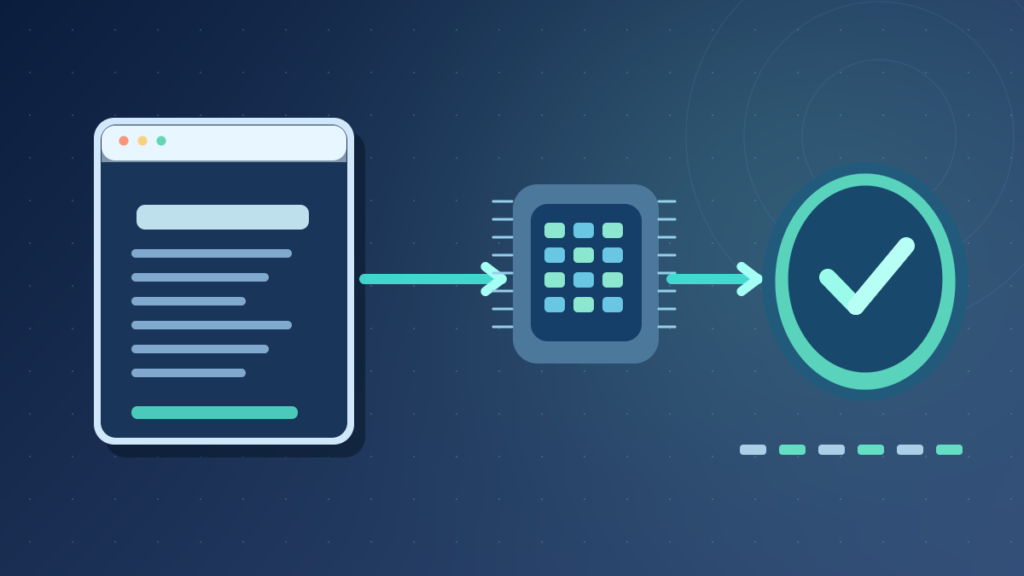

A checksum is a calculated value used to detect changes in data. To verify a file, compute a value using the same algorithm as a trustworthy reference and compare the full results. SHA-256 is a common cryptographic choice, but a matching digest by itself does not prove that the publisher is genuine or the software is safe.
Checksums are used for downloads, backups, storage and transfers. This guide explains their limits and provides safe Windows, Linux and macOS commands without confusing file integrity with authentication.
What A Checksum Is And What It Can Tell You
A checksum is a calculated value derived from data and used to help detect whether that data has changed. A sender, publisher or storage system calculates a value for a particular file or block of information. Someone who later receives or reads the data can calculate the corresponding value again and compare the result with a trustworthy reference. If the values differ, the content or the calculation conditions are not the same.
The word checksum covers several families of techniques. Simple arithmetic checksums and cyclic redundancy checks are often designed to detect accidental corruption efficiently. Cryptographic hash functions such as SHA-256 produce message digests designed with stronger mathematical properties, including resistance to deliberately constructed collisions. People often call those digests checksums when using them to verify downloads, even though the underlying algorithms serve different security needs.
A checksum does not repair corrupted information. It reports a comparison result. If the expected checksum was generated after a file had already been corrupted, a matching new calculation will faithfully confirm that same corrupted state. A checksum also does not explain which hardware, program or network path introduced the change.
Imagine downloading a software installer from a vendor that provides a SHA-256 value on an authenticated official website. You compute SHA-256 for the saved file. A different result is a strong reason not to use the installer until the mismatch has been investigated. A matching result supports that the file agrees with the reference, provided the reference itself is trustworthy.
NIST’s Secure Hash Standard documents the role of secure message digests in detecting changes and supporting cryptographic constructions. The standard does not claim that a bare digest on a random webpage proves the identity of the software publisher.
For a broader foundation, our technology glossary introduces related terms, while the compression guide explains a different process that changes how data is represented without serving as an integrity guarantee.
How Checksum Calculation And Verification Work
Verification begins with a defined algorithm and a known sequence of input bytes. The algorithm processes those bytes and returns a value. To verify another copy, use the same algorithm on the complete candidate file. Compare the calculated value with the expected reference. The comparison is meaningful only when the algorithm, reference and content selection are aligned.
For example, suppose an organization stores a ZIP file and separately records its SHA-256 digest. A copy arrives at another computer. The recipient calculates SHA-256 for the complete downloaded ZIP and compares the full hexadecimal strings. If one character differs, the values do not match. Do not dismiss a mismatch because most of the string looks similar.
| Step | Purpose | Common Mistake |
|---|---|---|
| Choose algorithm | Use the same digest method | Compare MD5 with SHA-256 |
| Acquire reference | Obtain a trustworthy expected value | Trust a value from the suspect source |
| Hash candidate | Calculate over the full file | Hash a shortcut or different file |
| Compare strings | Check for an exact match | Compare only the first few digits |
| Decide next step | Use or reject based on evidence | Assume a match proves the publisher |
Cryptographic hashes have a fixed output size for a selected algorithm. A large video and a tiny text file both produce a 256-bit result under SHA-256. A fixed digest cannot uniquely describe every possible input because infinitely many possible inputs map into a finite output space. Good cryptographic algorithms are designed so finding useful collisions or preimages is computationally infeasible for their intended security level.
That mathematical nuance matters. A matching SHA-256 digest is very strong evidence of identical input when the reference is authentic, but not a logical theorem that two arbitrary files must be identical. In ordinary download checks, accidental undetected differences are extraordinarily unlikely under SHA-256.
A checksum comparison is most valuable when it is part of a documented workflow with source authentication, file identity and a clear response to failure. Without that context, users can overestimate what the string alone proves.
Trusted Publisher
Calculate SHA-256
Match Or Mismatch
Simple Checksums, CRC And Cryptographic Hashes Compared
A simple checksum can be calculated by adding numeric values from a message and retaining part of the result. Such schemes are cheap to compute and useful in selected error-detection contexts. However, some changes can cancel out, producing the same value even though the content differs. That makes a simple additive checksum unsuitable as a general defense against deliberate manipulation.
A cyclic redundancy check, or CRC, uses polynomial arithmetic to identify many classes of transmission errors. CRCs are used in communications and storage protocols because they efficiently detect common accidental changes. Their design and length matter, but ordinary CRCs are not cryptographic authentication algorithms. A motivated attacker who can alter both data and CRC can normally compute a new valid CRC.
Cryptographic hash functions such as SHA-256 are designed for different requirements. Besides producing fixed-length digests, a secure hash should resist practical attacks aimed at finding a chosen input with a specified hash or constructing different messages with the same digest. Different security notions include preimage resistance, second-preimage resistance and collision resistance.
| Method | Typical Goal | Resists Malicious Changes? |
|---|---|---|
| Arithmetic checksum | Simple accidental-error detection | Not generally |
| CRC | Efficient transmission-error detection | Not cryptographic protection |
| SHA-256 | Cryptographic digest and integrity checks | Strong construction, but reference authenticity still matters |
| Digital signature | Verify signed data under a trusted key | Designed to add authenticated verification |
There is no need to replace every CRC in a networking protocol with SHA-256. Protocols choose error-detection mechanisms according to their requirements, while authentication and encryption may occur at other layers. The important mistake is claiming that a CRC establishes who sent a message.
NIST specifies secure SHA-family algorithms in its standards and provides guidance for applications requiring cryptographic strength. If a security-sensitive process depends on integrity against a malicious adversary, use an established authenticated protocol or signature scheme rather than inventing a custom checksum.
SHA-256, SHA-512, SHA-1 And MD5
SHA-256 is a widely supported cryptographic hash algorithm that produces a 256-bit digest, typically displayed as 64 hexadecimal characters. SHA-512 produces a 512-bit digest, typically represented by 128 hexadecimal characters. Both belong to the SHA-2 family. The larger output is not proof that SHA-512 is always the best option for every workflow; performance, compatibility and the security protocol’s design all matter.
MD5 and SHA-1 are older hash algorithms with known collision weaknesses that make them inappropriate for many security-sensitive applications. You may still encounter them in old software catalogs or as basic change-detection values. Their presence does not automatically mean a file is malicious, but they should not be selected for new adversarial integrity or digital-signature designs.
Microsoft’s Get-FileHash reference notes that SHA-256 is the default for its PowerShell cmdlet. It also warns that MD5 and SHA-1 should not be used for files requiring protection against attacks or tampering. Use the publisher’s exact supported algorithm when comparing a published value.
FIPS 180-4, published by NIST, defines members of the SHA-2 family and relevant cryptographic operations. A hash algorithm is a deterministic computation, not a source of random identification. The same bytes produce the same digest under the same algorithm, regardless of the computer used, assuming correct implementation.
A file’s name, timestamp and location do not ordinarily enter a conventional hash of its content. Changing the filename without changing the bytes does not change SHA-256 of those bytes. Changing one actual byte generally produces a completely different cryptographic digest, an effect commonly called the avalanche behavior.
Never assume that a 64-character hexadecimal value must automatically be SHA-256. Different systems can encode or truncate results in different ways. Read the algorithm label and the complete documentation when performing an integrity comparison.
Verify A Download In Windows With PowerShell
On Windows 11, open PowerShell or Windows Terminal. Locate the actual file to verify in File Explorer. In PowerShell, the built-in Get-FileHash cmdlet can calculate SHA-256 without installing a third-party utility. Use the exact pathname of a harmless file you already possess; the command reads its contents and does not modify them.
For a file named example.zip located in your current PowerShell directory, the command is:
Get-FileHash -Path ".\example.zip" -Algorithm SHA256The output includes the algorithm, the calculated hash and the file path. If the file is in Downloads, navigate to that folder safely or supply its quoted full path. Quotation marks protect filenames containing spaces. Do not copy a sample filename verbatim and interpret a file-not-found error as a checksum failure.
Compare the result with the complete SHA-256 value from the vendor’s authentic distribution page. The expected value must describe the exact version and file variant downloaded. A different language installer, architecture or release can legitimately have a different digest. Download managers may also change filenames without changing the content.
PowerShell comparisons are case-insensitive when treating hexadecimal digits as values, but the correct algorithm and every hex digit matter. Copy the whole string carefully. If it differs, avoid running the file until you confirm the version, reference and transfer. Redownload from a trusted source if appropriate.
You can also compute a digest for a known sample file to learn the process before verifying a critical installer. The command is read-only, so there is normally no need for administrator privileges just to hash files you can read. Permissions may still prevent access to protected files.
Microsoft’s official cmdlet documentation describes supported algorithms and parameter behavior. Avoid internet instructions that demand disabling antivirus protection simply to calculate a SHA-256 checksum.
Verify Files On Linux And macOS
On a Linux system with GNU core utilities, the sha256sum command can calculate a file’s SHA-256 digest. Open a terminal, navigate to the intended directory and run it with the correct filename. The command does not alter the file:
sha256sum example.zipThe typical output contains the digest followed by the filename. For a publisher-supplied checksum manifest in the expected format, GNU sha256sum also supports a check operation:
sha256sum -c SHA256SUMSThat operation attempts to verify file entries described by the manifest. Use it only when the manifest is appropriate for the downloaded set and came from a trusted source. Understand which relative filenames it expects and avoid running untrusted instructions that change directories or overwrite files.
The GNU Coreutils manual explains sha256sum, its check mode and input formats. A manifest may contain hashes for several files, so a missing optional download can produce errors even when a particular file’s digest is correct. Read the output rather than treating one status line as evidence for every artifact.
On macOS, the common Terminal command for a SHA-256 digest is shasum -a 256 example.zip. The output should be compared with the vendor’s full published digest. File paths, quoting and working directories are as important here as they are on Windows.
Different platforms can display the same bytes with the same SHA-256 result, even though command syntax and formatting vary. Differences in output text, uppercase letters or leading path components do not mean the digest itself changed.
If a downloaded archive contains several files, verify the outer archive when the vendor publishes that archive’s digest. Extracting and recompressing an archive may produce different outer bytes even when the extracted files are functionally equivalent. A published digest always refers to a particular byte sequence, not merely the concept of its contents.
What A Match Proves And What It Does Not
Suppose a vendor securely publishes the SHA-256 digest of a software installer and you independently calculate the same value for the downloaded file. That is strong evidence the file’s bytes match the published reference. It helps detect accidental corruption, wrong versions and many forms of unauthorized modification during transfer or storage.
But a digest by itself does not authenticate who published it. If an attacker can replace both a download and the checksum shown next to it, the two will agree. The attacker has not defeated SHA-256; they have substituted a new reference. The trust of the reference is therefore a separate requirement.
For important software, verify that the checksum is provided through a trusted official vendor source, and use digital signatures or authenticated package-management infrastructure where available. A valid signature under a properly trusted key can provide origin and integrity assurances that a standalone checksum does not.
The distinction between integrity and authenticity also explains why a file can have a correct digest yet be unsafe to run. The publisher could have distributed a vulnerable application, the user could have downloaded the wrong product, or malicious content could have been present in the original official build. Hash equality is not malware screening.
A mismatch, conversely, is not automatic proof of malware. It may result from a wrong version, a different operating-system architecture, an incomplete transfer, comparison with the wrong algorithm, or corruption. Treat the mismatch as a reason to stop and investigate, rather than instantly accusing a source.
NIST’s hash algorithm guidance explains how secure hashes are used in signature and message authentication constructions. Integrity checks and authenticated origin are related, but neither should be misrepresented as an all-purpose security guarantee.
For a user deciding whether to open a software package, checksum verification is one check among several, alongside the source’s reputation, code signing, system security warnings and application permissions.
Checksums In Storage, Backups And File Transfers
Storage systems can use checksums or related integrity information to detect unexpected changes as data is written, stored or read. The particular mechanism may operate at a block, object, file or protocol level. Some systems also have redundant copies or error correction that can repair detected problems. A checksum alone provides evidence of a mismatch but does not automatically restore lost data.
During file transfer, a checksum can help confirm that the destination received the intended bytes. An ordinary network protocol may already include error detection and retransmission, while a separate end-to-end file hash checks the complete application artifact. These layers serve different purposes and should not be treated as redundant in every situation.
A backup program may maintain checksums for stored blocks and use them during validation. That can detect repository corruption, but it does not guarantee that the selected files were appropriate, that the original application state was consistent or that a complete restore is possible. A database backup can have valid stored bytes yet fail to open because necessary transaction information was not captured.
Our backup preparation guide explains why you should check files after saving them elsewhere. A restoration exercise is necessary even when checksum reports are clean. For a storage-level comparison, read file storage versus object storage, which discusses different ways data is presented to applications.
When comparing directories or backup generations, a digest can help identify likely identical content. Hashing large collections has a processing cost, and applications may use metadata or incremental techniques to reduce unnecessary rehashing. A match should be interpreted in the context of the algorithm and the trust of the stored reference.
If data is irreplaceable, maintain independent copies and periodically verify recoverability. A checksum can detect certain kinds of damage, but it cannot replace backup policy, device health monitoring and tested recovery procedures.
Checksums And Compression Are Different Operations
Compression reduces the number of bits used to represent information, while a checksum provides a value used to detect changes. A ZIP archive can apply lossless compression and may include CRC-style information for detecting certain errors in contained files. Those functions do not make ZIP an authenticated archive format. An attacker can modify content and construct a new valid archive with its own checksums.
A photo converted to JPEG may have different image content from its source because JPEG normally performs lossy encoding. The source and JPEG file will have different SHA-256 values because their stored bytes differ, even when the photograph looks visually similar. Hashes compare byte sequences, not perceived image similarity.
Two PNG files showing the same picture can also have different hashes if their metadata, compression settings or encoded bytes differ. A hash mismatch does not necessarily mean the displayed pixels differ, and matching visible appearance does not establish file-byte identity. Be clear about what question your verification is intended to answer.
For content archives, choose the level of comparison accordingly. If you need to know that a downloaded ZIP is exactly the vendor’s release file, hash the complete ZIP. If you need to compare extracted documents after a legitimate repackaging process, hash the corresponding extracted files instead of expecting the outer archives to match.
Lossless compression preserves its encoded source when correctly decoded, but the archive can still be damaged during transfer. Integrity checks can detect such damage in supported circumstances. The operations complement one another; neither substitutes for authenticated delivery.
Our lossless versus lossy guide describes the distinct coding trade-offs. The key is that a checksum is a comparison tool, not a file compressor, a decoder or a mechanism for converting a damaged file back into its original state.
When documenting a workflow, record whether the expected digest belongs to the original data, the compressed container or the reconstructed output. Otherwise even honest participants can compare different layers and reach a false mismatch.
Checksum Collisions, Security And Practical Limits
Because a checksum or digest has a finite number of possible values, different inputs can sometimes share the same output. That event is called a collision. Its practical importance depends on the algorithm and threat model. A small arithmetic checksum can have many easy collisions. A modern cryptographic hash is designed so finding a useful collision is infeasible within its intended security constraints.
Cryptographic hash functions are also evaluated for preimage resistance and second-preimage resistance. These are not identical properties. Finding any two colliding messages differs from finding an alternate message that matches a specific existing file’s hash. Security designs select algorithms according to the property needed.
Known collision attacks on MD5 and SHA-1 have made them unsuitable for many adversarial integrity and digital-signature use cases. You may still see MD5 values in older file catalogs or nonsecurity deduplication tasks. Do not assume those old checksums give the same protection as a current well-designed cryptographic workflow using SHA-256 or an approved stronger alternative.
A digest’s length is not a statement that every listed algorithm provides the same security level. Hash constructions and attack history matter. Nor does calculating a long random-looking string automatically make a downloaded program trustworthy. Authentication requires an independent trust mechanism.
Sometimes a website displays a checksum near an executable download. Ask where that value came from and whether the page and distribution channel are authentic. If a trusted vendor publishes a signed manifest, verify the signature through the supported tooling rather than relying solely on a visual comparison.
If you develop a system that must prevent deliberate alteration, use standard cryptographic libraries, message authentication codes or digital signatures as appropriate. Do not design a custom additive checksum as a security feature. Follow the documented algorithm selection and key-management policies of the environment.
The right claim is limited but powerful: a trustworthy secure digest comparison can provide strong evidence that content has not changed relative to an authenticated reference. It is not proof of legal ownership, the absence of malware or the identity of a person operating the device.
A Reproducible Practice Exercise With A Small File
To understand checksums directly, create a harmless local text file containing a short fictional sentence. Save it with a name such as checksum-practice.txt. Calculate its SHA-256 digest using the appropriate read-only tool for your operating system. Copy the full result into a local note along with the algorithm and filename.
Make a separate copy of the text file. Verify that its digest matches the first one. The filename can differ because ordinary content hashing uses the file’s bytes rather than its display name. Next, open the copy, add one visible character, save it and calculate the hash again. A properly computed SHA-256 digest should almost certainly differ, illustrating how even a small edit changes the fingerprint.
Undo the edit by restoring the exact original bytes if you want to verify that the first digest reappears. Be careful with invisible differences: some editors change line-ending conventions or add a final newline. A string that looks identical on screen might not have identical stored bytes. The experiment can teach both content hashing and text encoding awareness.
This is a recommended practice exercise, not a claim that every application and operating system has been physically tested for this article. Its commands and expected behavior follow the publicly documented algorithms. Do not practice on an irreplaceable file or edit a production software installer.
For a more formal test, keep the file’s algorithm and expected digest in a separate trusted record. Another user can verify the copy without needing to know its creation history. A clear record is much more useful than a screenshot showing only part of the hash value.
If your results do not behave as expected, confirm that you hashed the same file path, used SHA-256 each time and saved the editor’s changes. A mismatch caused by a wrong working directory is a workflow error, not evidence that SHA-256 is unreliable.
The exercise reinforces the central concept: calculation is straightforward, but meaningful verification depends on selecting the correct input and a reliable reference.
A Practical Integrity Verification Checklist
For an important download, begin by identifying the publisher and exact file variant. Obtain the expected digest from an authenticated official channel and record which algorithm it uses. Download the file from the intended distribution source, not an unrelated mirror advertised by a search result.
Calculate the digest locally with a read-only trusted tool. Compare the complete value, not only a prefix. If the publisher also supplies a digital signature or package-manager verification mechanism, use that official procedure. Do not disable security features or ignore operating-system warnings just because the hash happens to match.
If the checksum differs, stop before opening the executable or importing the data. Recheck the filename, version, algorithm, reference and whether the transfer completed. A fresh download from a verified source may be appropriate, but repeated mismatches should be reported through official support. Do not change bytes manually to make a hash match.
For backup verification, keep checksums as one part of a larger plan. Test an actual restore to a safe location and confirm that the application can use the recovered files. Storage checks may be clean while a required database, permission or encryption key is absent.
For software developers, establish consistent encoding and newline handling in reproducible build processes. The same source code content can produce different artifact bytes if timestamps, packaging or build settings differ. A mismatch should be investigated in that context before it is interpreted as evidence of tampering.
Keep reference values and verification results with suitable operational records, but do not post sensitive internal filenames, paths or credentials publicly. Choose modern supported algorithms for new security-sensitive workflows.
Checksums are best understood as a precise question: does this sequence of bytes agree with an expected digest under the same algorithm? Answering that question correctly is valuable, as long as you do not claim it proves more than the evidence supports.
Frequently Asked Questions
What Is A Checksum In Simple Terms?
It is a value calculated from data to help detect whether the data has changed.
Is A Checksum The Same As SHA-256?
SHA-256 is a cryptographic hash function often used to produce file verification checksums. Other checksum methods exist.
Can Two Different Files Have The Same Checksum?
Yes in principle, because digest outputs are finite. Strong modern cryptographic hashes make useful collisions computationally difficult.
Does A Matching SHA-256 Prove A File Is Safe?
No. It supports matching a reference, but the reference could be untrusted and the original file itself could be unsafe.
Can I Verify A File Without Installing Software On Windows?
Yes. PowerShell’s built-in Get-FileHash cmdlet can calculate SHA-256.
What Is The Difference Between CRC And SHA-256?
CRC is commonly used for accidental-error detection. SHA-256 is designed for stronger cryptographic properties.
Will A Checksum Repair Corrupted Files?
No. A checksum detects a difference; recovery requires a valid copy or an appropriate error-correction mechanism.
Does Renaming A File Change Its SHA-256?
Not if the file’s bytes remain exactly unchanged and the hash is calculated over file contents.


