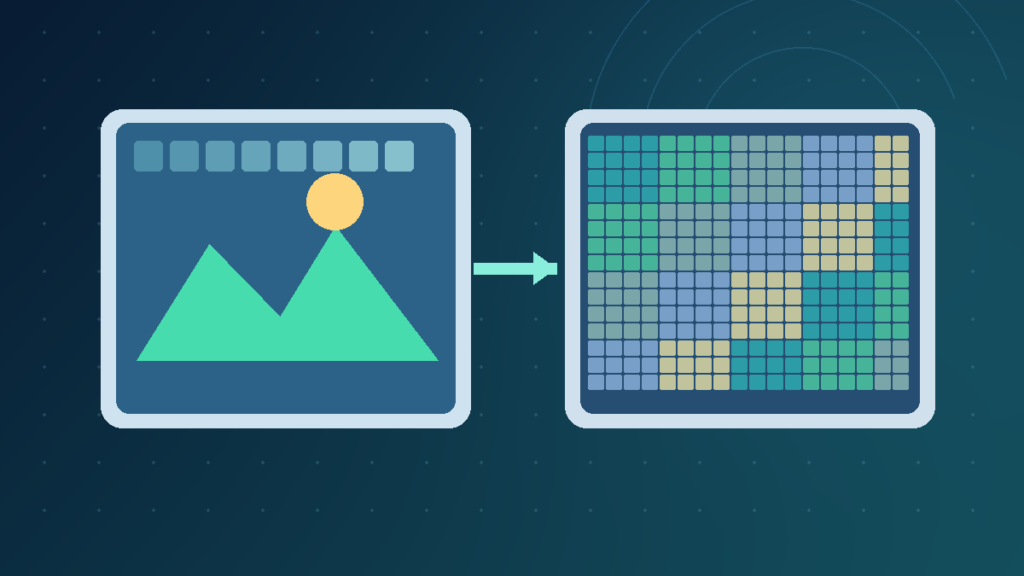

Lossless compression allows exact recovery of the encoded data; lossy compression saves size by discarding or approximating information. Lossless is appropriate for exact archives, screenshots and production masters. Lossy can be appropriate for photos, audio and video distribution when quality is acceptable.
Understanding the difference helps you choose file types without confusing a smaller file with better fidelity.
What Lossless And Lossy Compression Mean
Lossless and lossy compression are two ways of reducing how much digital information needs to be stored or transmitted. The difference is whether the decoder can reconstruct exactly the data that was supplied to the encoder. Lossless compression preserves enough information to recover those original bytes or samples. Lossy compression permits some details to be removed or approximated to produce a more compact representation.
Neither word by itself measures whether an image looks pleasing or a recording sounds good. A low-quality photograph can be saved with lossless coding, faithfully preserving its blur. A high-quality photograph can be saved using a lossy encoder whose changes are difficult to notice during ordinary viewing. Perceptual quality and exact digital equality are different questions.
This distinction matters when a file will be edited repeatedly, used as a scientific record, delivered to a phone, or shared through a website. A spreadsheet or computer program must generally preserve exact data, while a social image may tolerate small changes in fine texture in exchange for a smaller download.
Consider a screenshot of an error dialog and a vacation photo. The screenshot contains fine text and sharp lines, so even small halos from image compression can reduce readability. The photo contains many gradients and textures, where a carefully chosen lossy export may remain useful at a much smaller size.
Lossless does not mean that every change made before encoding is reversible. If an image is resized or flattened and then encoded losslessly, it is the resized or flattened representation that can be recovered. Likewise, converting a JPEG to PNG does not restore details already removed by the original JPEG.
The practical choice starts with the purpose of the file. Keep original sources and editing masters in suitable formats when exact reconstruction or future editing matters. Produce separate delivery versions when bandwidth and compatibility are important.

Why Compression Reduces Digital File Size
Raw digital data often contains patterns that can be represented more efficiently. A plain hypothetical sequence with one thousand repeated characters is longer than a representation that stores the character and an appropriate repetition count. Real-world compression algorithms are more sophisticated, but they similarly exploit repetition, predictable patterns and the statistical distribution of symbols.
Lossless compressors may use dictionaries, prediction, entropy coding and other mathematical techniques to describe the same source information using fewer bits. Because the representation remains reversible, decoding recreates the source exactly when the stream is valid.
Media formats can make additional trade-offs. Images contain spatial patterns and color information, audio contains frequency content across time, and video contains both pictures and temporal relationships between frames. Lossy encoders may simplify details that are less important for a chosen perceptual target.
The compression ratio is often calculated by dividing the original size by the compressed size. If a hypothetical 10 MB file becomes 4 MB, the ratio is 2.5 to 1, and the new file uses 40 percent of the original space. This example illustrates arithmetic, not a guaranteed outcome for a particular format.
The savings depend on the source. A simple picture with large areas of identical color may compress extremely well with lossless techniques. A photograph full of noise or an already-compressed archive may offer far less opportunity for additional lossless reduction. Do not assume a universal percentage based on file extension.
Compression also introduces processing costs. Encoding can require CPU time, memory and sometimes specialized hardware. Decoding efficiency matters for websites, apps and streaming services that must handle many files quickly.
When evaluating a format, consider size, quality, application compatibility, decoding speed, source preservation and how many times the file will be edited. Finding the smallest output is not always the same as finding the best output.
How Exact Lossless Reconstruction Works
Lossless compression promises that the decoder can reconstruct the encoded original data exactly. A file might use pattern matching, dictionary references or shorter codes for frequently occurring symbols to reduce its representation without throwing away required information.
ZIP is a familiar example for general-purpose file archiving. When the archive is intact and extracted correctly, the extracted files reproduce the content included when the archive was made. PNG performs lossless encoding of its stored pixel representation. FLAC compresses digital audio with a lossless technique, making it suitable for workflows where audio samples must be preserved.
There are limits to what this promise means. If you convert a high-bit-depth photograph into a lower-bit-depth image before saving it as PNG, some information may already have changed. The PNG’s lossless encoding will preserve the new pixel values, not the earlier source format.
Similarly, an image editor may flatten layers, remove metadata, change color profiles or resize an image before it is compressed. Compression is only one stage of that workflow. A lossless exported image is not necessarily an editable project master.
A file format may contain descriptive metadata in addition to its core media samples. Some transformations preserve pixels while changing metadata, or preserve audio samples while altering tags. Be precise about which aspect of the data must remain identical.
Exact preservation is important for source code, databases, engineering records, many archival workflows and technical images that depend on crisp, consistent details. A lossy transform would make it difficult or impossible to recover the source values after decoding.
Lossless compression is not a guarantee against disk damage or malicious alteration. Integrity checks, backups and appropriate security controls serve separate purposes. If a workflow requires exact identity, store a trusted original and verify it with an appropriate checksum when needed.
Do not throw away an editable or uncompressed original merely because an exported file is labeled lossless. Preserve the form that will support future work.
How Lossy Encoding Changes The Information
Lossy compression allows some differences between the input and the reconstructed output. In a photograph, the encoder might reduce fine image detail or simplify color information. In audio, it may allocate fewer bits to components that are less perceptually important under the model used. This can produce very useful size savings, but the recovered sample values are not guaranteed to match the original.
JPEG commonly uses transformations and quantization that can produce blocking, ringing, halos near sharp edges or loss of fine texture when compressed aggressively. Those artifacts are especially visible in text-heavy screenshots, diagrams and images that will be enlarged.
Quality settings are not universal. A setting of 80 in one application cannot be assumed equivalent to 80 in another. Encoders differ in algorithm, presets and content optimization. Compare actual files under the target viewing conditions rather than relying on a number from a dialog.
Lossy audio formats such as MP3 and many AAC encodings similarly trade exact sample recovery for practical distribution sizes. A listener may not notice the changes in a given recording and environment, but that does not mean the source samples have been recovered bit for bit.
Repeated lossy recompression can compound quality loss. Saving a JPEG, reopening it, making a change and saving another JPEG can introduce additional artifacts. For important editing projects, return to the original or a suitable master rather than repeatedly exporting from earlier delivery copies.
Lossy compression is not automatically bad practice. Web photographs, streamed videos and portable audio frequently benefit from the trade-off. The question is whether the data discarded matters for the intended use.
A lossy file can also contain metadata and elements that are represented without the same perceptual coding. Do not assume every byte in a multimedia file is subject to the same compression process.
The correct standard for a delivery copy is sufficient perceptual quality, compatibility and efficient transfer. The correct standard for an archival master may instead be exact recoverability.
Compare Common Image, Audio And Archive Formats
A format name can suggest the compression method, but flexible formats require closer inspection. Some formats always use a familiar style of image coding, while newer containers offer several modes.
| Format | Typical Coding | Useful Scenario |
|---|---|---|
| PNG | Lossless raster encoding | Screenshots, text and line art |
| JPEG | Lossy image encoding | Photographs |
| WebP | Lossy or lossless | Web images with appropriate support |
| AVIF | Lossy or lossless | Efficient web image delivery |
| ZIP | Lossless archive coding | Packaging files |
| FLAC | Lossless audio coding | Archival audio copies |
| MP3 | Lossy audio coding | Compatible audio distribution |
MDN’s image format documentation describes PNG as lossless, JPEG as lossy, and WebP and AVIF as capable of different encoding modes. This distinction is useful because the extension alone does not tell you which mode a particular WebP file used.
A GIF uses an indexed color model. Its compressed indexed pixel values can be recovered losslessly, yet converting a full-color photograph into a limited palette can discard colors before that stage. This demonstrates why the whole conversion pipeline matters.
SVG describes vector geometry and text rather than serving as an ordinary raster photograph. It can be especially appropriate for crisp interface icons and diagrams that need to scale. It is not interchangeable with a JPEG photo.
An MP4 file is a container, not a promise of one compression method. It can contain video and audio streams encoded with different codecs. Similarly, audio codecs should be distinguished from the surrounding container file.
A useful comparison asks what the source really contains, how it was encoded and whether the destination can decode it correctly. Changing only the filename extension is not a conversion. A proper conversion decodes the source and produces a new compatible representation.
Pick A Format For Photos And Screenshots
Photos, screenshots and technical diagrams place different demands on compression. A photograph often contains continuous variations in color and texture. A suitable lossy format can make it practical to share without an unreasonably large download. Keep the original capture or editing master if future retouching or exact reconstruction matters.
A screenshot contains thin letters, controls, icons and straight lines. Lossy artifacts around those boundaries can make the result harder to read even when the file is smaller. PNG or lossless WebP often provides a better trade-off for a help article that depends on sharp text.
When preparing diagrams, consider vector SVG if your workflow supports it. Shapes and labels defined mathematically can scale without simply enlarging a fixed pixel grid. Preserve the editable project separately, because exporting a flat image can remove editable layers and object relationships.
Resolution and compression are not the same thing. A 4000-by-3000 pixel image can be encoded with a smaller lossy file size while keeping those dimensions. Resizing to 1200-by-900 pixels changes the pixel count and may discard detail in a separate operation.
Transparency is another requirement. JPEG does not support the usual alpha transparency needed for a logo over different backgrounds. PNG and certain newer formats can preserve it. Choose based on the entire design rather than treating all images as photographs.
For a website, inspect the final delivered file at its intended display size and on a smaller screen. Text that is readable on a desktop may be illegible when scaled into a narrow article. If necessary, crop the relevant step separately instead of forcing every detail into one enormous screenshot.
The best format preserves what the reader needs while controlling storage and bandwidth. Maintain a high-quality original for production and prepare deliberate delivery copies with tested compatibility.
Choose Between FLAC, MP3 And Other Audio
Audio compression can aim for exact sample recovery or efficient distribution. FLAC is a lossless audio codec: the decoded audio samples reproduce the encoded source exactly. MP3 and typical AAC configurations use lossy compression, reducing information according to the encoder’s design. Both approaches can be useful when selected for the appropriate goal.
A lossless copy is especially valuable when a recording will be edited, archived or processed again. A lossy distribution version may save storage and bandwidth for listeners. It does not follow that every listener can distinguish every well-encoded file during normal playback. Hearing differences depends on the material, the encoder, the equipment and the surrounding environment.
Bit rate alone is not a complete quality measure. A recording with difficult, complex passages may place different demands on a codec from a simple voice recording. Codec implementation, settings and the source matter in addition to the nominal number shown by an application.
Converting MP3 to FLAC does not recover the information removed during MP3 encoding. The conversion may avoid adding further loss at the new FLAC stage, but the decoded source was already altered. A larger resulting file is not automatically more faithful to the recording that existed before the MP3.
For original recordings and production projects, preserve the source session and an appropriate high-quality master. Export delivery files separately. Keep backups because compression does not protect against deletion or storage failure. Do not confuse an audio codec with its surrounding file container, which may support multiple streams and metadata formats.
Video Compression And Streaming Trade-Offs
Video files represent many frames of moving pictures and often several channels of sound. Uncompressed storage requirements can be substantial. Lossy video coding commonly reduces the data by exploiting patterns inside frames and relationships between successive frames. This makes everyday online video practical at manageable transfer rates.
A video export’s quality depends on resolution, frame rate, bit rate, source material, codec and encoder settings. A static interview may compress differently from rapid movement, rain or detailed foliage. One numeric setting cannot guarantee the same visual fidelity across all videos.
Streaming applications may provide different renditions for different connections. A lower-bandwidth copy can reduce buffering while sacrificing some resolution or fine detail. This is useful for distribution, but it should not automatically replace a high-quality editing master.
Lossless video workflows may be relevant when exact pixel values matter, including specialized production and analysis. They usually need more storage or bandwidth. For normal web distribution, the balance between size and readable quality often makes a carefully chosen lossy export appropriate.
Avoid repeatedly transcoding lossy versions when the original source remains available. Each additional encoding step can introduce new artifacts. Upscaling a low-resolution video creates more output pixels but cannot simply reconstruct the true information missing from the source. An enhancement algorithm might estimate details, which is not the same as recovering the original data.
For a valid comparison, test short representative clips with moving objects, gradients and text. Check the result on the screen and network conditions that matter to your audience. Keep the original recording so you can make a different delivery export later.
Avoid Conversion Myths And Repeated Losses
A common mistake is thinking that converting a JPEG photograph into PNG restores lost image detail. The PNG can represent the decoded JPEG pixels losslessly, but it cannot reconstruct the original values discarded by JPEG encoding. The same limitation applies when converting a lossy audio file into a lossless codec.
Renaming a file extension is not a genuine conversion. A destination program needs the expected file structure and encoded content. Use a trustworthy application that decodes the source and creates a compatible output. Keep the original file until you have verified the result.
Another misconception is that a larger file must be of higher quality. A blurry JPEG converted into a large PNG can take more space without providing authentic additional detail. An oversized audio file derived from a compressed stream can similarly be larger without restoring the master recording.
ZIP archives may not greatly shrink JPEG, MP3 and other already-compressed media. ZIP can still be useful to bundle related files and preserve their content. It does not reverse earlier lossy media encoding. Measure actual storage savings rather than guessing from a file extension.
Repeated editing and lossy saving can compound losses. When a photograph or video will be edited several times, work from an appropriate original or intermediate master rather than repeatedly recompressing the last delivery copy.
Export settings can also change pixel dimensions, color profiles, transparency, metadata or sample characteristics. Those changes are separate from the core question of whether the compressor is reversible. Read the complete export settings before replacing an irreplaceable source.
Build A Repeatable Format Decision Workflow
First decide whether the file is a source, an editable project master or a delivery copy. A unique original generally deserves careful preservation. A final website photograph may justify a smaller lossy copy. A technical screenshot may prioritize exact edge detail and readability instead.
Second, assess the content. Fine text, interfaces and diagrams often work well in lossless raster or appropriate vector formats. Photographs can frequently tolerate perceptual image coding. Audio and video should be evaluated using representative material, rather than assuming one preset is optimal for every file.
Third, consider compatibility. A modern codec is not useful if the recipient’s application cannot open it. For websites, choose supported formats and appropriate fallbacks. For archives, preserve enough information to recover the source with trustworthy tools.
Fourth, create deliberate test exports from the same original and compare actual file sizes, decoded quality and usability. Inspect images at the intended display size. Listen to recordings through suitable equipment, and test moving video scenes rather than judging a thumbnail.
When exact digital identity is essential, verify that extracted or decoded data matches the source using a suitable integrity method. Keep backups because even reversible encoding cannot repair a corrupted storage device or recover a deleted original.
Finally, document settings and store the editable master separately from delivery copies. A controlled workflow provides better long-term quality than a collection of repeatedly converted files whose source and encoding history cannot be established.
Frequently Asked Questions
What Is The Difference Between Lossless And Lossy Compression?
Lossless can reconstruct encoded source data exactly; lossy compression discards or approximates some information.
Is PNG Lossless And JPEG Lossy?
PNG stores its encoded raster pixels losslessly. Standard JPEG image coding is lossy.
Can WebP Be Lossless?
Yes, webP can use either a lossy or lossless mode.
Will Converting JPEG To PNG Restore The Original Image?
No, earlier JPEG information loss cannot be reversed merely by choosing PNG.
Is FLAC Always Better Than MP3?
FLAC is appropriate for exact audio reconstruction and archiving. MP3 can be practical for compatible, efficient distribution.
Is A Larger File Always Higher Quality?
No, conversion or upscaling can increase size without recovering authentic source detail.
Does ZIP Improve JPEG Quality?
No, zIP can bundle files or compress some data, but it cannot restore information previously discarded by JPEG.
Which Method Should I Use For Screenshots?
Lossless coding is often preferable because text and sharp interface edges are sensitive to lossy artifacts.
Official Technical References And Related Guides
MDN Image Formats | MDN Audio Codecs | MDN Compression | Technology Glossary | Screenshot Guide | Storage Concepts | Cloud Computing


