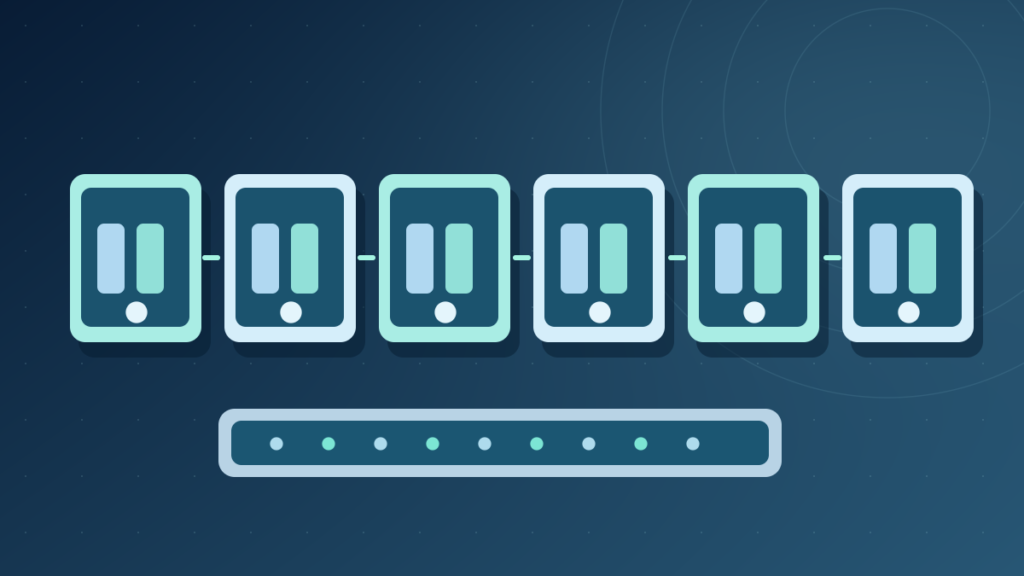

A MAC address is a link-layer identifier used by Ethernet and Wi-Fi interfaces for local frame delivery. Typical Ethernet MAC addresses use 48 bits represented as six hexadecimal octets. A MAC address differs from an IP address and can be locally administered or randomized rather than permanently fixed.
Learn address structure, ARP, IPv6 Neighbor Discovery, switches, private Wi-Fi addresses, safe inspection and security limitations.
MAC Addresses And Their Real Networking Role
A Media Access Control address, commonly called a MAC address, identifies an interface at a data-link layer in many Ethernet and Wi-Fi systems. A conventional Ethernet MAC address contains 48 bits, often written as six pairs of hexadecimal digits separated by colons, such as 02:4A:6C:10:20:30. This is an illustrative locally administered value, not an identifier belonging to a specific reader.
A MAC address helps devices exchange frames within an appropriate link-layer network. It is not the same as an IP address used for routing across multiple networks, a DNS hostname used to locate services or a serial number that must always remain unchanged. The local network scope is essential to understanding what a MAC address can and cannot identify.
IETF RFC 9724 describes modern MAC address structure and the changing-address practices used by devices. The document discusses the locally administered bit and how randomization affects network behavior and privacy. This is a more accurate foundation than the assertion that all MAC addresses are factory-fixed forever.
An Ethernet network interface typically exposes a MAC address for local link communication. A laptop with separate Ethernet and Wi-Fi adapters can have distinct link-layer addresses. Virtual devices and containers can introduce additional software-defined interfaces, each with its own relevant configuration.
For context read What Is An IP Address and What Is Ethernet. Their roles are related but operate at different layers of communication.
How To Read Six Hexadecimal Pairs
A 48-bit MAC address is commonly displayed as twelve hexadecimal digits arranged into six octets, such as 02:4A:6C:10:20:30. An octet contains eight bits and can be represented by two hexadecimal digits. The punctuation may appear as colons, hyphens or no separators depending on the operating system and network tool.
Hexadecimal uses digits 0 through 9 and letters A through F. Each digit represents four bits, making two digits enough to describe an octet. A display value such as 4A is not the decimal number forty-two; it represents a different numeric notation. The formatting does not change the underlying 48-bit address.
Octet 1
Octet 2
Octet 3
Octet 4
Octet 5
Octet 6
Some environments use extended address formats, including EUI-64, under particular standards. Therefore it is inaccurate to insist that every conceivable hardware-layer address always has six octets. The common Ethernet example uses 48 bits.
For understanding bytes and hexadecimal see What Is Binary Data. MAC addresses are numbers represented in hexadecimal text, not ordinary words or secret encryption keys.
Where MAC Addresses Appear In Local Frames
Ethernet frames carry source and destination MAC address fields as part of their link-layer structure. The source identifies the sending interface on that link, while the destination indicates the intended recipient or a group or broadcast address under Ethernet rules. Network switches use learned address information to decide how to forward many frames among their ports.
A switch can associate a source MAC address with an ingress port in its forwarding database. It can then direct a frame toward an appropriate learned destination instead of flooding every frame to every port. This behavior is local to the relevant switched network and can be affected by VLANs and other configuration.
The IETF MAC address report describes the address fields and administrative bits, while our network switch guide explains practical forwarding behavior. Switch learning is not an authenticated proof of identity; malicious or misconfigured devices can sometimes create duplicate addresses or spoof source fields.
A router creates a different link-layer frame when forwarding a packet onto another Ethernet segment. The IP destination may remain the intended remote service, while the source and destination MAC addresses change for the next local hop. This is why a distant website normally does not directly learn your laptop’s home Ethernet MAC address through ordinary IP packets.
The distinction matters for troubleshooting: a MAC forwarding problem on a LAN is not necessarily a DNS or HTTP server issue. Layer-specific evidence avoids treating all network errors as one generic connectivity problem.
MAC Address Vs IP Address Vs Hostname
A MAC address is normally used for local data-link communication. An IP address identifies an interface or endpoint for network-layer routing, and a hostname gives a human-readable name that can be resolved according to naming rules. A device can have several of each, and any of these can change through supported configuration or network changes.
| Identifier | Common Purpose | Example |
|---|---|---|
| MAC Address | Local Ethernet/Wi-Fi Frame Addressing | 02:4A:6C:10:20:30 |
| IPv4 Address | Network-Layer Routing | 192.0.2.14 |
| IPv6 Address | Network-Layer Routing | 2001:db8::14 |
| Hostname | Name Resolution And Identification | host.example.com |
The IP examples use documentation ranges. They are not destinations the reader should try to connect to as part of a repair. The MAC example is similarly illustrative. An actual local address should be observed through the network’s approved interface.
A device may get a new IP address from DHCP without changing the MAC it presents on the link. Conversely, private Wi-Fi addressing can change the presented MAC while the network assigns a different IP lease. Do not confuse address assignment with permanent device identity.
See DNS explained for hostname resolution and default gateway for the next-hop routing decision. Identifying the correct layer is useful whenever a computer connects to Wi-Fi but cannot reach a service.
Universal And Locally Administered Addresses
A conventional 48-bit MAC address contains bits that indicate whether it is treated as universally or locally administered and whether it is for individual or group addressing. In the first octet, the universal/local bit is the second least significant bit. The individual/group bit is the least significant bit under the relevant IEEE addressing model.
A factory-provided address may be based on an IEEE-assigned organization identifier and values assigned by its manufacturer. A locally administered address may be generated or configured by software, an organization or the operating system. Neither format inherently guarantees that two devices can never present the same value in one network.
RFC 9724 describes the distinction and modern randomized address practices. A leading octet of 02 in the example means the local-administration bit is set and the group bit is not set. The address is suitable as a documentation example and not an identification of one specific vendor.
An organizational prefix can sometimes suggest a registered address assignment, but it is not reliable proof of the physical manufacturer of the device in use. Virtual interfaces, private addressing and spoofing can change the observed value. A network operator should not classify hardware or security posture solely from the first three octets.
For device inventories, combine MAC observations with authenticated management records, serial numbers when appropriate and approved asset processes. A MAC address is useful operational data but not a strong identity credential.
Privacy-preserving randomization and assigned address policy must be considered when designing a network with per-device registration or DHCP reservations.
How ARP Maps IPv4 To Link-Layer Addresses
Address Resolution Protocol, or ARP, helps an IPv4 host learn a link-layer address for an on-link IPv4 destination under Ethernet-style networking. A computer may know the IP address of its router but need the router’s MAC address to deliver the local frame. ARP provides the mapping process for the relevant link.
The original RFC 826 describes ARP for Ethernet address resolution. Modern implementations also handle caching and additional network behavior. A host normally does not broadcast ARP for the MAC address of every remote website; it resolves an on-link next-hop address for delivery.
For example, a laptop sending data to a distant service can use the IP address of its default gateway to identify the next hop. It resolves the gateway’s local MAC and sends an Ethernet frame accordingly. The router then forwards the IP packet using its own next-hop link-layer addressing.
ARP cache entries may age or update when network conditions change. A stale or incorrect mapping can create temporary local connectivity problems, but clearing caches blindly is not a suitable first step for every internet outage.
ARP messages and caches are also relevant to security. Untrusted networks can have problems with address spoofing or deceptive ARP information. Segmenting networks and enforcing appropriate protections can reduce some risks, but ARP alone is not an authentication protocol.
Our internet packet guide explains the IP unit carried inside the link-layer frame, which is separate from ARP’s local resolution role.
IPv6 Neighbor Discovery Is Not Just ARP With A New Name
IPv6 uses Neighbor Discovery, described in RFC 4861, for functions including on-link neighbor address discovery, router discovery and reachability information. It uses ICMPv6 messages and options rather than simply sending IPv4 ARP requests with longer addresses.
Neighbor Solicitation and Neighbor Advertisement can help learn relevant link-layer addresses. Router Advertisements also provide information about available routers and some configuration. Different messages have different roles, and not every IPv6 neighbor operation is equivalent to an IPv4 ARP lookup.
A computer can maintain neighbor cache entries connecting IPv6 addresses with link-layer information where applicable. Those entries support local delivery; the wider internet still routes based on IP addressing through routers and network policy.
IPv6 addressing also includes privacy and interface identifier practices that differ from older simplified examples. One should not assume a modern global IPv6 address always embeds a device’s fixed hardware MAC address. Privacy extensions and implementation choices change that relationship.
Network administrators should inspect the actual address and neighbor state through supported tools and avoid manually assigning mappings based only on guesses. A broken neighbor relationship can affect communication even when DNS and application configuration are correct.
The key concept is that IPv4 ARP and IPv6 Neighbor Discovery both connect network-layer and local delivery decisions under their respective protocols, but their mechanisms and features are distinct.
Why Wi-Fi MAC Randomization Exists
Wireless interfaces have historically exposed stable addresses that could help observers correlate activity across networks. Modern operating systems therefore support private or randomized Wi-Fi addresses for some operations. A device can present different MAC identities to different wireless networks or rotate them according to its product policy.
IETF RFC 9724 analyzes address randomization and effects on connectivity. Apple documents private Wi-Fi addresses for supported devices, including options and changes across operating-system versions. These references show why it is misleading to claim a Wi-Fi MAC always remains a factory-fixed tracking number.
Randomization can reduce some forms of passive tracking but does not make a person anonymous. Networks, apps and websites can still observe accounts, traffic characteristics or other identifiers under their normal operation. A private MAC address should not be confused with a VPN or end-to-end encryption.
Changing an address can also affect a network that maintains DHCP reservations or authorization tied to the previous value. A hotel or enterprise system might need a supported re-enrollment process. That is a compatibility issue, not a reason for everyone to disable privacy features.
Use network-specific settings rather than changing every device globally. If an organization requires a stable identity, work with its administrator to implement supported access controls instead of relying solely on spoofable MAC values.
Our Mac Wi-Fi Troubleshooting Guide explains how address registration and DNS issues can produce similar symptoms despite successful wireless association.
Find Your MAC Address In Windows, macOS And Linux
Operating systems provide supported interfaces to inspect adapter identifiers. In Windows, Settings can display hardware information for network connections, while Command Prompt’s ipconfig /all reports Physical Address values for applicable adapters. A computer may show several addresses because Ethernet, Wi-Fi, Bluetooth or virtual interfaces are distinct devices.
On macOS, network settings provide details for selected interfaces, and the reported private Wi-Fi address may differ from hardware identifiers depending on connection and system configuration. On Linux, the ip link command can display network interfaces and relevant link-layer addresses on systems where the ip utility is available.
These are read-only inspection examples, not recommendations to modify the address. Never post full network diagnostics containing personal identifiers, managed hostnames or credentials in a public forum. A MAC address is not a password, but it can still be useful tracking or inventory data in context.
Check the actual adapter being used. A virtual machine can have virtual network interfaces that report MAC addresses unrelated to the host’s physical Wi-Fi card. A USB Ethernet adapter has its own address and can change the observed interface when it is attached or removed.
If a tool presents a randomized Wi-Fi address, that does not necessarily mean the display is incorrect. Compare the operating-system documentation and the selected network’s privacy settings before deciding which value an authorized network administrator needs.
For general command use, see command-line basics. Read-only interface inspection is usually safer than changing router ACLs or spoofing addresses to troubleshoot a simple connection.
MAC Filtering, Spoofing And Security Limits
Some routers allow a list of MAC addresses that may connect. This is a convenience or management mechanism, but it is not strong stand-alone authentication. Devices can sometimes change the address they present, and observed MAC values are not cryptographically bound to a trusted human identity.
MAC spoofing can be used legitimately for controlled tests, virtualization or network compatibility, but it can also undermine simplistic device allowlists. Network security should use appropriate wireless encryption, authenticated access, segmentation and up-to-date software rather than trusting one visible identifier.
A guest Wi-Fi network with client isolation can help prevent visitors from directly reaching some local devices. That protection is conceptually different from MAC filtering. The firewall guide explains policies that control traffic across network boundaries.
Static DHCP leases can associate a known MAC with a chosen address under a router’s normal behavior, but randomization can cause the router to see a different client. Before troubleshooting a reservation, check whether the device or operating system presents a network-specific private address.
A switch’s MAC table is also not a user identity database. It associates observed addresses with link interfaces and can change with network movement or topology. Treat it as operational forwarding data rather than a proof that a person owns a machine.
A good network uses layered access controls and records changes. If MAC policies cause widespread connection problems, review the design rather than encouraging users to switch off all privacy protection.
Troubleshoot Duplicate Or Changing MAC Addresses
A duplicate link-layer address on the same active network can produce confusing behavior because switches and hosts may see conflicting information about where frames should be delivered. Symptoms can include intermittent access, unstable forwarding or unexpected device registration. But those symptoms also have many other possible causes, so a duplicate should be confirmed with network evidence.
An administrator can compare switch forwarding tables, authorized device inventory and interface settings. If a virtual machine was cloned, its virtual adapter address allocation should be reviewed under the hypervisor’s supported process. Do not assume every cloned VM has a collision; many platforms generate appropriate new addresses automatically.
Wi-Fi private address rotation can cause an authorized network to allocate new leases or require renewed authorization. This is not the same as a duplicate address. A stable MAC reservation can stop working when the client presents a different network-specific identifier.
If a device suddenly stops connecting, check whether its network profile changed, whether router filtering is enabled and whether the access point requires enrollment. Avoid publishing user addresses or network configuration publicly during troubleshooting.
Network logs and controlled observation are preferable to random address spoofing. Changing identifiers to bypass a school, office or provider restriction may violate policies and can create conflicts for legitimate users.
The practical approach is to identify the interface, verify its current local address, understand network policy and correct the configuration at the appropriate layer.
Practical MAC Address Checklist And Misconceptions
A MAC address is a link-layer identifier used in local communication. A conventional Ethernet address contains 48 bits and is often displayed as hexadecimal octets. A device may expose several addresses across adapters, virtual interfaces and privacy modes. None of those facts makes an address a password or an unchangeable global tracking key.
When troubleshooting, identify the actual interface first. Determine whether the problem concerns switch forwarding, router access policy, ARP or IPv6 Neighbor Discovery, DHCP registration or a remote internet service. These occur at different layers, so the same change is not appropriate for all of them.
Use read-only system inspection before modifying network configuration. Ask an administrator about managed devices or access restrictions, and preserve security features unless there is a documented compatibility reason to adjust them. Avoid trusting a claimed vendor identity based solely on an address prefix.
Do not use a MAC address as the only authentication factor for sensitive systems. Appropriate Wi-Fi security, account authentication, access policies and monitoring are necessary for a credible defense.
If a website claims it can identify your physical device’s home Ethernet MAC address solely from an ordinary HTTPS request across the internet, treat that claim skeptically. The link-layer header normally changes at routed boundaries.
For wider context, computer networking fundamentals connects local frames, IP routes and application protocols without conflating their distinct jobs.
Frequently Asked Questions
What Is A MAC Address In Simple Words?
A MAC address is a link-layer identifier used by many Ethernet and Wi-Fi interfaces for local frame delivery.
Is Every MAC Address 48 Bits?
Conventional Ethernet addresses are 48 bits, while other standardized addressing forms can use different lengths.
Is MAC Address The Same As IP Address?
No. MAC addresses support local link delivery; IP addresses support network-layer routing.
Can A MAC Address Change?
Yes. Software-defined, locally administered and randomized Wi-Fi addresses can change under supported configurations.
Can A Website See My Router’s Physical MAC Address?
Ordinary routed HTTPS requests do not expose local link-layer MAC addresses as a universal end-to-end identifier.
Does A MAC Address Prove Who Owns A Computer?
No. It is not authenticated identity and can sometimes be changed or spoofed.
How Do I Find My MAC Address On Windows?
Use supported network settings or ipconfig /all to inspect the applicable adapter’s Physical Address.
Does MAC Filtering Make Wi-Fi Fully Secure?
No. It should not replace strong encryption, authentication and appropriate access controls.


