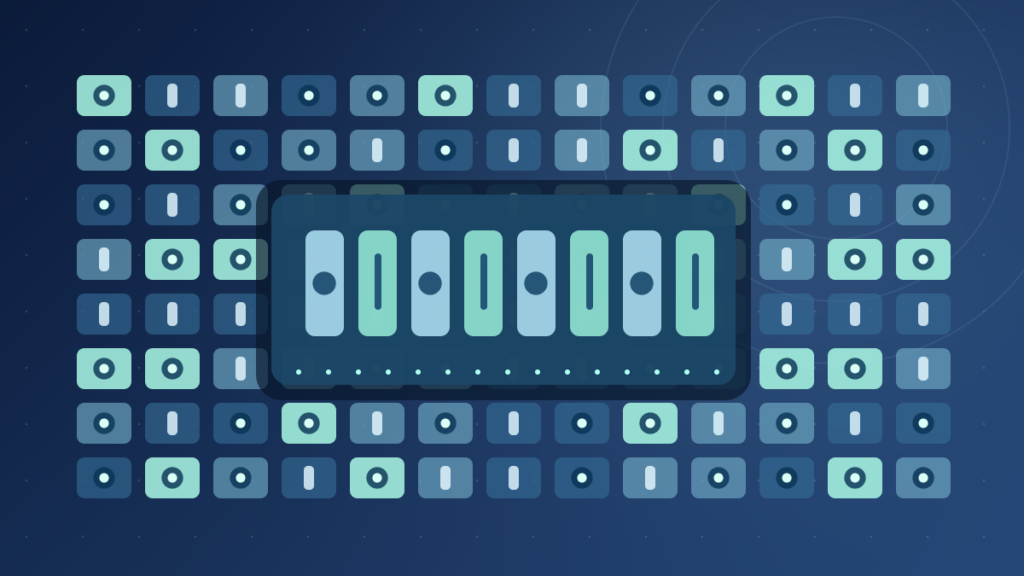

Binary data represents information through bits with values 0 and 1. Eight bits form a byte in modern computing. Numbers, text, images, audio and network packets use binary representations interpreted through their formats. Binary encoding is not the same as encryption or compression.
This guide explains binary digits and bytes with worked conversions, file examples, UTF-8 encoding, hexadecimal, byte order and practical security distinctions.
What Binary Data Means
Binary data is information represented using sequences of binary digits, or bits, whose values are 0 or 1. Computers use such representations for numbers, text, pictures, audio, program instructions and many forms of communication. A file does not need to look like a row of zeros and ones on screen to be binary; the sequence is an underlying representation interpreted according to rules.
NIST’s bit glossary defines a bit as a binary digit with value 0 or 1. Its byte definition describes a sequence of eight bits. These precise terms are useful because casual explanations sometimes mix bits, bytes, numbers and individual characters as though they were identical.
The physical circuits storing or carrying bits do not necessarily contain literal printed zeros and ones. Hardware uses electrical states, charges, timing, magnetic properties or other measurable conditions to represent digital symbols. A system must distinguish valid states despite noise and manufacturing variation. The binary model is a logical representation built on physical devices and coding rules.
Binary is not exclusively about software. Network frames, storage devices, processor registers and image sensors all contribute to digital systems that encode data as bits. An application may present a friendly image or sentence, but that user-facing form is reconstructed from stored or transmitted values.
Our technology overview provides the broader foundation. This article focuses on how the two-digit system expresses useful data and why decoding it correctly requires context.
Bits, Bytes And Groups Of Binary Digits
A bit is one binary digit. Eight bits form a byte in modern mainstream computing. One byte can represent 256 distinct bit patterns, from 00000000 through 11111111. The interpretation of those patterns varies. A byte can represent an unsigned integer from 0 through 255, a character-encoding unit, part of a larger number or one element in a compressed stream.
A sequence such as 01000001 is eight bits long, but it does not have an intrinsic single meaning. Under the ASCII mapping it represents the uppercase Latin letter A. If interpreted as an unsigned integer it represents 65. A program can also treat it as an arbitrary identifier or a piece of a larger image or sound representation.
| Term | Meaning | Typical Example |
|---|---|---|
| Bit | One binary digit | 0 or 1 |
| Nibble | Four-bit group | 1101 |
| Byte | Eight-bit group | 01000001 |
| Bit string | Ordered binary digits | 101101001 |
| Word | Architecture-defined group | 32-bit or 64-bit processor word |
A processor word is not guaranteed to have the same size on every device. The term depends on an architecture’s chosen data model. Likewise, the phrase one character equals one byte is inaccurate for many modern text encodings. Unicode characters can use more than one UTF-8 byte.
When discussing transfer speeds, the uppercase letter B usually denotes bytes, while lowercase b commonly denotes bits. A connection labeled 100 megabits per second is not the same numeric quantity as 100 megabytes per second. Real application throughput also includes protocol and system overhead.
NIST’s byte definitions provide a reliable technical baseline. Use exact units and make clear whether a number describes bits, bytes, a processor register or an encoded character.
How Binary Numbers Work In Base Two
The binary number system is positional, like decimal, but it uses two digits instead of ten. Each position corresponds to a power of two. The rightmost position represents one, the next represents two, then four, eight, sixteen and so on. Add the values of the positions containing a 1 to convert an unsigned binary integer to decimal.
For example, the unsigned binary number 1101 has four bits. Reading from left to right, its positions represent 8, 4, 2 and 1. The set positions are 8, 4 and 1, so its decimal value is 13. Leading zeros do not change the numeric value of an unsigned representation, though a fixed-width encoding may require them.
8
4
2
1
To convert a nonnegative decimal integer to binary, one common technique repeatedly divides by two and records the remainders. For 13, dividing by two yields remainder 1 and quotient 6; then remainder 0 and quotient 3; then remainder 1 and quotient 1; finally remainder 1. Reading the remainders backward gives 1101.
This worked arithmetic is different from interpreting a sequence as encoded text or a floating-point number. The same bits may be meaningful under multiple formats, which is why a program must know the intended data type.
A simple practice exercise is to convert the decimal numbers 5, 10 and 15 into binary and confirm that 0101, 1010 and 1111 represent them in four-bit unsigned form. The exercise reinforces place values without requiring risky system changes.
How Computers Store Positive And Negative Integers
Nonnegative integers can be represented straightforwardly using positional binary values within a chosen width. A four-bit unsigned value ranges from 0 to 15, and an eight-bit unsigned value ranges from 0 to 255. The width sets a finite range, so a calculation can overflow when its result cannot fit the chosen representation.
Negative integers require an agreed format. Two’s complement is widely used in modern processors and programming systems. In an eight-bit two’s-complement representation, the bit pattern 11111111 denotes -1, while 01111111 denotes 127. The leading bit contributes to the signed interpretation, but simply treating every leading 1 as a negative number is wrong when the same bits are declared unsigned.
For a fixed eight-bit signed value, the usual two’s-complement range is -128 through 127. For eight-bit unsigned values, the range is 0 through 255. The underlying stored bits can be identical; the interpretation and arithmetic rules differ.
Overflow behavior is language and type dependent. Some programming languages wrap selected unsigned operations, some detect overflow and some leave certain signed operations undefined. A reader should consult the language specification rather than assuming all languages and CPUs handle an out-of-range result in the same way.
Binary data therefore needs metadata or program context. A file containing a byte sequence cannot tell an arbitrary observer whether those bytes represent unsigned values, signed measurements, encrypted content or compressed data without an agreed format.
If you learn binary for programming, practice with both the numerical value and its bit width. Writing 1 without stating whether it is stored in one, eight or sixty-four bits can hide important implementation details.
Why Hexadecimal Is Common For Binary Data
Binary is precise but long strings are difficult for people to read. Hexadecimal, or base sixteen, groups four binary bits into one digit. Its symbols are 0 through 9 and A through F. One hexadecimal digit corresponds to a nibble, and two hexadecimal digits correspond to one byte.
For example, binary 1101 is hexadecimal D and decimal 13. The byte 01000001 can be written in hexadecimal as 41. This compact notation is useful when inspecting memory, file signatures, colors, network addresses and checksums. It does not change the underlying information; it is another way to represent the value in readable text.
| Binary | Decimal | Hexadecimal |
|---|---|---|
| 0000 | 0 | 0 |
| 0101 | 5 | 5 |
| 1010 | 10 | A |
| 1101 | 13 | D |
| 1111 | 15 | F |
Hex strings in software often use a prefix such as 0x to distinguish them from decimal notation. The value 0x10 equals sixteen decimal, not ten. A byte can be displayed as 0x00 through 0xFF. Formatting conventions differ among programming languages, but the numeric system is the same.
A cryptographic digest such as SHA-256 is often displayed in hexadecimal. The visible characters are an encoding of the digest bytes, not evidence that the original input was hexadecimal. Our checksum guide explains why the correct algorithm and trustworthy reference are required for meaningful comparison.
Learning hexadecimal helps with binary troubleshooting, but the compact notation should never be confused with encryption or data compression. It simply expresses the same bits in a different number base.
How Text Becomes Binary With Character Encodings
Text requires rules that map characters to numeric identities and encoded bytes. ASCII is a historic character encoding for a limited set of characters. Unicode provides a much broader character repertoire and defines code points for writing systems, symbols and other characters. UTF-8, UTF-16 and UTF-32 are encoding forms that represent supported Unicode scalar values using different code units.
The Unicode Consortium’s UTF encoding FAQ explains that UTF-8 uses one to four eight-bit bytes per encoded Unicode scalar value. The first 128 Unicode code points retain the familiar one-byte ASCII values in UTF-8. That means the Latin letter A has byte value 0x41 in UTF-8, but many characters from other scripts require multiple bytes.
A character, code point, code unit and grapheme cluster are not always the same thing. A visibly single symbol on a screen can involve multiple Unicode code points, such as a base character and a combining mark. Counting bytes is therefore not equivalent to counting user-perceived characters.
Text data can become garbled when one program interprets bytes using the wrong encoding. A document saved as UTF-8 but read as an incompatible legacy encoding may show replacement symbols or incorrect characters. Renaming the file cannot repair an encoding mismatch by itself.
Microsoft’s Unicode transformation reference provides the UTF-8 byte-length ranges and explains byte ordering issues for other encoding forms. For an ordinary modern text workflow, using a consistent specified Unicode encoding prevents many avoidable interoperability errors.
Our file extension guide clarifies why .txt is a filename hint rather than a guarantee of one text encoding. The bytes and decoding rules determine what readers actually see.
Pictures, Sound And Video Are Also Binary Data
An image file uses bytes to represent dimensions, colors, pixel information and format metadata according to a defined specification. The stored bytes may be compressed. A PNG, JPEG and WebP image of the same photograph can have very different binary contents even when they appear similar. The decoder needs to know the file’s format to reconstruct a useful picture.
Digital audio represents sampled signals according to a sample format, rate, number of channels and possible compression scheme. A raw audio stream can be interpreted incorrectly if its sample width or channel layout is unknown. A compressed audio file also requires a suitable codec. The bit pattern alone does not reveal the music or speech without the decoding process.
Video combines sequences of images with timing and often audio and subtitle tracks. Containers such as MP4 can package several streams whose codecs differ. A filename extension gives only a clue, so two videos with identical extensions can have different internal binary formats and compatibility requirements.
Our codec explainer explains how media encoding and decoding operate. For lossy versus lossless representation, see compression methods compared. Both topics show that a shorter representation can trade storage against fidelity depending on the format.
It is inaccurate to claim that every image pixel always occupies exactly three bytes. Color models, bit depths, alpha channels, compression and metadata all affect representation. Similarly, an audio sample need not always use sixteen bits. Specific file formats define the interpretation.
Binary data is therefore a common substrate for very different media types. What makes it meaningful is the agreed structure, metadata and decoding algorithm rather than the presence of recognizable letters inside a binary editor.
Binary Files Versus Plain Text Files
Operating systems often distinguish text-oriented files from binary files at the application level. A plain text document is a byte sequence intended to be interpreted through a text encoding. A binary file can contain arbitrary byte values organized according to another format, such as a program executable, image, compressed archive or database. Both are stored as bytes on disk.
The distinction is practical rather than absolute. A UTF-8 text file is still binary data at the physical storage level. An application can embed text strings inside a binary format, and a structured data file can use a mostly readable representation such as JSON. Some protocols carry binary payloads alongside textual headers.
If you open a compressed image in a plain text editor, you may see unreadable symbols. This does not prove the image is damaged. The editor simply is not using the format’s decoding rules. Conversely, a file that looks like text may still contain executable instructions for a scripting environment and deserves appropriate source checks.
The true format is determined by its structure and expected parser, not only by its extension. A .txt suffix may be assigned to any byte sequence, while a valid PNG retains its internal signature after a rename. Our file type guide expands on this security and compatibility distinction.
When examining an unknown file, prefer a trusted read-only inspector and avoid executing it. Changing bytes through a text editor can corrupt checksums and internal offsets. Preserve a copy before performing any analysis that might modify data.
For software developers, clearly specify file format, character encoding, field sizes and byte ordering where necessary. A format definition is what allows two different programs to interpret the same bytes consistently.
Endianness And The Order Of Multiple Bytes
When a number occupies more than one byte, a computer or file format must specify the order in which those bytes are arranged. Big-endian notation stores the most significant byte first within the relevant representation, while little-endian stores the least significant byte first. These terms address multi-byte ordering rather than changing the meaning of individual bit values.
Consider the 16-bit hexadecimal value 0x1234. In a big-endian byte sequence it is written 12 34. In a little-endian byte sequence it is written 34 12. The numerical value is intended to be the same when interpreted with the correct ordering. Reading the bytes with the wrong convention produces a different result.
Some network protocols define a canonical byte order, while particular processor architectures and file formats can make other choices. A programmer should not assume that every file generated on one system can be read correctly by directly copying raw in-memory structures on another.
Unicode encodings also have byte-order considerations. The Unicode FAQ discusses byte order marks and the differences among UTF-8, UTF-16 and UTF-32. UTF-8 is based on a sequence of bytes and does not require a byte-order distinction for its code units, while UTF-16 and UTF-32 variants can be sensitive to ordering.
This topic becomes important when writing binary parsers, exchanging numeric measurements or analyzing captured packets. The format’s documented order takes precedence over the machine’s default arrangement.
A useful practice is to write the expected hexadecimal byte sequence next to a numeric value before testing a parser. If a measurement looks wildly wrong, verify field size and endianness before assuming the sensor itself failed.
Binary Data In Networks And Internet Packets
Network protocols transmit information through structures built from bits and bytes. An Ethernet frame or IP packet contains fields that identify addressing, lengths, protocol information and payload data according to relevant specifications. The network hardware moves encoded signals, while the software interprets the resulting fields under the agreed protocol.
A packet may carry text, a web resource, audio data or a compressed file. Its headers and payload have different purposes. IP addresses help with routing; TCP or UDP fields can support transport behavior; application protocols define the meaning of the higher-level data. A packet payload is not automatically human-readable simply because it belongs to an HTTP connection.
Our IP address guide and Ethernet explainer show how addressing and local links operate. Binary representation underlies both without implying that every layer interprets the same bytes as the same kind of number.
Transmission systems also use error detection. Checksums or CRC values can help identify corruption under defined conditions, but they do not guarantee data authenticity against deliberate tampering. Encryption protects confidentiality under a suitable cryptographic protocol, which is another separate operation.
When troubleshooting connectivity, inspect the layer where the problem occurs. A valid network packet can carry malformed application data, and a correct application file can fail to arrive because of a network outage. The common use of bits does not collapse these failures into one category.
For ordinary users, the main insight is that binary data gives heterogeneous systems a shared representation. Protocol standards tell each device how to interpret the specific fields that matter to its job.
Base64, Hex Encoding And Why They Are Not Encryption
Sometimes binary data must travel through a channel designed for printable text. Base64 is an encoding that maps sequences of bytes to a restricted set of characters. It is common in some web, email and API workflows. Because the output uses familiar text symbols, users can mistakenly assume it has been encrypted or that a file has become secret.
RFC 4648 defines commonly used Base16, Base32 and Base64 encodings. In standard Base64, 24 input bits are represented as four encoded characters, with padding used under defined conditions. This usually increases the textual size compared with the original raw bytes. The encoding is reversible and does not by itself prevent anyone from recovering the original data.
Hexadecimal encoding also maps bytes to readable characters. For example, one byte commonly becomes two hexadecimal digits. This is convenient for logs and verification but is not encryption. A hidden password represented in Base64 remains exposed if the underlying data is unprotected.
Compression, encoding, hashing and encryption answer different questions. Compression changes how compactly information is stored, possibly with loss. Encoding defines a representation. A cryptographic hash produces a digest suitable for specified integrity uses. Encryption transforms data so that suitable key material is needed to recover it under the chosen method.
Our checksum article explains the distinction between a SHA-256 digest and a secure authenticated download. A hash is not a cipher, and Base64 is not a hash. These terms should not be used interchangeably.
When designing a system, choose each operation for its actual purpose. If sensitive data requires confidentiality, use an authenticated encryption protocol and appropriate key handling rather than assuming an unreadable-looking byte string is safe.
Why Floating-Point Numbers Have Binary Limitations
Many programming systems represent non-integer quantities using binary floating-point formats. A value consists of components that encode a sign, an exponent and a significand under the applicable standard. This supports a wide range of magnitudes but cannot represent every real or decimal fraction exactly within a finite number of bits.
For example, decimal 0.1 generally does not have an exact finite representation in common binary floating-point formats. A calculation that appears to add simple decimal values can therefore produce a tiny rounding difference. This does not mean the processor is randomly changing bits; the stored approximation and arithmetic rules explain the result.
Comparing floating-point values for exact equality can be inappropriate in some algorithms. Developers may use suitable tolerances or decimal-oriented representations when the application requires them. Financial software often needs carefully specified decimal or integer units instead of casually assuming binary floating point can exactly represent every monetary amount.
Binary integer arithmetic has different limitations, including fixed-width range and overflow. The proper data type follows the requirements. A pixel intensity, network port, financial amount and physics measurement do not all need the same representation.
A file format must also specify whether a number is integer, floating point, signed, unsigned and what byte order applies. Two programs reading the same sequence under different assumptions can produce wildly different values without any change to the stored bytes.
When debugging numerical discrepancies, check the type, width, rounding mode and conversion steps. Do not interpret every decimal display mismatch as corruption of the underlying binary file. The issue may be an expected representation limit.
Storage Units, Bit Rates And Transfer Calculations
Storage products and operating systems often display capacities using different unit conventions. Decimal prefixes use powers of ten, such as one kilobyte equal to 1,000 bytes under the relevant convention. Binary prefixes use powers of two, such as one kibibyte equal to 1,024 bytes. This helps explain why a drive advertised with a decimal capacity can display a different numerical value in software.
Data transfer rates commonly use bits per second, abbreviated bps, while file sizes are often measured in bytes. A theoretical 100 megabit per second connection carries 100 million bits per second under the advertised rate definition. Dividing by eight gives 12.5 million bytes per second as a basic maximum conversion before protocol overhead and real network conditions.
A file does not necessarily transfer at that maximum rate. Networking headers, congestion, server capacity, device processing and Wi-Fi conditions can reduce application throughput. Storage speed and network speed also use different measurement methodologies, so comparing two headline figures without units can be misleading.
A binary code string of eight digits occupies one byte if stored as a packed bit pattern. If you instead type the characters 0 and 1 into a UTF-8 text document, each ASCII digit normally occupies one byte, so the text representation uses eight bytes for those eight symbols before any additional formatting. This is a useful demonstration of the difference between the represented data and how you choose to store it.
Our SSD guide explains storage capacity and performance labels, while the WAN guide provides networking context. The essential practice is to write precise units and identify the encoding or transfer layer under discussion.
A Safe Practice Exercise With Binary Data
Begin with a small, harmless text file rather than a system file or executable. Create a document containing the uppercase letter A and save it as UTF-8 without additional formatting. In a trusted editor that supports inspecting byte values, examine the content. The ASCII-compatible UTF-8 byte for A is hexadecimal 41, equivalent to binary 01000001.
Next add a character outside the basic ASCII range and observe that its UTF-8 representation may require multiple bytes. The exact byte sequence depends on the character selected. This illustrates why one visible character is not always one byte. Avoid relying on a plain text editor’s character counter as a byte counter.
Practice numeric conversion with 13 decimal. Confirm that its four-bit unsigned binary representation is 1101 and its hexadecimal representation is D. Then prepend four leading zeros and observe that 00001101 represents the same unsigned value in an eight-bit width. For signed values, note that interpretation depends on width and format.
You can also inspect the size of a small text file containing eight literal digits such as 01000001. When saved in UTF-8, those eight text characters are not the same storage representation as one packed byte with that bit pattern. This is one of the most helpful beginner exercises for understanding representations.
Do not experiment with operating-system binaries or edit a downloaded program merely to change a few bytes. A slight modification can damage a file or invalidate its signature. Keep tests inside your own disposable sample files.
The lesson is that binary data is not just a display of 0 and 1. It is a representation interpreted through types, encodings, protocols and format rules. Learning those layers gives you a useful foundation for computing and digital security.
Frequently Asked Questions
What Is Binary Data In Simple Terms?
Binary data is information represented using bits with logical values 0 and 1.
What Is The Difference Between A Bit And A Byte?
A bit is one binary digit. A modern byte is eight bits.
Is Every File Binary Data?
Yes at the underlying digital representation level, though text and structured binary formats are interpreted differently.
How Do You Convert 1101 To Decimal?
Use place values 8, 4, 2 and 1. The set positions sum to 13.
Is Binary The Same As Hexadecimal?
No. Both can express the same numeric value, but binary uses base two while hexadecimal uses base sixteen.
Is Base64 A Form Of Encryption?
No. Base64 is reversible encoding and does not provide confidentiality.
Does One Unicode Character Always Use One Byte?
No. UTF-8 uses one to four bytes for a Unicode scalar value, and user-perceived characters may involve multiple code points.
Why Do Computers Use Binary Representation?
Digital circuitry and communication systems can reliably represent and process information using distinguishable logical states and agreed encoding rules.


