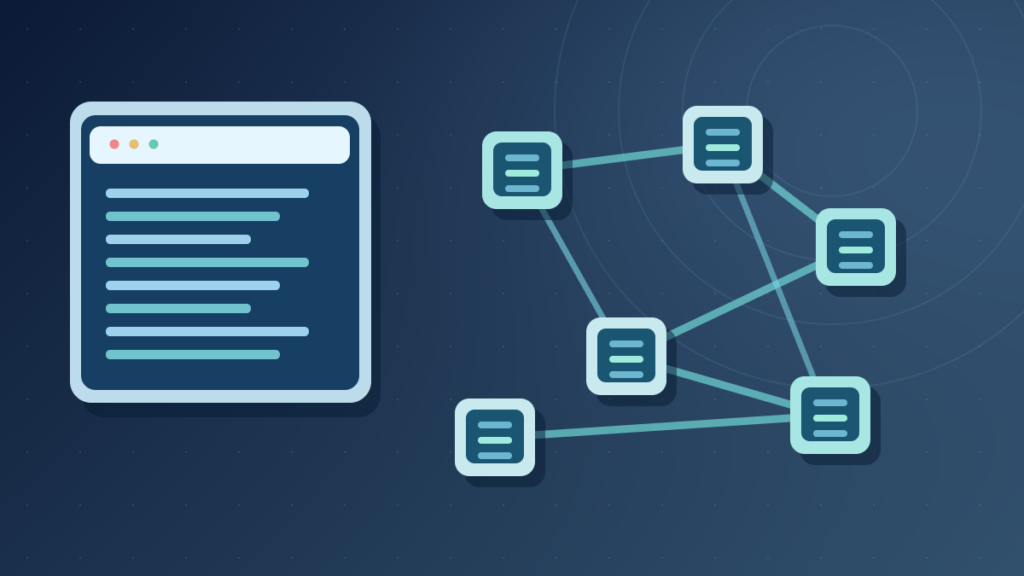

A package manager helps install, update, inspect and remove software from configured sources. WinGet, APT, npm and pip serve different systems and language ecosystems. They can resolve dependencies and support trusted distribution, but do not guarantee that every package is secure or compatible.
This guide explains package managers, repositories, versions, lockfiles, secure updates and troubleshooting using current official documentation.
What A Package Manager Does
A package manager is software that helps users and systems discover, install, update, inspect and remove packaged applications or software components. It typically works with one or more trusted package sources and understands metadata such as names, versions, dependencies and installation instructions. This makes software maintenance more systematic than downloading unrelated installer files manually.
Windows Package Manager, commonly accessed through WinGet, provides command-line tools for finding and managing supported Windows applications. Debian and Ubuntu systems commonly use APT for distribution packages. JavaScript developers often use npm to manage project dependencies, while Python developers may use pip within appropriate environments. The tools serve different ecosystems and should not be treated as interchangeable commands.
Microsoft’s WinGet overview describes discovering, installing, upgrading and configuring applications. Debian’s APT guide covers package sources and dependency management. Those examples show both the convenience and the responsibility involved when software is installed through a managed source.
A package manager is not merely an app store interface, though app stores can perform related functions. Nor is it the package repository itself. The repository publishes available software and metadata; the manager queries that information and carries out supported operations on a machine.
Our software repository guide explains the storage and publishing side. This article concentrates on the client tool, installation decisions, dependency resolution and safe update procedures.
How A Package Manager Installs Software
An installation usually starts with a package identifier or search query. The manager consults configured sources, determines which available package matches the request and checks relevant version, architecture or platform constraints. It may need to resolve dependencies and obtain installer packages or executable resources before starting installation.
A package can include compiled programs, libraries, scripts, metadata and supporting files. The actual installation steps depend on the package format and platform. Some managers register files with an operating-system database, while others place dependencies inside a project environment rather than installing an entire desktop application.
Find Package
Check Dependencies
Check Trusted Source
Record Result
This process can involve more than one package. An application may depend on a runtime, library or supporting system service. The manager can select compatible components under the rules of its package ecosystem. An installation can still fail if packages conflict, the network is unavailable or the user lacks permission.
Some operations require administrator rights. That does not mean a user should always launch the manager with maximum privilege. Follow the tool’s documented privilege and environment model so the smallest necessary scope is used.
A successful installation report should be followed by a practical check that the intended application works. Installing packages is one stage of software maintenance, not a guarantee of correctness, security or licensing suitability.
Windows Package Manager And WinGet
WinGet is Microsoft’s command-line tool for managing supported Windows software. It can discover package information from configured sources and perform actions such as install, list, upgrade, uninstall and source management. Its capabilities and command options vary with the installed version and package metadata.
A low-risk starting command is winget --help, which lists supported operations. winget search can look for available packages, and winget list can show detected installed applications under supported conditions. Reviewing results before installation helps avoid choosing a similarly named package from an unexpected publisher.
The Microsoft installation documentation shows identifiers and exact-match options. A command using a package ID can help distinguish products with similar display names, although the publisher and source should still be verified. A package-manager result is not an invitation to install software the user did not intend to use.
winget upgrade can report available updates, and selected upgrade commands can change installed applications. Microsoft’s upgrade reference explains the behavior. Avoid using bulk upgrades on critical workstations without checking compatibility, open applications and rollback arrangements.
WinGet sources supply package metadata. The source command reference explains how sources can be listed and managed. Adding a source is a security decision because it influences what packages the manager discovers.
For a home computer, use WinGet as a deliberate application management tool, not as a reason to force every optional update or disable Windows security controls.
APT And Package Management On Debian-Based Linux
APT manages software packages on Debian-based systems. It uses configured package sources and available metadata to determine installation candidates, dependencies and updates. Commands such as apt search and apt show can inspect package information, while operations that install or upgrade software can modify the system and may require elevated permission.
A common distinction is between refreshing package metadata and installing updates. The apt update operation retrieves information about packages available from configured sources; it does not mean every installed package has been upgraded. An upgrade operation then considers applicable installed packages and dependency rules.
The Debian Handbook’s APT chapter describes sources and common commands. Its authenticity guidance explains the signed repository metadata used to establish trust in the distribution’s package indexes.
Mixing sources intended for unrelated releases or distributions can cause dependency conflicts. A package that looks newer might require libraries incompatible with the existing installation. Follow official distribution documentation before adding third-party sources or changing release channels.
Use system-appropriate commands. Linux distributions differ, and a command copied from an APT tutorial may be meaningless or harmful on a system using a different package manager. Similarly, desktop Linux package formats and sandboxed application systems can coexist with distribution packages.
For system security, routine approved updates matter, but an administrator should also understand service restarts, kernel changes and application compatibility. A production server requires a more deliberate maintenance plan than a disposable test machine.
npm, pip And Language-Specific Package Managers
Language-specific package managers install libraries and tools used by software projects. npm is associated with the JavaScript ecosystem and manages dependencies commonly declared in package.json. pip is widely used in Python environments and can install packages from suitable indexes or other supported sources.
Unlike an operating-system manager, a language package manager may install dependencies into an individual project, virtual environment or user location. This can help several projects use different versions without replacing a system-level application. The precise isolation model depends on language and tool configuration.
The npm installation documentation explains how version requirements and lockfile data affect dependency selection. The pip user guide documents requirements files and installation behavior. These resources help avoid the inaccurate claim that every package manager always installs the newest package.
For Python, a virtual environment can isolate project dependencies from the broader system environment. Installing a development library directly into the operating system’s managed Python may interfere with another application or conflict with distribution policy. Use the recommended environment for the specific project.
For JavaScript, project dependencies may include development tools that run scripts during install or build. A dependency from an unfamiliar publisher deserves scrutiny, especially when it requests privileged operations or network access.
Our API guide provides context for libraries that applications call. A dependency package supplies code, but the actual interface and version compatibility determine whether that code can be used reliably.
Package Manager Vs Repository Vs Installer
These terms have distinct meanings. A repository publishes packages and metadata, a package manager retrieves information and coordinates actions, and an installer performs a defined installation procedure. Some package managers invoke separate vendor installers, while others directly unpack and register distribution packages.
| Term | Primary Role | Example |
|---|---|---|
| Package Manager | Discover And Manage Packages | APT Or WinGet |
| Package Repository | Publish Packages And Metadata | Distribution Archive |
| Installer | Perform Installation Steps | Supported OS Installer |
| Lockfile | Record Resolved Dependencies | package-lock.json |
A user can download an installer manually, but this may omit the central metadata and update workflow a package manager provides. Conversely, using a package manager does not mean every package comes from the same publisher or follows the same installation security model.
Repositories can be public, private or internal to an organization. The manager’s configured sources determine which ones it consults. A package name collision across sources can create ambiguity and security problems if the user does not check the selected origin.
The repository article explains source code repositories, package archives and artifact registries. Those systems are related but not interchangeable.
Understanding the three roles makes troubleshooting more precise. A network failure fetching repository metadata is different from a package’s installer failing or the application crashing after a successful installation.
A good support report identifies the manager, the source, package identifier, operation and error message rather than simply saying an app store is broken.
Dependencies, Version Constraints And Lockfiles
Applications depend on other software components. A package manager can read metadata describing required versions and choose a compatible set. A dependency can itself have additional dependencies, creating a tree or graph. Managing this graph reliably is one of the most important reasons package managers exist.
Version constraints describe what the project is willing to accept. They may specify a range rather than one exact number. A fresh installation can select a different compatible version from an earlier installation if the repository has changed and no lockfile constrains resolution.
In ecosystems that support them, lockfiles help record selected versions and relevant integrity metadata. npm’s install documentation explains that a compatible package-lock.json can guide reproducible installation. Different managers have different lockfile formats and guarantees.
A lockfile does not make the project automatically secure. It can preserve a vulnerable dependency just as it preserves a good one. The correct workflow combines reproducibility with deliberate security updates, compatibility testing and appropriate review of new packages.
Conflicting constraints can prevent installation even when every individual package exists. The manager may report that no version set satisfies all requirements. Forcing an incompatible dependency to install can create runtime errors and is not a sensible first response.
Our client server architecture guide offers context for applications composed of many services and libraries. Dependency management is a software supply-chain problem that deserves its own versioning and test strategy.
Software Updates, Rollbacks And Uninstalling
Package managers can make updates more consistent by recording installed versions and consulting configured sources. However, the scope and reversibility of an update depend on the operating system and package ecosystem. A manager may offer downgrade or rollback mechanisms, but not every package has a supported previous release or complete uninstall cleanup.
Before updating important software, identify the current version and the reason for the change. Security fixes may deserve priority, while optional feature upgrades can require compatibility testing. A system-wide update performed just before a critical work event may introduce avoidable disruption if no recovery plan exists.
Microsoft documents WinGet’s upgrade behavior, while Debian documents APT upgrade policies. Neither provides a universal promise that every application can be restored to its exact earlier state.
Uninstalling a package may remove its program files but leave user data, configuration, shared dependencies or service accounts, depending on the platform and installer. Do not assume uninstall means secure deletion of all data. If the goal is freeing storage, inspect the actual program and data folders before deleting anything.
A rollback plan can include a system backup, application-specific export or a reproducible environment with pinned versions. For important servers, test the restoration process separately from update installation.
A good update is verified by working software, not merely by a successful package-manager exit message. Reopen the application and test the original tasks after changes.
Repository Signatures And Supply-Chain Trust
A package manager can enforce or use cryptographic verification according to its ecosystem. Debian’s APT checks the authenticity of repository metadata using trusted signing keys and hashes. This helps prevent unauthorized replacement of distribution metadata during delivery, but it does not prove that every genuine package is defect-free.
The apt-secure manual explains the model and its limitations. Trusting a new repository signing key means granting that source a significant ability to influence installed software. Do not import an unknown key or disable authenticity checks simply to silence an update error.
Windows package sources and language registries have their own publisher and integrity mechanisms. Some ecosystems support provenance or attestations. The mechanisms should be evaluated on their actual terms, not reduced to the claim that every package download is automatically signed and safe.
A compromised publisher account can distribute a malicious update through an otherwise legitimate channel. Typosquatted package names can resemble popular libraries. Dependency attacks can also involve installation scripts executed as part of the package workflow.
Review package name, publisher, source and declared behavior. Use organizational allowlists where appropriate and restrict automated publication credentials. Remove unused dependencies and monitor security advisories.
A trusted package manager is an important part of software hygiene, but application security also requires updates, least privilege, testing and independent recovery procedures.
Security Audits And Their Limits
Some language package managers offer vulnerability audit features. npm’s audit documentation explains how it reports known vulnerabilities in a dependency tree. This can help prioritize fixes, but audit results depend on advisory coverage, package metadata and the project’s actual dependency graph.
A report containing no known vulnerabilities does not certify that all installed code is safe. A newly discovered flaw may not yet have a published advisory. Malicious behavior introduced without a known vulnerability record may also escape ordinary audit checks.
Automated fix commands can change dependencies and sometimes introduce compatibility problems. Review proposed changes and test the application before deploying them. Avoid using force options as a generic response to every warning.
For operating-system packages, approved distribution security updates often integrate with the package manager. A vulnerability may be patched through a distribution-maintained version that retains an older-looking upstream version number. Do not interpret the version string alone as proof that a system is unpatched.
Software bill-of-materials information and build provenance can support larger supply-chain programs, but they require accurate source data and ongoing maintenance. They supplement rather than replace dependency review.
The practical approach is to monitor supported advisories, verify sources, test updates and keep recoverable versions. Security tools provide evidence for decisions, not an unconditional assurance of harmless software.
Offline Installations, Caches And Mirrors
Package managers may cache downloaded package files or metadata to reduce repeated network activity. Some organizations maintain internal mirrors to support reliable updates and control access to approved software. Offline deployment can work when the manager has all required packages and metadata available under a supported process.
A cache is not automatically a complete backup of the package repository. It may omit older versions, dependencies or signing metadata needed for reproducible installation. An administrator who assumes a cache contains everything may discover missing resources during an outage.
Mirrors also need trust. A copied package archive should retain the intended verification chain and update process. Switching to an unknown mirror that promises better download speed can introduce supply-chain risk.
Language-specific projects can preserve dependency lockfiles and maintain approved internal registries, but exact reproducibility can still depend on platform, build tools and packages that fetch resources outside the manager. Record those external dependencies where they matter.
Our cache memory guide explains why software caches improve efficiency without being the same as durable application data. Package download caches are another form of reusable content.
For a disconnected workstation, test the full installation and rollback procedure in a controlled environment. The presence of one installer file is not proof that all prerequisites are present.
Diagnose Package Manager Errors Safely
Begin by reading the complete error message. A package not found error may mean the identifier is wrong, the source is absent, package metadata is stale or the package does not support the current platform. A dependency conflict means the requested version set cannot be resolved under current constraints. A signature failure raises a trust question.
First check the manager version, configured sources and package metadata through supported read-only commands. For WinGet, list sources and inspect available package identifiers. For APT, examine source configuration and package candidate information. For pip or npm, inspect the project’s environment and declared dependencies.
Do not repeatedly run commands with administrator privileges when the underlying error is a mistyped package name. Avoid disabling signature verification or adding untrusted repositories to make an installation proceed. That can introduce a larger problem than the missing application.
If an upgrade breaks software, identify the changed package versions and consult the publisher’s compatibility notes. A successful rollback may require restoring configuration or data, not only replacing one binary.
For a development dependency issue, isolate the project environment and compare the lockfile with the installed tree. Editing shared system packages to repair one local project can break unrelated applications.
A useful support report names the manager, operating system, package identifier, source and exact sanitized error. Those details allow a targeted remedy rather than broad system resets.
Choosing A Package Manager For Your Work
The operating system and software ecosystem usually determine the appropriate manager. On supported Windows installations, WinGet may be useful for desktop applications. Debian systems commonly use APT for distribution packages. JavaScript and Python projects use tools designed for their language environments. Using one does not automatically replace the others.
For an office workstation, prioritize trusted sources, approved software inventory and reliable updates. For a development project, prioritize version reproducibility, isolated dependencies, security reviews and meaningful tests. For a production server, add maintenance windows, rollback, backups and change logs.
Compare a tool’s ability to inspect packages, verify publishers, handle dependencies and support rollback before using it for critical software. A flashy interface or enormous package catalogue is less important than trustworthy behavior.
Avoid installing multiple unrelated package managers merely because a tutorial recommends them. Each additional source and privileged update mechanism increases maintenance obligations. Choose the simplest supported combination for your actual requirements.
Learn which operations are read-only and which install, remove or upgrade software. A safe beginner exercise is to list configured sources and inspect an installed package without making changes. Then plan any installation deliberately.
A package manager is most valuable when it makes software maintenance understandable, repeatable and secure. It organizes complex dependency and update work, but responsibility for trusted sources, testing and recovery still belongs to users and administrators.
Frequently Asked Questions
What Is A Package Manager In Simple Terms?
It is software that discovers, installs, updates and removes packaged programs or dependencies using supported sources and metadata.
Is WinGet A Package Manager?
Yes. Microsoft WinGet can discover and manage supported Windows applications.
Is APT The Same As npm?
No. APT commonly manages Debian distribution packages, while npm handles JavaScript ecosystem packages.
Is A Package Manager The Same As A Repository?
No. A repository publishes packages; a package manager uses configured sources to manage installations.
Does A Package Manager Automatically Keep Everything Secure?
No. Source trust, updates, configuration and application security still matter.
What Is Dependency Resolution?
It is the process of choosing package versions that satisfy declared compatibility requirements.
What Is A Lockfile?
It records selected dependencies and related metadata to support more reproducible installation under the tool’s rules.
Can I Undo Every Package Upgrade?
Not universally. Rollback support depends on the platform, package and available recovery data.


