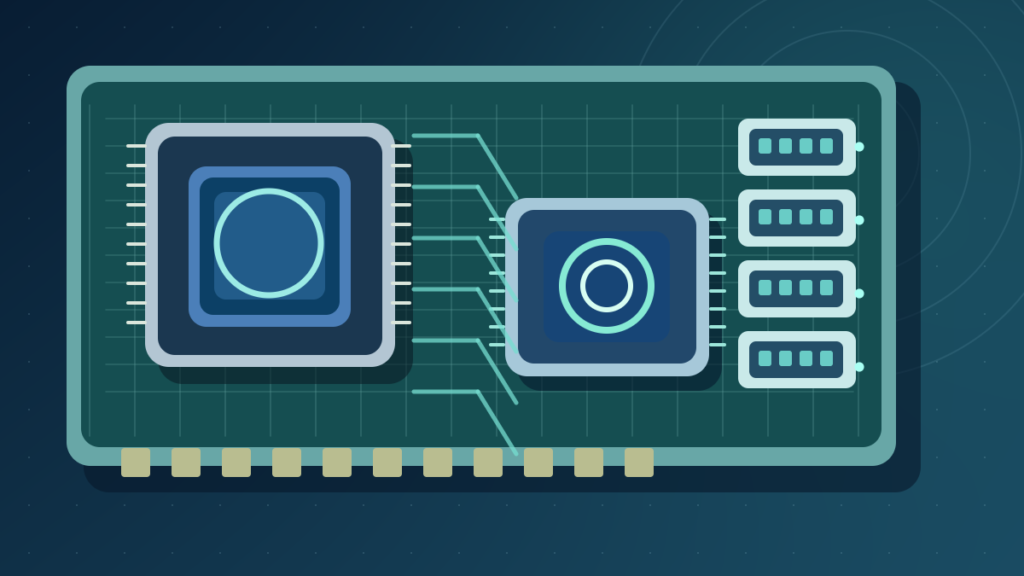

A chipset is supporting logic that helps a computer platform connect the processor to additional I/O features, including selected PCIe, USB and storage connections. It is not the CPU or the entire motherboard. Actual chipset features depend on processor family, firmware and the exact motherboard design.
Understanding chipsets helps compare motherboard I/O, lane sharing and compatibility without mistaking a high-end chipset name for a guarantee of faster application performance.
What A Chipset Means In A Modern Computer
A chipset is a collection of supporting logic that helps a computer platform connect the processor with peripheral interfaces, storage, networking and other input/output capabilities. On many modern desktop motherboards, much of the platform’s traditional chipset functionality is concentrated in a controller component near the CPU. However, the exact division of responsibilities differs between processor families, generations and device categories.
The chipset is not the CPU. A processor executes instructions, while the platform chipset helps organize and expose additional connections and features. It is also not the entire motherboard. The motherboard contains many other parts, including sockets, memory connectors, power regulation, traces, firmware storage and sometimes separate networking or audio controllers.
Intel describes its modern Platform Controller Hub, commonly called PCH, in its motherboard selection guide. It explains that functions once handled by a traditional northbridge moved into the processor, while a supporting controller handles various I/O functions. That change is why an old diagram with two separate bridge chips is a poor universal picture of a current PC.
The word chipset is also used in broader contexts, including mobile system-on-chip platforms. A smartphone may integrate CPU, graphics, communication and many controllers on one chip. The meaning is therefore dependent on the platform and should not be flattened into the claim that every device contains one identical chipset component.
A chipset influences the range of connectivity and configuration features a motherboard can offer. It does not independently guarantee a particular number of physical ports, cooling capability or system performance. Manufacturers choose how to implement supported functions within the platform’s constraints.
For the complete circuit-board view, read our motherboard guide. The most useful distinction is that the chipset is part of the platform architecture rather than the machine’s universal computing engine.
How Modern Chipsets Differ From Old Northbridge Designs
Older PC platform diagrams often show a northbridge linked to the CPU and memory, and a southbridge managing lower-speed I/O. This design was important historically, but contemporary mainstream desktop processors often integrate the memory controller and some high-speed I/O capabilities directly into the CPU. The remaining chipset functions may reside in a PCH or another platform controller.
The significance is not simply that one chip disappeared. Moving the memory controller onto the CPU changes the path by which the processor reaches RAM. Some PCI Express connections may also originate directly from the processor rather than from the chipset. Consequently, a motherboard manual can distinguish CPU lanes from chipset lanes even when both appear as PCIe or M.2 connectors to the buyer.
CPU Cores, Memory Controller, Direct Lanes
Direct CPU Connections
Additional I/O Connections
Board-Specific Capabilities
The communication between processor and chipset is typically handled over a dedicated high-speed link. On many Intel platforms, that connection is called Direct Media Interface, or DMI. Other platforms use different arrangements. The available bandwidth is finite, so simultaneous traffic from devices connected through the chipset can share an upstream path.
A modern chipset diagram should therefore be read as a map of data paths, not as a list of every circuit located on a motherboard. Some devices connect directly to the CPU, others through a platform controller, and additional third-party chips may implement features such as networking or USB expansion.
The Intel guide documents the historical transition and basic division of roles. The exact design for a specific computer must be checked against that processor generation and board manual rather than inferred from the word chipset alone.
CPU Lanes Vs Chipset Lanes And Shared Bandwidth
PCI Express connections are organized using lanes. A motherboard can expose physical slots with different sizes, while each slot’s electrical lane count and generation determine the supported connection. Some PCIe lanes originate from the processor, and other lanes may come through the chipset. Those paths have different bandwidth characteristics and sometimes different sharing rules.
For example, a high-performance graphics slot may connect directly to CPU lanes, while several expansion cards, USB controllers and secondary M.2 drives share resources behind a chipset link. The board may look as though every slot can operate at its maximum label simultaneously, but the manual can reveal limitations when multiple devices are populated.
A slot physically shaped like PCIe x16 is not necessarily wired with sixteen active lanes. Likewise, a PCIe generation label describes supported signaling capability, not a promise that every installed SSD can reach the corresponding theoretical maximum. Drive controllers, cooling and workload remain important.
AMD’s Socket AM5 chipset specifications distinguish direct processor lanes and chipset-provided capabilities. They show why the total platform feature count cannot be inferred from the chipset name alone. Some capabilities are optional or depend on the final motherboard implementation.
| Connection Type | Common Path | What To Verify |
|---|---|---|
| Primary Graphics Slot | Often Direct To CPU | Lane Count And Splitting |
| Primary NVMe Socket | Often Direct To CPU | Protocol And Generation |
| Secondary M.2 Socket | CPU Or Chipset | Shared Ports And Bandwidth |
| Additional USB | Often Via Chipset Or Controllers | Speed, Header And Power |
| Other Expansion Slots | Depends On Board Layout | Electrical Width And Conflicts |
The practical method is to read the exact motherboard block diagram and footnotes. A promise such as four M.2 sockets is not enough; check whether populating one socket disables a SATA port or reduces another slot’s lane allocation. This affects a real upgrade more than vague claims that one chipset is faster.
How Chipsets Affect USB, SATA, Networking And Audio
Chipsets commonly provide or coordinate pathways for peripheral connectivity. Depending on platform design, functions can include USB ports, SATA storage links, PCIe connectivity, low-speed system interfaces and connections to additional controllers. But a chipset’s supported maximum is not necessarily the number of ports installed on a particular product.
A motherboard manufacturer selects the number of rear USB ports, internal front-panel headers and additional controllers. Two boards built around the same chipset can have very different external connectivity. One may include a front USB-C header; another may not. One may have a faster network controller or more audio outputs even though both share a platform family.
Not every network connector or audio jack is implemented directly inside the chipset. Dedicated Ethernet, Wi-Fi or sound controllers may connect through other buses and rely on their own drivers or firmware. Do not infer an audio codec or Wi-Fi standard solely from the chipset’s marketing label.
SATA support is another example. A chipset may offer connections that a board manufacturer implements as a certain number of physical sockets. Resource sharing can mean that a SATA connector becomes unavailable when a selected M.2 slot operates in a particular mode. The exact rule belongs to the board, not every product using the same chipset.
For storage details, our SSD explanation distinguishes SATA from NVMe and the M.2 form factor. For accessory problems, USB troubleshooting helps separate driver, port, power and controller symptoms.
When comparing boards, count the connections you actually need and confirm their simultaneous operation. A maximum chipset capability table is useful for shortlisting, but the motherboard’s published port diagram determines what you can plug in.
Chipset, CPU Socket And Firmware Compatibility
A processor must match the supported motherboard socket, but that is only one compatibility requirement. The board’s chipset family, voltage regulation design and firmware version can also determine whether a particular CPU is supported. Manufacturers publish CPU support lists with board-specific restrictions and sometimes minimum firmware versions.
Two boards using the same socket may not support every processor in the same way. One could require a UEFI update to recognize a newer model, while another might have insufficient official support for that processor. The CPU support list for the exact board revision is more authoritative than a generic claim about the socket.
AMD’s AM5 platform guide notes that some older boards need firmware updates to support newer processors. This is a platform-specific example, not a recommendation to update every BIOS or UEFI installation immediately. Firmware updates can carry risk if performed with the wrong image or unstable power.
A chipset is not a driver installation. Windows may need suitable chipset-related software packages or platform drivers, but an operating-system driver cannot make an unsupported CPU physically compatible with a board. Likewise, changing a chipset marketing label is not something a user can do through Windows settings.
Our firmware guide explains UEFI’s role before Windows loads. If you plan a processor upgrade, record the current firmware version, preserve recovery information and check the official upgrade procedure before purchasing or installing parts.
The safest sequence is to confirm processor, socket, motherboard revision and BIOS/UEFI support as one system. Do not buy a CPU based only on an online socket chart that omits firmware and board-specific requirements.
Chipset Tiers And Which Features Actually Matter
Desktop platform suppliers often offer several chipset tiers. The tiers can differ in supported I/O, overclocking options, PCIe lane availability or high-speed port capabilities. These differences are useful for product planning, but the same tier does not mean every motherboard has identical power delivery, cooling or component quality.
A high-end chipset can provide options a budget chipset does not, but it cannot make a low-end CPU behave like a completely different processor. In many everyday office tasks, a compatible entry-level board can provide perfectly adequate performance. Paying extra for advanced tuning features offers little value if the user will not use them.
At the other end, a workstation with several NVMe drives, capture cards and high-speed external devices may genuinely benefit from more I/O options. However, the full lane map still matters. An enthusiast motherboard can include numerous slots while some connections share the same upstream bandwidth.
Do not equate supported memory overclocking with guaranteed stable memory speed for every module combination. Processor memory controllers, board routing and installed RAM affect results. The published qualified vendor list and exact configuration are more useful than a broad chipset tier name.
The Intel buying guide and AMD platform pages illustrate how different chipset families expose feature choices. Their model examples change over time, so current official specification tables should be read alongside the specific product manual.
For a practical purchase, create a list of must-have features first: compatible CPU, sufficient storage sockets, required USB headers, networking, audio, expansion clearance and supported firmware. Choose the lowest-complexity board that satisfies those requirements rather than shopping solely by tier.
Chipsets In Laptops, Phones And Integrated Systems
The desktop picture of a separate CPU and supporting chipset is not universal. Many laptops use highly integrated platforms, with functions that may be packaged together or directly incorporated into the processor. A laptop’s motherboard is often model-specific and provides far fewer user-replaceable components than a desktop board.
Smartphones commonly use system-on-chip designs that integrate CPU cores, graphics, memory controllers, media engines and other functions. Consumers often call the entire system-on-chip a chipset, but that usage is broader than the desktop PCH idea. It can encompass the main computing platform rather than one supporting controller.
Because integration is high, replacing the so-called chipset of a phone or laptop is generally not a practical component upgrade for most users. Performance improvements often require replacing the device or selected supported storage or memory modules. Thermal design, battery behavior and firmware support matter alongside the silicon specifications.
A laptop’s USB or storage support can depend on its exact board and firmware even when the processor family advertises a certain capability. Do not assume two laptops with similar CPU names have identical external ports or M.2 configurations. Manufacturers choose how much of the platform to expose.
In embedded equipment, some peripheral controllers are built into microcontrollers or single-chip modules. The term chipset may be used imprecisely in product listings. A careful specification should name the actual part and function rather than treating chipset as a guarantee of feature count.
Our computer fundamentals guide provides context for different device classes. The lesson is to interpret chipset terminology according to the architecture rather than applying a desktop diagram universally.
Chipset Drivers And Operating-System Support
A PC operating system uses drivers and services to work with platform controllers. Chipset-related packages may include information files, management components, power-management interfaces or other vendor-supported features. Yet the term chipset driver is not one universally identical piece of software. Its contents differ among platforms and manufacturers.
Windows often includes appropriate support for many basic chipset functions. A laptop maker may recommend a particular platform package for features such as sleep management or device identification. Installing every generic package from a third-party scanner does not guarantee improved performance and can create compatibility problems.
If Device Manager shows an unidentified system device, identify its exact hardware ID and computer model before searching for a package. Prefer Windows Update and the original equipment manufacturer’s official support page. An unsupported package can make a working platform less stable.
A chipset driver is not a firmware update. Installing it ordinarily changes software visible to the operating system, while a firmware or UEFI update changes platform-level code and has separate recovery requirements. Some vendor utilities bundle both; review the description before starting an update.
Our device driver guide covers driver models, kernel privilege and safe rollback. That is especially relevant because changes to low-level platform software can have effects beyond one visible device.
Use driver updates to address documented problems, compatibility requirements or security advisories. Avoid chasing version numbers when the system is stable and no relevant fix is described. The goal is reliable, supported operation.
Power Delivery, Thermal Design And Chipset Cooling
Modern chipset components and the nearby circuits can generate heat during operation, although their thermal needs vary considerably by design. Motherboards may use small passive heatsinks or, in some specialized products, active cooling. The presence of a large decorative shroud is not proof that one chipset performs better than another.
Cooling should be understood as part of the board’s complete design. A high-performance CPU and its voltage regulators often contribute substantially to the system’s thermal requirements. Airflow around NVMe devices and expansion cards can also matter. These functions are separate from chipset feature support.
A chipset temperature reading that appears higher than expected is not automatically evidence of failure. Sensor names, calibration and manufacturer specifications differ. Compare with the supported operating range for the actual model rather than relying on generic internet temperature limits.
Do not remove chipset heatsinks or apply random thermal materials in an attempt to improve performance. Such changes can damage components, void warranties or worsen contact. Where a manufacturer provides servicing instructions, follow those procedures and protect against electrostatic discharge.
If a computer slows down under load, check whether the CPU, GPU, storage or another component is reaching a thermal or power limit. Replacing the chipset is rarely an appropriate response to a generic slowdown. Monitoring evidence is more useful than assuming the small controller chip is always the bottleneck.
A reliable system is a combination of compatible parts, stable power, cooling and firmware. The chipset contributes to capabilities but does not operate independently from the rest of the motherboard.
How To Identify The Chipset In Windows
The easiest way to identify a desktop chipset is often the exact motherboard model’s official specification page. A laptop may use a manufacturer-specific platform name, so the laptop model and service documentation are usually more useful than a generic chipset detection utility.
On Windows, System Information can help identify the baseboard manufacturer and product on some computers. Open Start, search for System Information and inspect the system summary. The information displayed depends on what the manufacturer programmed into firmware and may be incomplete or generic.
Device Manager may show platform controllers and system devices, but that does not always supply a human-friendly chipset family name. Some third-party hardware information utilities can report it, yet their results should be verified against official specifications and used with appropriate privacy precautions. Avoid downloading unknown system scanners just to identify one component.
For a desktop you assembled, inspect the motherboard’s manual or official model page. The board product name is more useful than an isolated controller ID because it determines the real slots, headers and shared-resource rules. A chipset family listing alone cannot tell you whether a particular M.2 drive fits.
For a laptop with an unfamiliar controller, note the exact manufacturer and product series before following driver advice. Enterprise equipment may have customized firmware or drivers that do not match a retail board with a similar CPU.
The practical objective is to identify the platform and its capabilities without changing anything. A read-only inventory of motherboard model, processor and firmware version is enough for most compatibility investigations.
Do You Need A Different Chipset For An Upgrade?
Upgrading a processor may require replacing a motherboard because of a socket or platform change. If the old board’s official support list includes the intended processor and the required firmware is available, a chipset replacement may be unnecessary. If the hardware generation is incompatible, software updates cannot bridge every electrical and architectural difference.
Upgrading storage or networking is a different question. A compatible PCIe card or supported M.2 SSD can add capability without replacing the chipset. But if the existing board lacks suitable lanes, ports or firmware support, a larger platform change may be required.
Before shopping, identify the actual bottleneck. A PC with too little RAM can struggle even when its chipset supports sophisticated I/O. A device with a slow HDD can improve markedly after an SSD upgrade without changing its CPU or chipset. A network problem might result from poor Wi-Fi coverage rather than a board controller.
Our RAM versus storage guide helps assess one common upgrade decision. More expensive platform components are not automatically the most cost-effective route to better performance.
For a motherboard replacement, preserve backups and any device-bound encryption recovery keys. A major hardware change can affect system activation or startup policies. Verify the case, power supply, cooler and expansion cards alongside the new board.
The right question is which feature or compatibility constraint the new chipset solves. If no clear requirement is missing, staying with a stable compatible board can be the best decision.
A Chipset Comparison And Troubleshooting Checklist
When comparing two motherboards, start with the supported processor and BIOS/UEFI compatibility. Then inspect direct CPU lanes, chipset-connected lanes, storage sockets, USB headers, Ethernet capability and any resource-sharing footnotes. These provide a more accurate picture than the chipset label alone.
If an expansion card or drive is not detected, confirm physical seating and the exact slot’s supported interface. Check whether installing another device disables the affected connector. Firmware settings and drivers can matter, but a conflict specified in the manual is not an unexplained hardware failure.
For a connectivity issue, distinguish the peripheral from its controller. If one USB port fails while others work, a damaged port or header is plausible. If several devices behind the same controller fail together, inspect controller status, power and supported drivers. Do not indiscriminately replace every platform package.
When reading benchmark results, check whether the comparison uses the same CPU, RAM, storage and cooling. A fast computer with an expensive chipset may perform well because of other components. The chipset itself does not execute the application’s main instruction stream.
Record the exact board revision and reference documentation used for the decision. Model names can look similar while offering different wiring, firmware and rear connectors. For upgrades involving many cards or drives, diagram the actual connections before purchase.
A chipset is an enabling part of the platform. Understanding which connections it supplies, which resources are shared and what the motherboard implements gives readers the information needed to make a sound upgrade or troubleshooting choice.
Frequently Asked Questions
What Is A Chipset In Simple Terms?
It is supporting logic that helps connect a processor platform to selected input/output and peripheral functions.
Is The Chipset The Same As The CPU?
No. The CPU executes instructions, while chipset functions provide supporting connectivity and platform controls.
Is A Chipset The Same As A Motherboard?
No. The motherboard is the complete circuit board; a chipset is only part of its architecture.
Does A Better Chipset Make Every PC Faster?
Not automatically. Actual performance depends on CPU, memory, storage, cooling, workload and connectivity constraints.
What Is Intel PCH?
Platform Controller Hub is Intel terminology for a supporting controller that provides various platform I/O functions on many modern desktop systems.
Can A Chipset Support A CPU With The Same Socket Without Updates?
Not always. Exact motherboard firmware and the official CPU support list can still matter.
What Are Chipset PCIe Lanes?
They are expansion connections provided through chipset-related paths rather than direct processor lanes, sometimes sharing upstream bandwidth.
Can I Upgrade A Chipset Without Replacing The Motherboard?
Usually not as a normal consumer upgrade. It is generally part of the motherboard platform design.


