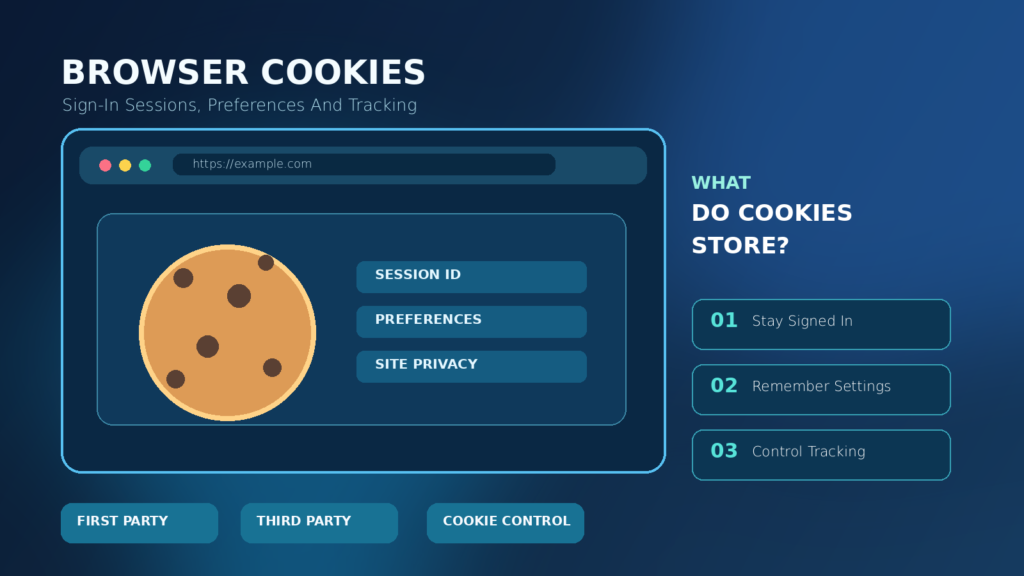

A browser cookie is a small piece of website-associated data that a browser stores and may send with matching requests. Cookies help websites remember login sessions and preferences, but some uses can enable tracking across sites. You can manage or clear cookies, preferably for one affected website at a time, without automatically deleting your online accounts.
Understand first-party and third-party cookies, session security, modern privacy controls, and safe cleanup steps for Chrome, Firefox and Safari. This guide is based on browser vendors’ documentation and MDN’s web standards references.
What A Browser Cookie Actually Is
A browser cookie is a small piece of data associated with a website and stored by a browser under defined rules. A server commonly asks the browser to store a cookie by sending a Set-Cookie response header. On eligible later requests, the browser can send a matching Cookie request header back to the server. This allows a site to remember information that would otherwise be lost between individual requests.
Cookies are not tiny applications that run on your computer. They are values and attributes handled by the browser. The value might represent a session identifier, language preference or other application state, but it does not need to reveal its meaning to the person viewing it. The authoritative MDN HTTP cookie guide explains three familiar roles: session management, personalization and tracking.
A cookie can be helpful or privacy-sensitive depending on its purpose and the systems using it. Understanding that distinction is more useful than treating every cookie as dangerous or assuming every website must have unrestricted access to browser data.
Why Websites Use Cookies
Web pages are delivered through separate requests. Without additional state management, a server does not automatically know that two visits belong to the same signed-in browser. A session cookie can carry a random identifier that lets a server look up a session record. Another cookie might remember a selected display language or a choice to hide a particular introductory message.
An online store may use cookies to associate a shopping cart with a returning visitor. A news site may store layout preferences, and an account portal may use a secure session token. Some third-party advertising or analytics systems also use cookies to associate browsing activity across contexts, creating different privacy implications from remembering a language setting.
The legitimate use of a cookie does not guarantee that the website handles it properly. Sensitive cookies should have appropriate security settings, and the service should protect session identifiers and accounts. See our web browser explainer for the broader role of the software that stores and sends site data.
How Cookies Travel Between Browser And Server
In a simplified flow, you visit a website, and its server responds with a page and an instruction to store a cookie. The browser checks the cookie’s rules, including its domain, path, lifetime and security settings. Later, when a request matches those rules, the browser may include the stored value with that request. The server uses the value to continue a session or retrieve a stored preference.
The browser does not send every cookie to every website. Cookie scope, same-site restrictions, security rules and browser privacy settings determine when a cookie is eligible. A user who visits two unrelated sites should not assume they share one pool of all cookie values. Cookies associated with embedded resources are a more complicated case and can raise cross-site tracking concerns.
Cookies can also be created and read by permitted website scripts, depending on browser APIs and security attributes. The MDN Set-Cookie reference documents the browser-server mechanism and the attributes that control it.
What A Cookie Usually Contains
Most cookies have a name and value, plus optional attributes that instruct the browser when to store or transmit them. A basic value may be a random session reference, and the server uses that reference to find account state held elsewhere. A cookie can also encode a preference. Its actual structure is chosen by the application, which means examining a cookie string may not explain what it means.
Good designs avoid putting passwords or unnecessary private details directly into readable cookie values. Sensitive sessions rely on server-side validation, appropriate browser attributes and careful handling of tokens. A value may look like meaningless letters and digits yet still be powerful if it grants access to an authenticated session.
Do not copy or share live authentication cookies when requesting troubleshooting help. Someone with a valid stolen session token may be able to impersonate a signed-in user under certain conditions. Redact cookie values from screenshots, support messages and published examples.
Session Cookies Vs Persistent Cookies
A session cookie has no persistent expiration time specified by the cookie’s relevant attributes, while a persistent cookie carries an expiration or maximum-age rule. Session cookies are normally associated with the browser session, but session restoration and implementation behavior can affect when they disappear. Therefore, closing a browser window is not a universal guarantee that every session-related value is immediately discarded.
Persistent cookies may store a language preference or help keep someone signed in between visits. Their lifetime is limited by their attributes and can also be shortened by browser policies or user actions. A long expiration does not mean the website’s server will accept the related session indefinitely. The server may revoke or expire an account session independently of the browser-side cookie.
MDN’s header documentation distinguishes session cookies from values using Expires or Max-Age. These technical categories describe storage behavior, not whether a cookie is inherently good or bad.
First-Party Cookies Vs Third-Party Cookies
A first-party cookie is associated with the website context a person is visiting. It can support login, preferences and normal site functionality. A third-party cookie involves another site’s resources operating within the current page, such as a separately hosted embedded widget or advertising service. The distinction concerns the relationship between the website context and cookie origin rather than simply which company owns a brand.
Third-party cookies can support legitimate embedded experiences, but they can also facilitate tracking across different websites. Browser restrictions have therefore become an important privacy mechanism. Some services use alternative storage or related-site arrangements to maintain embedded functionality, so blocking third-party cookies does not automatically stop every form of tracking.
MDN’s third-party cookie guide discusses the privacy concerns and compatible alternatives. The exact browser behavior depends on version, settings, private mode and extensions, so avoid making universal claims about one browser having permanently removed all third-party cookies.
| Cookie Category | Main Distinction | Practical Effect |
|---|---|---|
| Session | No Persistent Expiry Attribute | Generally Tied To Browser Session, With Restoration Nuance |
| Persistent | Expiry Or Max-Age | Can Survive Across Visits Until Removed Or Expired |
| First-Party | Current Site Context | Often Supports Login And Preferences |
| Third-Party | Embedded External Context | Can Support Widgets Or Cross-Site Tracking |
| Partitioned | Top-Level Site Isolation | Helps Separate Some Embedded Site State |
Cookies Are Not The Same As Browser Cache
A browser cache stores reusable resources such as downloaded images, style files or other content to reduce unnecessary network transfers. A cookie stores a small piece of website-associated state under the browser’s cookie rules. Clearing one can affect different things. Removing cookies may sign you out or erase a preference, while clearing cached files may make the next visit slower until resources are downloaded again.
Browsers sometimes group cookies, site data and cached content under a broadly named privacy menu. That can make it easy to delete more than intended. Before troubleshooting a broken website, identify whether you need to remove stored login state, cached files, permissions or other storage. A site may also use IndexedDB or local storage, which are not identical to HTTP cookies.
The distinction matters if you want to fix a single login problem without disrupting every account. Our progressive web app guide explains some of the other storage and offline mechanisms used by modern web applications.
Cookies Vs Local Storage And IndexedDB
Modern websites can store information through several browser interfaces. HTTP cookies participate in defined request behavior and may be sent automatically to a matching server. Local storage is accessed through appropriate client-side web APIs and is not automatically added to every HTTP request. IndexedDB provides more structured client-side storage, often useful for larger datasets and offline web applications.
These mechanisms have different isolation, access, lifetime and quota rules. A website storing a preference in local storage might not use cookies for that particular feature. Conversely, a server may depend on an HTTP-only session cookie that client JavaScript cannot read directly. Clearing a site’s full stored data can affect all of these mechanisms, not just cookies.
Do not equate a local-storage key with a login cookie or assume one browser setting removes all tracking methods. Effective privacy combines browser controls, trustworthy site practices, permissions awareness and suitable account security.
What Happens When You Sign In To A Website
After a successful login, a service may create a server-side session and send the browser a session identifier in a cookie. On subsequent eligible requests, the browser includes that identifier so the service can recognize the session without asking for a password on every page. The exact design can vary, including systems that use additional authentication mechanisms.
This is why removing a site’s cookies often signs you out. The browser may lose the identifier the website expects even though the account itself still exists and the password remains unchanged. A site can also invalidate a session from the server, so a stored cookie is not proof that the login remains authorized.
For account protection, use a strong unique password and available multifactor authentication rather than depending on browser cookies as a security tool. Our password manager guide explains credential storage, and the two-factor authentication guide covers an additional account protection layer.
Can Cookies Track You Across Websites?
Some cookie configurations allow a third-party service to recognize the same browser when its resources appear on multiple websites. That can support cross-site measurement or personalized advertising, but it can also create detailed activity profiles that users did not expect. The fact that a cookie is just text does not remove the privacy implications of associating it with repeated visits.
Not all cookies are tracking cookies, and blocking third-party cookies is not a complete anonymity solution. Websites may also use account sign-ins, URLs, embedded content, or other technical signals. Anti-tracking protections reduce some practices without making a browser invisible. MDN emphasizes reducing reliance on cross-site tracking and documents browser restrictions in its privacy guidance.
Choose privacy settings based on the real tradeoff. A stricter configuration can reduce cross-site activity sharing while sometimes causing embedded login systems or widgets to fail. If a trusted service breaks, use targeted exceptions rather than disabling protections everywhere.
How Secure, HttpOnly And SameSite Help
Cookie security attributes let website developers reduce certain risks. Secure restricts a cookie to appropriately encrypted HTTPS requests in normal contexts. HttpOnly prevents ordinary page JavaScript from reading the cookie through document.cookie, reducing one route by which a script injection could steal a session identifier. SameSite controls some circumstances in which the cookie is sent with cross-site requests and can help mitigate certain cross-site request forgery patterns.
These protections are complementary rather than interchangeable. Secure alone does not mean a cookie value is secret from everyone with access to the device. HttpOnly does not prevent all cross-site scripting effects, and SameSite is not a substitute for complete server-side request validation. The MDN secure cookie configuration guide explains their practical roles.
Users generally do not need to edit these attributes manually. They should expect reputable services to implement suitable settings, while users focus on browser updates, account protection and caution around untrusted extensions.
What SameSite Strict, Lax And None Mean
The SameSite attribute helps specify when cookies are included in requests involving other sites. Strict is more restrictive, Lax permits some cross-site top-level navigation scenarios, and None enables eligible cross-site use when other requirements are met. Modern browsers impose particular default and security behaviors, and SameSite=None generally requires Secure.
The distinctions are most useful for understanding why embedded account flows sometimes behave differently from ordinary links. A site with overly restrictive settings can break a legitimate authentication callback, while overly permissive settings may create avoidable risk. Developers must select an appropriate configuration for the application and consider CSRF defenses alongside it.
MDN’s Set-Cookie reference provides the precise semantics and compatibility notes. Do not change browser-wide privacy settings purely because a website displays a technical SameSite warning; identify the site, exact error and its legitimate requirements first.
What Partitioned Cookies Are
Partitioning is a browser privacy technique that can isolate certain third-party state according to the top-level site in which it is used. Under the Cookies Having Independent Partitioned State approach, commonly abbreviated CHIPS, a supported cookie can carry a Partitioned attribute so the browser keys its storage to the surrounding site context as well as the cookie’s own origin.
This can allow an embedded component to remember state within a particular top-level website without necessarily using one globally shared identifier across unrelated websites. It is not a universal promise of complete privacy or a replacement for consent and safe application design. Browser support and policies remain relevant.
MDN explains the partitioned cookie mechanism. For ordinary readers, the essential takeaway is that modern browser controls are more nuanced than a simple choice between allowing every cookie and blocking every cookie.
How To Clear Cookies For One Website In Chrome
If one trusted website is stuck in a login loop or displays an outdated preference, clearing its data can be a reasonable troubleshooting step. First save unsent form content and confirm you know how to sign back in. In current Chrome desktop documentation, open Settings, choose Privacy and security, open Third-party cookies, and use the site-data management option to find the affected site. Remove that site’s data and reload it.
The exact menu structure can change, so follow Google’s official Chrome cookie instructions if your interface differs. Removing site data can log you out, reset preferences or erase locally stored website information. Clear data only for the affected domain when possible instead of deleting every cookie as a first troubleshooting attempt.
If a browser is managed by an employer or school, some controls may be unavailable. Do not override administrative policies. If you are unsure which site holds the data, check the website address carefully and avoid copying suspicious domains from advertisements or support messages.
Prevent Losing Local Drafts
Avoid Global Deletion
Use Verified Domain
How To Clear Cookies In Firefox
Firefox provides controls for clearing cookies and site data associated with a particular website or across a broader period. Mozilla’s official support instructions describe the available paths. Menu labels can change by version, but the key concept is to select the affected site and confirm which categories of stored data you will remove.
Before clearing data, save unsent text and check whether a session will need to be recreated. If a website relies on local application storage, removing all site data may delete drafts stored only in that browser. Where possible, use the smallest scope that addresses the actual problem. If the issue remains, check extensions and the site’s status before changing unrelated security settings.
Firefox also includes enhanced tracking protections. These are distinct from manually deleting stored cookies. A setting that blocks a category of tracking activity does not necessarily erase old site data, and clearing stored data does not guarantee a website will stop collecting information on future visits.
How To Manage Cookies And Tracking In Safari
Safari on Mac includes privacy settings designed to limit cross-site tracking. Apple instructs users to open Safari, choose Settings, select Privacy and use Prevent cross-site tracking when appropriate. Its official Safari guidance explains the feature and why embedded third-party content may behave differently under these protections.
Safari also offers methods for managing and clearing website data, but the exact location can vary by macOS and Safari version. Before deleting information, consider whether a site stores important unsynced work. Clearing website data may remove session state or local drafts, and it cannot guarantee that an online account has been deleted.
If an embedded service stops working, evaluate the specific website and any permission prompt instead of globally weakening privacy protections. Safari’s tracking restrictions, cookie storage and private browsing are related features but do not have identical effects.
Should You Block All Browser Cookies?
Blocking every cookie may seem like a simple privacy solution, but it can prevent normal functions such as staying signed in, retaining shopping-cart contents and remembering accessibility or language preferences. Some websites cannot provide their full service without session state. Third-party restrictions can sometimes be adopted with fewer disruptions than a total ban, although the best configuration depends on the browser and your needs.
A balanced approach is to keep your browser updated, limit cross-site tracking according to your preferences, remove unused site data periodically and inspect exceptions you previously granted. Be cautious with websites demanding unrestricted third-party access without explaining why it is needed. Avoid installing untrusted cleanup extensions that request permission to read every page.
Google’s Chrome guidance explicitly warns that some sites may not work as expected when cookies are blocked. Privacy improvements should be evaluated together with functionality and account safety rather than pursued as an isolated numerical setting.
Will Clearing Cookies Delete Saved Passwords?
Cookies and saved passwords are separate types of browser data. Removing a site’s cookie usually signs you out or resets site state, but it does not inherently erase a password saved in a distinct password manager. The result depends on which data categories you select. If you clear a broad browser profile or password-storage category as well, you may remove additional information.
Before running a cleanup, inspect the checkboxes or categories on the confirmation screen. Avoid selecting all data types when the only goal is to reset one site’s sign-in session. Password managers can also store passkeys, recovery details and autofill information separately from normal site cookies.
Keep a secure account recovery method in place before clearing authentication state. Our password manager guide explains why a unique password and reliable credential recovery remain important even when browser cookies are deleted.
| Action | Likely Effect | Important Caveat |
|---|---|---|
| Clear One Site’s Cookies | Signs Out Of That Site | May Remove Site Preferences And Other Data |
| Clear Cached Images | Forces Resource Downloads | Does Not Necessarily Remove Sessions |
| Block Third-Party Cookies | Restricts Cross-Site State | Some Embedded Services Can Break |
| Use Private Browsing | Limits Some Local Storage Persistence | Does Not Guarantee Anonymity |
Are Cookies Dangerous Or Malware?
A cookie is not executable malware merely because it is stored by a website. Its presence does not mean a virus has infected your computer. However, cookie values can be security-sensitive, particularly when they identify an authenticated session. If an attacker steals or misuses a valid session token, the consequence can be serious without the cookie itself being malicious software.
The real protections involve avoiding unsafe websites, keeping software updated, using trusted extensions and enabling strong account security. Some attack techniques target sessions through unsafe applications, script vulnerabilities or stolen browser profiles. HttpOnly and Secure attributes help in particular situations, but they do not eliminate all threats.
If a browser behaves strangely, review extensions and browser security alerts rather than treating every cookie as an infection. Our website safety checklist and fake download button guide explain related risks.
What Happens In Private Or Incognito Mode?
Private browsing generally limits what the browser retains locally after a private session ends. It often isolates temporary cookies and history from normal browsing and can apply stricter third-party controls. It is not an anonymity guarantee. Websites you visit, networks you use and services where you sign in may still observe relevant activity during the session.
Private windows also do not mean the browser transmits no cookies at all. A site may need temporary cookies to provide a working sign-in flow while the window is open. Some browser settings or site exceptions can affect those behaviors. Review your browser’s current privacy-mode documentation for the exact implementation.
Use private browsing when you want to reduce local traces on a device within its stated limits, not to evade workplace controls or assume that tracking and account activity are impossible. Closing the private session is not equivalent to deleting information a website has already stored on its own servers.
Cookies And Cookie Consent Notices
Many websites display notices about cookies and similar technologies. Some distinguish essential session functions from optional analytics or advertising. The precise legal requirements depend on jurisdiction, the technology, and the purpose for which information is used. A technical explanation of cookies is not a substitute for legal advice about any particular website’s compliance.
Before agreeing to optional tracking, inspect the choices offered and the site’s privacy information. A website that provides clear, meaningful controls is easier to evaluate than one using vague statements. Revisit settings if your preferences change. Browser-level blocking and a website’s consent interface address related but not identical questions.
Remember that the term tracking technologies can include methods other than cookies. Turning off one category may not address all analytics, account personalization or device data collection. Transparency about purpose and data use is therefore more important than counting the number of cookies present.
Troubleshoot A Login Loop Without Disabling Security
If a trusted site repeatedly returns you to the sign-in page, begin with low-risk checks. Confirm that the website address is correct and that your browser is updated. Try a normal reload, then check whether the problem is limited to one browser profile or one site. Save important drafts before changing anything. If the service uses an embedded identity provider, browser tracking controls may be relevant.
Clear cookies or site data for the affected domain rather than every website. Restart that site’s authentication flow and inspect whether the issue persists. If a trusted website requires a temporary third-party exception, use the browser’s targeted mechanism rather than turning off protections everywhere. Only permit the site you have independently verified.
If clearing site data does not resolve the problem, consider extensions, account-side errors and service outages. Avoid accepting unsolicited support instructions to export authentication cookies, install unknown extensions or disable antivirus tools. A legitimate service should not need you to share a live session identifier.
A Safe Cookie Privacy And Maintenance Routine
Once in a while, review which websites you still use, remove data for obsolete services and check any tracking exceptions you granted. Keep your browser updated through its official update mechanism. Use unique passwords and multifactor authentication for important accounts. These steps generally contribute more to security than deleting every cookie every day.
When troubleshooting a specific site, write down the symptom, note what data you will remove, preserve unsent work and try a targeted reset. If you manage several browsers or devices, remember that their cookie stores and privacy settings are not necessarily synchronized in the same way. Clearing cookies on one computer does not delete your account or guarantee changes on every device.
The practical goal is controlled, understandable website state. Cookies help the web remember sessions and preferences, while browser privacy controls help limit unwanted cross-site use. A few careful settings and a basic understanding of the mechanism can reduce confusion without sacrificing useful functionality.
Frequently Asked Questions
What Is A Browser Cookie?
It is a small website-associated data value stored and sent according to browser rules. It can support login sessions, preferences and other site features.
Are Browser Cookies Dangerous?
Cookies are not executable malware, but some contain sensitive session identifiers and can be misused if stolen. Site security and browser protection matter.
What Happens If I Delete Cookies?
You may be signed out of sites, lose local preferences or remove other stored website state. Your online accounts do not automatically disappear.
Are Cookies The Same As Cache?
No. Cookies usually store small pieces of state, while a cache stores reusable resources such as images and code. Browsers may offer to clear both together.
What Is A Third-Party Cookie?
It is a cookie used in a context involving content from another site, such as an embedded service. Some such cookies can support cross-site tracking.
Can I Block Third-Party Cookies?
Most modern browsers offer privacy settings and restrictions for third-party cookies. Blocking them can also affect some embedded services and login flows.
Does Incognito Mode Prevent All Tracking?
No. Private browsing limits certain local records and may restrict cookies, but websites and network operators can still observe relevant activity during use.
Will Deleting Cookies Delete Saved Passwords?
Not inherently. Password storage is generally separate, but clearing a broad set of browser data can remove additional categories if selected.
What Does HttpOnly Mean For A Cookie?
HttpOnly prevents ordinary website JavaScript from reading that cookie through document.cookie. It helps reduce one session-theft path but is not a complete security guarantee.
What Does SameSite Mean?
SameSite is a cookie attribute that affects when a cookie accompanies requests involving other sites. Its settings can help reduce certain cross-site risks.
Why Does A Website Stop Working After I Block Cookies?
The site may depend on cookies for sign-in, preferences or embedded authentication. Try a targeted exception for a verified trusted site rather than disabling protections globally.


