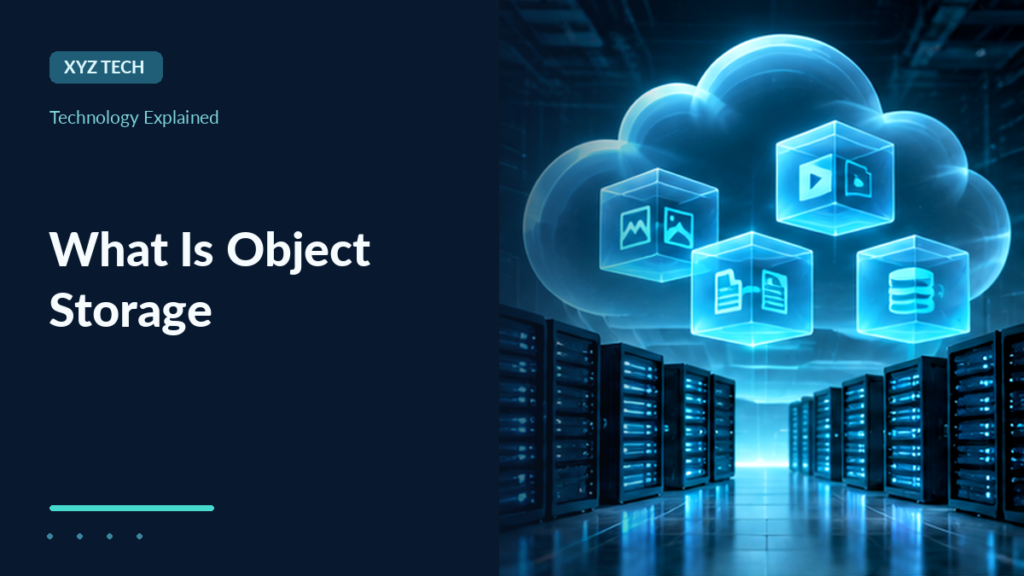

Object storage keeps data as individually addressed objects with keys and metadata, commonly accessed through APIs. It is useful for uploads, images, archives and backups, but differs from block disks and shared filesystems. Permissions, versioning, lifecycle and tested recovery remain essential.
Learn buckets, object keys, APIs, durability, security, cloud cost and practical object storage architecture.
What Object Storage Is
Object storage is a way to store data as individual objects accessed through an interface rather than as ordinary disk sectors or a mounted local filesystem. An object typically includes the data itself, an identifier or key, and associated metadata. Applications retrieve and manage objects using the storage system’s supported API and authentication model.
Cloud services commonly use object storage for images, documents, logs, media, archives and application backups. A website may store uploaded pictures as objects and reference their addresses through application records. A backup service may write archives to an object store under controlled retention rules.
Amazon’s S3 introduction describes buckets, objects and keys. Microsoft’s Azure Blob Storage overview describes a related cloud object storage model with containers and blobs. The two products share broad concepts but do not use identical APIs, pricing rules or feature guarantees.
Object storage is particularly well suited to data that can be retrieved or replaced as whole logical items. It is not automatically a drop-in replacement for the block device used by an operating system or a transactional database. Application patterns and consistency requirements determine suitability.
A common misconception is that objects are always publicly downloadable. Private access is the safer default for sensitive data. Public exposure requires deliberate policy and an appropriate content-distribution design.
Our block storage explainer describes a different abstraction: addressable disk blocks that a filesystem or database can use. This article explains how object-based storage changes data organization and operations.
Buckets, Object Keys And Metadata
In Amazon S3, a bucket is a container for objects under the service’s rules. An object has a key that identifies it within the bucket. Together with other identifiers such as an optional version ID, those fields tell the system which stored item is being requested. Different platforms use corresponding container or account abstractions.
For example, an application may upload an object whose key looks like photos/2026/picture.jpg. This resembles a directory path, but in conventional S3 object storage the prefix is part of the object key rather than automatically a hierarchy of real filesystem directories. Console interfaces may display folders for convenience.
Image Bytes
Key: photos/a.jpg
Log Data
Key: logs/day1.json
Backup Archive
Key: backups/one.zip
Metadata can include content type, last modification information, tags and application-defined attributes under service limits. Metadata is useful for listing, routing and lifecycle policy but does not replace a complete application database when rich querying is required.
Object names should follow product-specific requirements. A key that is syntactically accepted may still cause URL or application escaping problems if it contains unusual characters. Use documented SDKs instead of building raw paths with unsafe string concatenation.
Our URI and URL guide explains path encoding, and file extensions explains why an object key ending in .jpg does not prove the bytes are a valid JPEG.
How Applications Upload And Retrieve Objects
An application normally sends a request through the object storage API with appropriate credentials and an object identifier. The service evaluates permissions, then stores or retrieves data according to its rules. SDKs can simplify multipart uploads, authentication and error handling, but developers still need to understand data integrity and failure conditions.
A common workflow begins with an application accepting a user’s image. It validates the upload, stores the bytes under a controlled key and records that key in its own database. Later the application requests the object or issues an authorized temporary access URL. The object store does not automatically know whether the picture belongs to a particular user in the application.
Large objects may be uploaded in multiple parts under supported APIs. Failed uploads can leave incomplete operations that need cleanup, while partial transfer handling and retry semantics are platform-specific. Review the provider’s SDK documentation rather than assuming a generic HTTP PUT example covers every edge case.
Amazon’s multipart upload guide describes assembling upload parts and managing incomplete requests. A completed API response still deserves an application-level validation that the expected object exists and can be read.
Metadata may need to be supplied during upload or changed through a separate operation. Changing the metadata of an object can involve copying or replacing an object in some systems rather than editing an ordinary file header in place.
For application architecture, see what an API is and client server architecture. Object storage is often a backend component, not the whole application.
Object Storage Vs Block Storage
Block storage presents addressable blocks that an operating system or application can organize into filesystems and databases. Object storage presents logical objects through a storage interface. This distinction influences latency expectations, update patterns, permissions and how applications interact with the data.
| Characteristic | Object Storage | Block Storage |
|---|---|---|
| Primary Unit | Object And Metadata | Addressable Block |
| Typical Access | API Requests | Block Device Interface |
| Common Workload | Media, Backups, Archives | VM Disks, Databases |
| File-System Semantics | Not Native POSIX By Default | Provided By Filesystem Above Blocks |
| Partial Update | Product-Specific Object Operations | Block Writes Under Device Semantics |
A transactional database requiring frequent small random writes typically expects a block device or database service rather than treating object storage as a simple raw disk. Applications designed for objects can scale their data operations without managing a traditional mounted volume themselves.
A tool that mounts an object bucket as a virtual filesystem adds an adaptation layer. It may not supply all file locking, append or rename guarantees expected from a local filesystem. Developers should test the actual application’s requirements before selecting a mount solution.
Our filesystem guide provides the operating-system perspective. A storage interface and a directory-like display in a cloud console should not be confused.
Choose based on access pattern, durability needs, throughput, consistency, security and costs, not simply whether the product offers a large capacity number.
Object Storage Vs File Storage And Network Shares
Traditional file storage organizes named files and directories and is often exposed through network file protocols or local filesystem interfaces. Applications may depend on directory hierarchy, permissions, rename semantics and shared-file access. Object storage offers a different data model built around keys and API operations.
A document editing application requiring shared locking may be a better fit for an appropriate file service. A photo archive serving millions of images through a content delivery service may fit object storage more naturally. There is overlap, but the software’s behavior determines whether one system can replace another.
Many object stores can list objects by prefix and display folder-like structures. That does not guarantee the same directory transactions or locking semantics as an NFS or SMB filesystem. A user may drag and drop through a console while the underlying API remains object-oriented.
Applications can combine storage types. A web server might run its operating system on block storage, keep shared team documents in a file service and put user images in an object store. This is not wasteful duplication when each component addresses different requirements.
Our server fundamentals covers the application host, and cloud concepts explains managed service boundaries.
A sound design also considers backup, recovery and data movement between these systems. Copying a directory tree into a bucket is not automatically equivalent to preserving its original filesystem metadata or permissions.
Durability, Availability And Consistency
Storage durability concerns the likelihood of preserving data against specified failures. Availability concerns whether the service can be accessed when needed. Consistency concerns which stored values a subsequent read may return after updates. These properties are distinct, and one impressive marketing percentage should not be interpreted as a guarantee of all three.
Amazon S3 documents strong read-after-write consistency for its general-purpose bucket object operations under the stated rules. Other services and features can have different models. Do not claim every object store is eventually consistent or that every operation on every vendor behaves identically.
A storage service can preserve an object during some equipment failures and still have a temporary access outage. Similarly, a highly available account can lose data through accidental deletion if there is no suitable recovery policy. Product documentation and architecture design should distinguish these scenarios.
Data may be replicated across physical components or zones under a provider’s design, but users should confirm which failure domains, regions and tiers their purchased product covers. Replication and backups are different controls because synchronized changes can propagate bad data too.
Our incremental backup guide explains why recoverable history matters even when storage is durable. Durability is not a substitute for testing a restore.
For critical applications, define recovery time and recovery point objectives before selecting redundancy, versioning and backup measures. The goal is a verified recovery plan, not simply keeping files in the cloud.
Versioning, Delete Markers And Object Recovery
Some object stores offer versioning, allowing an object key to retain multiple versions over time. In Amazon S3, versioning can preserve earlier copies under an object key. Deleting a current versioned object through an ordinary deletion can create a delete marker rather than necessarily destroying every historical version, depending on the operation and configuration.
Amazon’s versioning documentation describes how version IDs and delete markers affect retrieval and restoration. It also documents the storage costs of retaining noncurrent object versions. A feature enabled after data loss cannot retroactively restore versions that never existed.
Versioning is useful against some accidental overwrites and deletions, but it needs management. Excessive versions can increase storage costs, while permissive accounts can still delete versions or alter configurations where allowed.
An application should know whether its normal GET operations retrieve the current version or need a particular version ID. A delete marker can make a key appear absent even when historical object versions remain.
Test restoration in a disposable location before relying on a versioning policy for important work. Confirm the recovered bytes and metadata match what the application needs.
Versioning is one layer of resilience, not an unconditional replacement for independent backups or offline copies protected from account compromise.
Lifecycle Rules And Storage Cost Controls
Object storage services often provide lifecycle policies that transition objects to other storage classes or expire them according to age, tags and version state. These rules can reduce costs for archives and older logs but can also make data slower to retrieve or permanently remove information when misconfigured.
Amazon’s S3 Lifecycle documentation describes current-version and noncurrent-version transitions and expiration. The exact costs, minimum storage durations and retrieval characteristics differ among storage classes and providers.
A sensible lifecycle plan starts with a retention requirement. Security logs may need one schedule, customer uploads another and disaster-recovery backups a third. Do not copy an arbitrary thirty-day expiration rule into a bucket containing irreplaceable documents.
Compare total cost, including storage, API operations, transfers, retrievals and external data egress. A low per-gigabyte storage tier can become more expensive for frequent reads or early retrieval. Costs should be estimated against actual workload.
Monitor policy results and periodically restore sample archives. A lifecycle rule that seems efficient but makes urgent recovery impossible can create serious business risk.
Document who approves changes to retention and deletion policy. Lifecycle automation should never be treated as a substitute for explicit data-governance decisions.
Permissions, Credentials And Public Exposure
An object storage bucket may contain sensitive documents, private backups or user-uploaded files. Access should be restricted through the provider’s authentication and authorization mechanisms. Permissions can apply at account, bucket, container, object or identity scopes depending on the platform.
A common security error is making an entire bucket public because one website image must be shared. A safer pattern is to separate public content from sensitive data or issue narrowly scoped authorized access through supported service mechanisms. Signed or time-limited URLs have their own security and expiry rules.
Amazon’s Block Public Access guidance documents relevant protections for S3. Default settings and available controls can change, so inspect the actual account rather than assuming a tutorial from an older year is correct.
Never commit long-lived storage access keys to a public repository. Use approved identity-based credentials, least-privilege permissions, rotation and monitoring. A leaked credential can expose data even when the application itself has good passwords.
The object store cannot automatically infer business-level permissions from a filename. The application must verify that a user is authorized to access a particular object and enforce that decision consistently.
Our firewall guide explains network access, but firewall restrictions and object-specific authorization are separate protections.
Encryption And Key Management
Object storage providers may support encryption in transit and at rest through built-in or customer-managed key options. These protections can reduce selected risks but must be understood as part of a complete identity and key-management design. Encryption does not prevent an authorized account from accidentally deleting data.
TLS can protect communication between a client and service when configured and validated properly. Server-side encryption can protect stored bytes under the provider’s defined service model, while client-side encryption can transform the data before upload under application-controlled keys.
Customer-managed keys add operational responsibilities. If the key is disabled, deleted or inaccessible, encrypted objects may become unreadable even if the underlying storage remains intact. Access policy should separate people permitted to read data from those authorized to administer keys.
A backup plan needs to account for encryption keys and recovery credentials. An archive copied to a second account is useless if its decryption key was lost in the same incident.
Metadata, object names and access patterns may not receive the same protection as data bytes under every design. Evaluate what the service encrypts and which logs or management interfaces expose object identifiers.
Security is a combination of key custody, permission policy, audit logging, verified applications and recoverability, not a simple toggle labeled encryption.
CDNs, Performance And Large Media Delivery
A website may use object storage as the origin for images, videos or downloads while placing a content delivery network in front of it. The CDN caches selected objects closer to users and reduces repeated origin requests under its configured rules. This can improve perceived responsiveness but requires proper cache behavior and access controls.
Object storage response time depends on the operation, service, network path and storage class. A high-throughput media workload differs from a latency-sensitive database operation. The application should use appropriate request patterns, caching and retry mechanisms rather than assuming object storage behaves like local RAM.
Large file uploads may be divided into parts through the provider’s supported APIs. Failed transfers and interrupted uploads require cleanup and correct retries. A completed upload should be checked for the expected object size and application integrity.
Our cache memory article covers a different form of caching, and internet packets explains the traffic traveling between users and storage endpoints.
A cache can also create stale content. If an object changes under the same key, content distribution rules need to ensure visitors receive the intended version. Versioned filenames or appropriate cache invalidation may be useful depending on the product.
Performance should be measured through the real application and realistic object sizes, not inferred from a vendor’s maximum theoretical throughput figure.
Backups, Replication And Object Lock
Replication can copy objects to additional locations or accounts under provider-specific rules. It can improve availability or geographic protection, but replication may also propagate modifications and deletions. Independent backups and recovery windows remain important.
Some object storage products support object lock or retention features that restrict modification or deletion under defined policy. Amazon documents Object Lock with compliance and governance models. These settings must be understood before use because they can prevent legitimate deletion and affect data-retention obligations.
A well-designed backup considers failures of user credentials, mistaken lifecycle rules, corrupted application content and loss of provider access. An object store with multiple replicas does not automatically protect against all these incidents.
For critical archives, restore a sample object from the intended backup destination into a controlled environment and verify it. A successful copy operation is necessary but not sufficient evidence that the complete application can be recovered.
Do not use object lock as a generic substitute for access reviews or encryption. It addresses particular retention threats, while secrets, accounts and applications need separate protections.
Our incremental backup guide helps define recovery objectives and chain integrity across storage choices.
How To Choose Object Storage For A Project
Start with the data type, expected object sizes, read frequency and update pattern. A static image library, daily log archive and collaborative document editor have different needs. Estimate the total stored bytes, number of requests, likely geographic access and recovery requirements.
Evaluate permission controls, encryption, versioning, lifecycle, availability, consistency and cost. Check how the service integrates with the application’s SDK and deployment platform. A product’s impressive feature list is less useful if the team cannot configure and monitor it reliably.
For a web app, choose a predictable key naming scheme and a separate database record connecting object ownership to application users. Validate uploads, store the intended content type safely and prevent untrusted object names from creating path or authorization confusion.
A small pilot should upload a few representative objects, retrieve them, verify byte integrity, test access denial and confirm an independent restore. Use documented provider tools rather than experimenting with production customer files.
If data residency or contractual restrictions apply, confirm the actual region, redundancy and vendor terms before deployment. A service may replicate internally or transfer data under certain configurations; do not assume a region label covers every legal question.
Object storage is valuable when the application’s operations match the object model. Choose it because its data access and recovery properties fit, not because the word cloud appears in marketing.
Common Object Storage Mistakes
Treating object storage as an ordinary network drive can cause problems when an application expects atomic rename, file locking or append semantics. Some mounting tools approximate filesystem behavior but do not supply every guarantee. Test with the exact software before deploying critical data.
A second mistake is assuming durability eliminates backups. Accidental deletion, account compromise and misapplied lifecycle policies can destroy or hide important data. Versioning and replication reduce selected risks only when configured and verified.
A third mistake is broad public access. An entire bucket should not become public merely to display a few promotional images. Review identity and bucket policies and confirm sensitive objects are not reachable anonymously.
A fourth mistake is ignoring data egress and API request costs. An application that repeatedly downloads the same object may create avoidable expense. Proper caching and realistic cost forecasts are useful.
A fifth mistake is failing to test storage restoration and key recovery. A backup report showing successful upload does not prove that staff can actually restore and decrypt the data under pressure.
Object storage works best with explicit object identity, narrow permissions, application-aware metadata and tested recovery. The storage service provides powerful primitives, while application owners remain responsible for safe data handling.
Frequently Asked Questions
What Is Object Storage?
Storage that manages data as individual objects with keys and metadata, usually accessed through a service API.
Is Object Storage The Same As Cloud Storage?
No. Cloud storage is a broad category; object storage is one possible model alongside block and file services.
What Is A Bucket In Object Storage?
A container for objects under a particular provider’s naming, permission and management rules.
Is Object Storage Suitable For A Database Disk?
Not necessarily. Transactional databases often require block storage or a database service with appropriate write semantics.
Can Object Storage Keep Older Versions?
Some services offer versioning, but it must be enabled and managed under the actual product rules.
Is Object Storage Automatically Public?
No. Sensitive objects should use private access by default and explicit authorization.
Does Replication Replace Independent Backups?
No. Replication can propagate changes, while backups preserve recoverable points under a distinct plan.
What Is The Biggest Object Storage Cost Risk?
It depends on the workload, including storage tiers, operations, retrieval, egress and retention of older versions.


