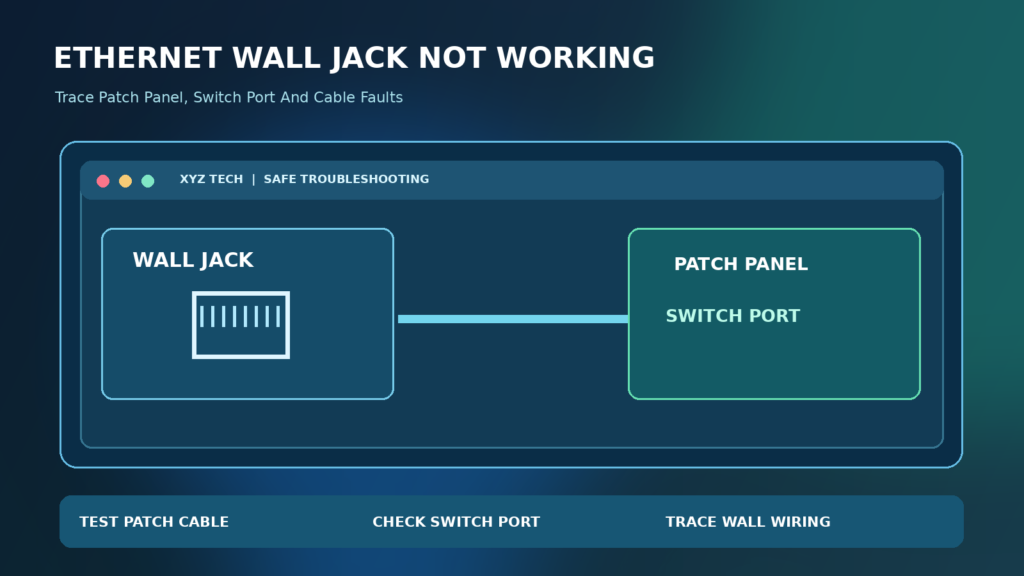

This practical guide distinguishes electrical wiring faults from inactive patch-panel ports, VLAN restrictions and broader internet problems, with guidance drawn from Fluke Networks and equipment manufacturers.
What An Ethernet Wall Jack Actually Connects
An Ethernet wall jack is normally one endpoint of a structured cable run leading to a patch panel, another room or a small networking enclosure. It does not necessarily connect directly to the internet. For the jack to deliver a usable network connection, its cable must be terminated correctly at both ends and patched to a working switch or router port that provides the intended service. A wall plate with an RJ45-style opening alone does not establish any of those conditions.
Begin by determining whether the jack has ever worked and what equipment sits at the other end. An inactive patch-panel port can look identical to a functioning one from the room. The guide below separates no physical Ethernet link, an active link without an IP address, and a network link that exists but cannot reach the internet. Those observations are more informative than replacing a router at random.
Quick Answer: Check The Cable Path First
Connect a known-working Ethernet cable and laptop to the wall jack, check the laptop or adapter’s Ethernet link indicator and then test the same laptop directly at the router or switch. If direct Ethernet works but the wall jack does not, examine the patch-panel connection and the wall-to-panel cable with appropriate tools. If the Ethernet link appears but internet access fails, move to IP addressing and network configuration checks instead.
Do not touch live electrical wiring, open a powered network enclosure without authorization or short pins to test a jack. Ethernet cabling can carry Power over Ethernet in some installations. Use compatible cable testers or qualified service personnel when tracing wiring. Fluke Networks’ cable fault overview describes opens, shorts, crossed and split pairs as distinct problems.
Confirm The Wall Port Is Actually Ethernet
Some older buildings use modular wall connectors for telephones, alarms or proprietary low-voltage systems. A familiar-looking socket does not guarantee that its wiring was installed for Ethernet or that it carries the right number of pairs. Inspect visible labels and building documentation before connecting equipment. Do not insert or force connectors that do not fit the port properly.
If several sockets are present, determine which one is connected to the data network. A wall plate may have both telephone and network outlets, while the cable behind a jack can be repurposed. In a workplace or rental property, ask the network administrator or building manager rather than moving undocumented connections inside a shared rack.
Step 1: Test The Laptop And Patch Cable
Use a laptop and Ethernet cable that you already know function together through a router or switch. A faulty USB Ethernet adapter, disabled network interface or broken patch lead can otherwise make a healthy wall jack appear dead. Confirm that the adapter is enabled in the operating system and that the direct test produces a normal link. Our What Is Ethernet guide explains the role of the wired link.
If the computer does not detect Ethernet even when directly connected to a known-working port, fix that device-side problem before diagnosing the wall. If the direct link works, use the exact same laptop and patch cable at the wall jack to make a meaningful comparison. Change only the connection endpoint, not multiple devices at once.
Step 2: Observe The Ethernet Link Status
Many Ethernet adapters and switches use small LEDs to indicate physical link and activity. A lit or blinking link indicator often means a connection is present, but the color and blinking pattern vary by equipment. Consult the manufacturer’s documentation before interpreting a particular light as speed, traffic or error status. Some devices do not provide visible LEDs at all.
Windows can also report whether the Ethernet interface is connected, while Linux and macOS expose their own network-status information. A physical link does not prove the user has a valid IP address or internet service. It simply narrows the problem to a different layer than a cable with no working connection.
Step 3: Find The Other End Of The Cable Run
Wall jacks commonly terminate at a patch panel in a utility closet, communications room or media cabinet. That endpoint must be identified before the cable can be connected to the appropriate network. If the cabling labels are accurate, a numbered wall plate may correspond to a patch-panel port. If no labels exist, a compatible cable locator may help a qualified person trace the line.
Do not remove neighboring patch cords in an active rack just to guess which one belongs to your room. Disrupting a shared switch can disconnect other users, security devices or telephones. A controlled inspection with building permission is more reliable than unplugging unknown cables.
Step 4: Check Patch Panel To Switch Connection
A patch panel is generally passive: it organizes fixed building cables but does not provide networking service by itself. A patch cord normally connects the correct panel port to an active switch or router port. If the panel port is empty, the wall jack may have a perfectly installed cable but no active connection. Our Network Switch Guide explains how an active switch connects devices.
Inspect the relevant patch lead for damage and proper seating. The network administrator should confirm the switch port is enabled and assigned to the intended network. Do not connect an unknown patch-panel run to a private router without understanding existing network and security rules, because it can create loops or unintended connections.
Step 5: Try Another Known-Working Switch Port
If the patch panel is correctly identified and authorized access is available, compare the cable run with a known-working switch port. A port can be administratively disabled, damaged, or configured for a different network. Observe whether a link appears at each end. Record any switch interface indicator or status page information rather than assuming that a green LED establishes internet access.
NETGEAR’s LAN port troubleshooting reference describes checking router port behavior. Not every test is appropriate for every managed switch, so follow the hardware maker and administrator’s instructions. Avoid connecting two unknown ports with a loopback cable on an active managed network.
Step 6: Test The Short Patch Cords
A bad short patch cable is easier and safer to replace than a cable inside the wall. Test the room-side lead and the patch-panel-to-switch lead separately using known-good replacements with suitable ratings. Examine both plugs for broken retaining clips, bent contacts or obvious jacket damage. Do not conclude the in-wall wiring is damaged until the external leads have been ruled out.
If the network becomes stable with a replacement patch cord, verify it under normal use before reopening the wall plate. A cracked latch can cause intermittent link drops when the cable is nudged. Keep patch cords away from tight bends, furniture legs and crushed doorways that might damage the copper pairs.
Step 7: Understand Cable Continuity And Wiremap Testing
Basic cable testers check whether conductors connect to their intended corresponding contacts. More advanced qualification and certification testers examine additional properties relevant to supported data rates. Fluke Networks’ cable testing overview distinguishes verification, qualification and certification and explains why checking continuity alone does not establish performance.
A cheap wiremap tester may identify an open wire or crossed pair but cannot necessarily prove that the complete link meets a specified Ethernet category or speed. When a cable passes simple continuity checks yet still negotiates poorly, seek a qualification or certification test from a competent installer rather than repeatedly reterminating it without evidence.
Step 8: Look For Opens, Shorts And Split Pairs
Fluke Networks describes several common cabling faults: open conductors, shorts, reversed pairs, crossed pairs and split pairs. Some allow certain link behaviors while preventing reliable operation at expected speeds. A split-pair fault is especially important because simple end-to-end continuity may appear correct even though the twisted-pair relationship is wrong.
Use a tester capable of the relevant diagnosis, follow its instructions and document the reported fault location where supported. Do not use household mains-voltage test methods on network data wiring. A certified network installer can determine whether reterminating a jack or replacing damaged cable is appropriate.
Step 9: Check RJ45 Termination At The Wall
A modular data jack may have loose punch-down connections, excessive untwisting, wiring damage or an incompatible insert. The termination standard and cable category should match the installed cable and design. A visually neat faceplate can still hide a failed termination. For a home installation, inspect only with the cabling safely isolated and suitable tools; for offices, involve the cabling contractor.
Do not cut and reconnect conductors without a wiring diagram and proper punch-down tools. Guessing wire colors from a picture can create a split pair or another fault. If the cable jacket is damaged inside the box, retermination may require additional slack or replacement and should not be forced.
Step 10: Confirm Cable Category And Run Length
Different Ethernet speeds and cable standards impose different requirements on installation quality, component category and channel length. A very long run, poor connectors or excessive cable bending can reduce reliability. Do not assume that a cable marked with a high category automatically guarantees a high data rate when its terminations or patch cords are poor.
Use documentation and tester results to evaluate the actual link against the needed standard. Fluke Networks’ cable qualification materials explain performance testing beyond continuity. If the cable run is shared with Power over Ethernet equipment, also consider the switch’s power budget and hardware requirements.
Step 11: Check Power Over Ethernet Considerations
Some network cables carry both data and electrical power for devices such as access points, security cameras and IP telephones. A wall jack previously serving a powered device may be connected to PoE-capable equipment. Ordinary compliant devices negotiate power according to supported standards, but homemade wiring experiments or damaged connectors can still be unsafe.
Do not short contacts or use improvised continuity methods on a powered cable. Disconnect or isolate the circuit according to the network owner’s procedure before performing tests that require an unpowered line. If you are uncertain whether the cable is live, involve trained personnel and a compatible network tester.
Step 12: Confirm IP Addressing After Physical Link
If the laptop reports an active Ethernet link but cannot reach the intended network, inspect the IP configuration. On Windows, ipconfig /all can display the assigned address, default gateway and DNS information. The absence of a valid address may indicate that DHCP is unreachable or that the port is assigned to another network.
Do not manually enter random public IP addresses to compensate for a DHCP problem. Our DHCP Guide explains how automatic addressing works. An active wall jack can lead to a network segment with restricted access, so involve the administrator when port configuration rather than wiring becomes the likely issue.
Step 13: Differentiate No Link From No Internet
A network connection can be physically active while a router, gateway or internet provider is unavailable. Compare the same laptop plugged directly into the router and through the wall jack. If the direct connection has internet but the wall path does not, suspect the wiring, switch port, VLAN or DHCP path. If neither has internet, a broader router or provider problem is more likely.
Our Ethernet Connected But No Internet article covers the network-layer symptom in detail. Keep the distinction clear: cable repair helps an absent physical link, while DNS changes cannot repair a wire that is electrically open.
Step 14: Consider VLAN And Managed Network Restrictions
A managed switch may assign wall ports to specific virtual networks, restrict devices by identity or disable unused outlets. A wall jack may be fully functional but intentionally not provide public internet access. Ask the network administrator whether the port is active, what VLAN or network it belongs to and whether your device is authorized.
Do not bypass enterprise network access controls or bridge an unknown network segment into a personal router. Our VLAN Explanation provides context on why an active port can reach different services depending on configuration. Physical connectivity and authorization are separate issues.
Step 15: What If The Jack Works Only At Low Speed?
A link that negotiates at a lower speed than expected may be limited by the switch, network adapter, patch cords, cabling category or an installation fault. Some link speeds require more pairs or better signal integrity. Check the expected capabilities of both endpoints, the negotiated speed, and the installed cable path before blaming a single component.
Use a cable qualification tester where appropriate. A simple continuity checker cannot determine every performance impairment. Avoid making unsupported manual speed or duplex changes because forcing mismatched settings can create additional reliability problems. Record the observed speed and test with a known-good short cable first.
Step 16: Troubleshoot Intermittent Ethernet Link
An Ethernet link that repeatedly drops when a cable is gently moved can indicate a loose connector, damaged patch cable or failing jack termination. Do not wiggle a cable aggressively in a manner that worsens the damage. Compare with a known-good lead and note whether the behavior occurs at the wall, patch panel or switch end.
If the problem occurs only under movement or vibration, physical inspection is more useful than changing DNS or browser settings. Document the affected outlet and avoid prolonged use for critical services until the connection is stable. A qualified installer can reterminate or replace the run using correct components.
A Safe Diagnostic Table For Wall Jacks
Use the table to distinguish wiring faults from network configuration failures. No link light suggests checking the physical cable path first. A valid physical link but no IP address suggests DHCP, VLAN or authorization issues. An address and gateway without internet may require the router or service provider rather than rewiring a jack.
These signs are only starting points. Some devices disable indicator lights or report an approximate status. The best diagnosis compares the same laptop and cable at multiple known-working endpoints and checks the path systematically.
| Symptom | First Check | Possible Category |
|---|---|---|
| No Link Indicator | Patch Cords And Cable Path | Physical Layer |
| Link But No IP Address | Switch Port And DHCP | Network Configuration |
| Link And IP But No Internet | Gateway And Authorized Network | Router Or Service |
| Intermittent Link | Connector And Termination | Physical Wear |
| Unexpected Low Speed | Qualified Cable Test | Signal Or Equipment Limit |
Common Mistakes To Avoid
Do not replace a router simply because one wall outlet does not work. Do not repunch unknown cables according to a random image, remove patch panel cords without authorization, or use a mains electrical tester on Ethernet conductors. Unapproved switch loops can disrupt a network, while unsupported hardware modifications can create safety risks.
Avoid buying a faster internet package before confirming the wall port has an actual link. A defective connector cannot be repaired by more bandwidth. Use the least disruptive test first and preserve the existing network topology while gathering evidence.
A Practical Test For Homeowners
For a home setup, map the wall jack to a cabinet or patch panel if one exists. Start with a known-working laptop and short patch cable, then identify the remote end and connect it to an available authorized router or switch port. Confirm link and IP address before running an internet test. Use a suitable cable tester if the physical connection is absent.
Label the wall outlet and its corresponding panel port after confirming the relationship. Good labeling prevents future confusion and reduces accidental disconnections when rearranging a home office. Do not hide unsupported electrical connections inside walls or use damaged cables merely to avoid a professional visit.
What To Tell A Cabling Contractor
Provide the location and label of the affected wall plate, the type of network service expected, which patch-panel port appears related, and the results of direct versus wall connection tests. Mention whether the fault is constant, intermittent or limited to a particular speed. Ask the installer what verification or qualification tests will be performed.
Do not describe a failed continuity test as proof that a whole cable run must be replaced until a professional locates the fault. Some issues arise from individual patch cords or termination points. Clear test data helps the contractor avoid unnecessary opening of walls.
When A New Wall Jack Is Needed
Replacing the outlet insert can make sense when the contacts or termination are mechanically damaged, the module is incompatible with the installed cable, or competent testing isolates the fault to that termination. Replacement is not automatically required because a laptop reports no internet. The far-end patching, switch port and network authorization should be checked first.
Use components appropriate for the cabling category and installation requirements. A proper retermination should be verified afterward. An installer can assess whether a new faceplate, connector, or complete cable run is necessary without relying on trial-and-error modifications to the rest of the network.
How To Confirm The Wall Jack Is Fixed
Once the physical link is restored, confirm that the laptop obtains an appropriate network configuration and can reach its authorized destination. Test ordinary activities over a sensible period and observe whether the negotiated link remains stable. If needed, check the cable against the appropriate qualification standard rather than relying on a single successful webpage load.
Document the outlet label, remote panel port, switch port and any cable or connector replacement. For a shared installation, notify the administrator that the port has been tested. Good records make future failures easier to distinguish from router or provider outages.
Keep Installed Ethernet Cabling Reliable
Label both ends of each cable run, use proper patch cords, and avoid pulling network cables around sharp corners or under heavy furniture. Check that an outlet is patched to the intended switch before blaming the user device. In managed installations, maintain a record of VLAN assignments and reserved ports so a physically healthy outlet does not appear mysteriously inactive.
Most wall-jack problems can be narrowed down without random hardware purchases: verify the laptop, patch cord, cable run, panel and switch in order. Escalate physical wiring and powered cable tests to qualified personnel. The goal is a reliable, appropriately authorized wired connection, not merely a light appearing on a device.
Frequently Asked Questions
Why Is My Ethernet Wall Jack Not Working?
The wall cable may not be patched to an active switch, a patch cord or termination may be damaged, or the port may be disabled or assigned to a restricted network.
Does An Ethernet Wall Jack Need A Router?
It needs a connected network path, often through a patch panel and switch or router. A passive wall jack alone does not provide internet service.
Can I Test A Wall Jack With A Laptop?
Yes. Use a known-working laptop and patch cable, then compare the same setup directly at the router or switch.
What If The Ethernet Link Light Is Off?
Check the patch cable, wall termination, far-end patching and switch port. The indicator’s behavior varies by hardware.
Does A Link Light Prove Internet Works?
No. It indicates a physical connection on many devices, but IP addressing, network authorization and internet connectivity are separate.
What Is A Patch Panel?
A patch panel organizes fixed building cables and allows them to be connected to active switch or router ports through patch cords.
Can A Split Pair Cause Ethernet Problems?
Yes. Split pairs can impair signal integrity even when simple continuity appears correct. Appropriate wiremap or qualification testing is needed.
Should I Open The Wall Plate Myself?
Only if you are qualified, authorized and can do so safely. Use appropriate tools and do not work on powered or unknown wiring.
Why Is Ethernet Slow Through The Wall?
The cable category, termination quality, length, patch cords or switch and adapter capabilities may limit performance. Compare with a known-good direct connection.
When Should I Call A Network Installer?
Call an installer when cabling tests show faults, the jack or connector is damaged, or tracing and retermination require appropriate professional tools.

