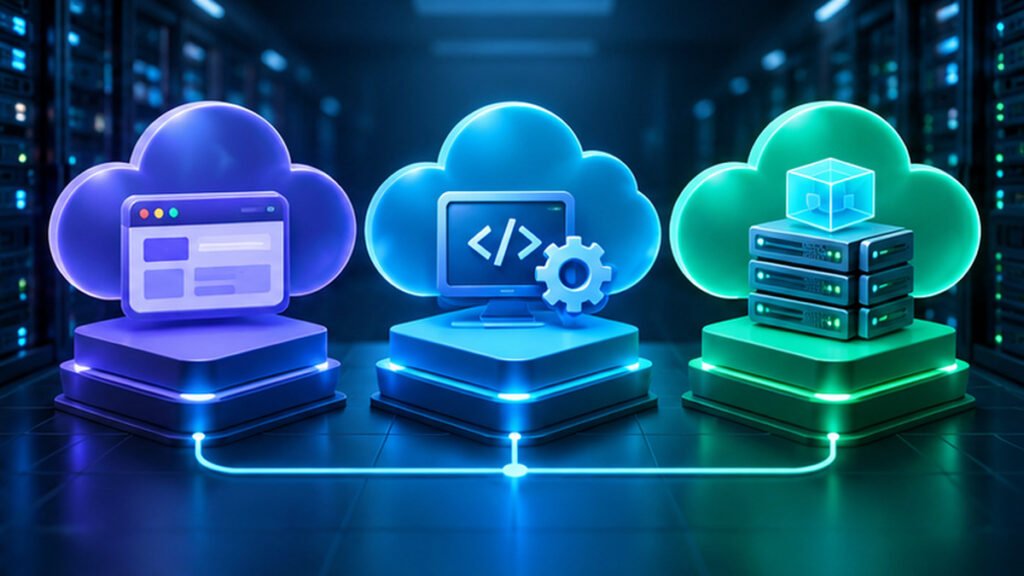

SaaS is ready-to-use software operated by a provider, PaaS is a managed platform for deploying your own applications, and IaaS supplies virtual infrastructure that you configure and maintain. The key difference is who manages the application, operating system, infrastructure and security responsibilities.
Compare cloud service models using realistic application examples, shared responsibility, costs, control and selection criteria.
SaaS, PaaS And IaaS Explained
SaaS, PaaS and IaaS are three broad cloud computing service models. Software as a Service, or SaaS, delivers an application for customers to use. Platform as a Service, or PaaS, provides a managed environment in which customers deploy their own applications. Infrastructure as a Service, or IaaS, supplies fundamental compute, storage and networking resources that customers configure more extensively.
The models describe which layers of a technology stack are managed by the provider and which remain the customer’s responsibility. They are not performance grades. A SaaS tool can be complex and highly capable, while an IaaS virtual machine can be a small, inexpensive development environment.
Microsoft’s cloud service types course and shared responsibility model establish a useful starting point. AWS describes customer and provider responsibilities across cloud workloads.
Consider three practical users. An employee signs in to a hosted project-management application without running its servers. A developer deploys code to a managed application platform. A systems administrator creates a virtual machine and maintains its operating system. These are recognizable SaaS, PaaS and IaaS patterns, respectively.
Our What Is The Cloud guide provides the general computing foundation. This comparison focuses on operational control, shared responsibility, pricing considerations and selecting the correct model for an actual workload.
At-A-Glance Comparison Of The Three Models
A useful comparison should identify what customers receive and what they must still operate. The terms describe typical boundaries, while exact responsibilities vary by product contract and service configuration.
| Criterion | SaaS | PaaS | IaaS |
|---|---|---|---|
| Typical Customer Receives | Ready-To-Use Application | Managed App Runtime And Deployment | Virtual Compute And Infrastructure |
| Customer Usually Manages | Users, Data, Settings | App Code, Data, Identity | Guest OS, Applications And Data |
| Provider Usually Manages | Most Application Stack | Underlying OS And Runtime Platform | Physical Host And Datacenter |
| Best Fit Example | Hosted Team Collaboration | Deploying A Web Service | Customizable Virtual Server |
Use And Configure The Application
Provider Operates Most Layers
Build And Deploy Your Application
Provider Operates The Platform
Manage Your Guest And Software
Provider Supplies Infrastructure
SaaS may let a customer configure workflows and integrate services, but not manage the provider’s database engine or server patches. PaaS gives developers more application control while reducing guest operating-system management. IaaS provides more direct control over virtual infrastructure and more customer administration.
No model eliminates responsibility for identity, data access, configuration or business compliance. Even a turnkey SaaS account can leak information through incorrect sharing settings.
A balanced decision examines workload requirements, team expertise, operational risk, cost and the provider’s actual service documentation.
What Is Software As A Service?
Software as a Service delivers software functionality as an operated service, often through a browser, mobile application or supported client. Customers usually manage accounts, settings, permissions and their own business content rather than install and operate the application’s entire server infrastructure.
Examples include hosted email, collaboration platforms, online accounting and project-management systems. Not every product with a monthly price is technically SaaS: subscription licensing can also cover locally installed software that the customer operates.
In SaaS, the provider commonly handles software deployment, infrastructure maintenance and much of the application’s ongoing availability work. The customer still needs to manage identities, permissions, data retention and service configuration under the provider’s capabilities.
Microsoft’s shared responsibility guidance shows that customer obligations remain even when the provider manages more of the stack. An account administrator who accidentally makes customer records public cannot assume the provider will infer the intended authorization.
The SaaS advantage is reduced infrastructure administration. Staff can often begin using a supported application without provisioning operating systems and databases. The tradeoff is less control over vendor update timing, product behavior and how data is exported.
When evaluating a SaaS provider, check single sign-on, multifactor authentication, data portability, administrative audit features, uptime terms and account recovery. The strongest marketing feature does not compensate for missing essential security controls.
For more context on applications communicating across networks, see client server architecture. SaaS usually hides much of that implementation from the customer.
What Is Platform As A Service?
Platform as a Service supplies a managed environment for building, deploying and operating customer applications. A developer provides application code, configuration and data while the provider handles some underlying operating-system, runtime or platform maintenance. The exact boundary depends on whether the service is a managed app host, database platform or another service.
For example, a team may deploy a web application to a managed application-hosting platform rather than administer a general-purpose virtual machine. The platform can provide deployment integration, scaling options and operational tools under its supported features.
PaaS does not imply that the provider writes or secures the customer’s application. Developers remain responsible for application authorization, vulnerable dependencies, handling customer data and correct service settings. Provider updates do not automatically repair an application vulnerability in customer code.
Microsoft’s compute service decision guide distinguishes managed application platforms from lower-level infrastructure. This supports using PaaS for workloads where teams want application control without managing every server component.
PaaS can speed deployment when the application fits the platform’s supported languages, runtimes and networking requirements. However, provider limits, execution behavior and feature availability can create constraints during migration.
Review the deployment model, supported runtime versions, database connections, logging, scaling rules, backup and recovery responsibilities before selecting PaaS. Avoid calling every remotely hosted virtual machine a PaaS product.
Our API guide describes interfaces that managed application platforms frequently expose or host.
What Is Infrastructure As A Service?
Infrastructure as a Service offers fundamental virtual computing resources such as instances, storage and networks. Customers typically select machine sizes, virtual network settings and guest operating systems, then install and maintain software inside those environments. The provider operates physical host facilities and defined platform infrastructure.
A cloud virtual machine is a common IaaS example. An administrator may need to patch the guest operating system, configure its firewall, manage application dependencies and protect access credentials. Buying a cloud VM does not mean that those tasks disappear.
AWS describes Amazon EC2 as an IaaS-style service in its shared responsibility explanation. Microsoft also explains that customers retain more control and corresponding obligations under IaaS than under fully managed application services.
IaaS offers flexibility for custom software, legacy operating-system dependencies and infrastructure designs that do not fit a tightly managed platform. The tradeoff is greater operational burden, capacity planning and security configuration.
Our virtual machine guide and hypervisor explanation describe the underlying abstraction. Customers generally do not administer the provider’s physical hypervisors, but they do manage their assigned guest resources under the service terms.
A good IaaS design still uses backup, monitoring, least privilege and network segmentation. A VM started successfully is not automatically secure, resilient or compliant.
How The Shared Responsibility Model Changes
Cloud shared responsibility allocates security and operational tasks between the provider and customer. It does not mean that every risk is split equally, or that SaaS transfers all accountability to a vendor. Each service has a specific boundary that must be understood.
In IaaS, a provider normally secures physical datacenters and hypervisor infrastructure, while a customer manages its guest operating systems, applications, data and many network settings. In PaaS, the provider may operate the guest OS and runtime, while the customer remains accountable for application code, access control and information handling.
In SaaS, the provider manages much of the application stack, but users still control account permissions, business data, device security and relevant configuration. Data classification, retention and legal obligations can remain the customer’s responsibility across all three models.
The Microsoft responsibility matrix is a useful visual reference, while AWS guidance applies the principle to its services. Read the actual product contract for specific allocation.
A customer cannot assume that a provider-managed service includes a complete independent backup of all application-level business information. Recovery and export capabilities must be checked separately.
Security reviews should map identities, secrets, applications, networks, logs, storage and physical infrastructure to the party who operates each layer. When a requirement has no owner, it can become an expensive and dangerous gap.
Control, Customization And Vendor Lock-In
IaaS often allows customers to install custom operating-system packages and choose detailed network configurations. PaaS trades some control for a managed execution environment. SaaS offers the least direct access to its underlying stack but can provide powerful business-level customization.
The right amount of control is the amount required by the workload. A team that only needs reliable online invoicing rarely benefits from designing a custom invoice database and operating server clusters. A specialist application with unusual kernel or network requirements may need IaaS.
Vendor lock-in arises when application data, architecture, APIs or workflows depend strongly on one provider. SaaS data export formats may not preserve every feature. PaaS can encourage platform-specific services. IaaS can also depend on proprietary networking, storage or automation interfaces.
Avoid assuming that lower-level infrastructure automatically guarantees portability. Migrating a VM between clouds can require network, identity, licensing and storage changes, even when the guest OS is familiar.
A practical exit plan identifies data export, alternative services, application dependencies, migration time and contract termination terms. This does not require avoiding every vendor-specific feature, but tradeoffs should be deliberate.
Our object storage guide explains a common cloud component whose APIs, versioning and lifecycle options can influence portability.
Costs: Subscription, Usage And Hidden Operations
SaaS commonly uses seat-based or plan-based pricing, but vendors may also bill for storage, usage or add-ons. PaaS may charge for application runtime capacity, requests, managed storage and other services. IaaS may charge for provisioned instances, storage volumes, networking and transferred data.
These are common patterns rather than universal rules. A PaaS service can use predictable plans, and an IaaS customer can reserve capacity. The actual invoice depends on the provider’s current product pricing, commitment terms and workload.
Cloud cost analysis should include operational labor. A VM that is cheaper per month than a managed platform can still be more expensive after patches, backups, monitoring and incident response. Conversely, managed services can have limits or premium charges that make some high-volume workloads expensive.
Data egress, idle resources, backups, logging and multi-region architectures deserve attention. Do not compare only a headline price for a virtual machine against a SaaS user subscription; the products deliver different scopes of work.
Create a small workload forecast with realistic usage assumptions. Use current official pricing calculators and validate invoices during a pilot rather than publishing unsupported universal price rankings.
For technical recovery considerations, read incremental backups. Storage resilience and tested restores are real operational costs regardless of service model.
Scaling, Availability And Service-Level Agreements
Scaling means adapting capacity to a changing workload. A SaaS provider generally operates application capacity on behalf of customers, within plan and feature limits. A PaaS platform may expose application scaling rules. An IaaS customer often manages VM sizes, autoscaling groups and the surrounding application design.
Automatic scaling is not equivalent to automatic application correctness. A poorly designed database bottleneck may persist when more application instances are added, and a larger VM does not fix every failure.
Availability commitments require careful interpretation. A service-level agreement may promise a defined availability percentage or service credit under specific exclusions, but it does not necessarily guarantee data recoverability or compensate for lost business. Read the actual SLA and support terms.
In SaaS, customers should check incident communication and data export. In PaaS, developers should evaluate deployment safety, health checks and platform scaling limits. In IaaS, teams need to consider multiple instances, network dependencies and storage redundancy under the chosen architecture.
A provider status dashboard can help diagnose an outage but does not prove the customer’s application is healthy. The cause may lie in customer configuration or code.
Operational maturity matters more than the labels. Availability, monitoring, tested recovery and clear responsibilities are required under all three models.
Security, Identity And Compliance Decisions
All cloud models require robust identity management. SaaS may offer role-based access, SSO and audit logs. PaaS applications need customer-implemented authorization and safe secrets handling. IaaS operating systems and network services require additional administration and hardening.
Do not assume data is safe merely because the service runs in a large cloud datacenter. A wrongly configured public storage bucket or exposed application endpoint can create serious risk within an otherwise reliable provider’s infrastructure.
Our segmentation guide describes network-level restrictions, and proxy server guide explains another intermediary control. These concerns can apply to cloud architectures at different layers.
Compliance depends on data classification, jurisdiction, contractual terms and the exact service’s certifications and configurations. A provider possessing a general compliance report does not automatically make every customer implementation compliant.
Determine who handles incident response, encryption keys, access logs, backups and employee account changes. Document that ownership before migrating sensitive information.
A secure cloud choice is one whose technical controls and contractual responsibilities can be verified and maintained by the actual team, not simply one with the most fashionable service label.
SaaS, PaaS And IaaS Examples In One Web Application
Imagine a small company that needs an online appointment system. The simplest option may be to subscribe to a hosted scheduling application, configure staff accounts and import customer records. That is a SaaS approach if the vendor operates the application.
A team requiring custom appointment logic might build its own web application using a managed app hosting service and a managed database. This illustrates PaaS and other managed-service capabilities. The team still designs, tests and secures the application code.
A company with unusual software dependencies might provision virtual machines, install a web server and database, and configure its own network and patching schedule. That is an IaaS-oriented implementation. It permits deeper control but creates more operational responsibilities.
The same business outcome can therefore be pursued under different cloud models. The choice changes who writes code, who patches systems, how integrations work and how incidents are handled.
A small team should compare the time required to meet its actual requirements, data export needs, resilience and security, not only whether one approach seems more technically sophisticated.
Our client server architecture guide explains how a scheduling client communicates with its backend. That application relationship exists under all three implementation choices.
Hybrid Models, Containers And Serverless
Modern cloud systems mix service models. A SaaS application may call an API hosted on a PaaS runtime, which uses a managed database and object storage. An IaaS virtual machine can run containers, while a serverless function may respond to events. The simple three-category model is a useful starting point rather than a complete taxonomy.
Containers package applications and dependencies under the container runtime’s architecture. Running a container does not by itself determine whether the service is IaaS or PaaS. The operational boundary depends on whether customers manage hosts, orchestration, application code and related services.
Functions as a Service, or FaaS, can provide an even narrower deployment model in which customers supply code triggered by events and the provider manages much of the execution platform. It has specialized constraints around runtime, state and invocation.
Managed databases also complicate naive categories because the provider may operate database engines while customers control schemas, queries, credentials and data. The relevant responsibility model is specific to each product.
Our hypervisor guide covers virtualization, which often underlies cloud infrastructure even when a SaaS customer never sees it.
Choose individual services based on the workload and clearly document their support boundaries. Avoid demanding that an entire architecture fit into just one label when its components legitimately use several models.
When To Choose Each Cloud Service Model
Choose SaaS when a supported product already solves the business problem and your team does not need to operate application code or server infrastructure. Verify features, identity management, privacy, reliability, export and vendor support first.
Choose PaaS when you need to build your own application but prefer a managed deployment and runtime platform. Confirm supported languages, versions, scaling, monitoring, network integration, database needs and deployment portability. Account for platform constraints and provider-specific pricing.
Choose IaaS when the workload requires operating-system control, custom networking, particular software dependencies or a migration approach better suited to virtual infrastructure. Budget for system administration, patching, monitoring, backups and incident response.
| Business Need | Likely Starting Model | Important Check |
|---|---|---|
| Hosted Email For Staff | SaaS | Identity And Data Export |
| Custom Web App With Managed Runtime | PaaS | Application Security And Deployment |
| Custom VM With Guest OS Control | IaaS | OS Patching And Network Hardening |
| Mixed Enterprise System | Combination | Ownership For Every Component |
This is a selection framework, not a guarantee about any particular product’s current offerings. Confirm the latest service capabilities and pricing directly from the vendor.
The best model is the one that meets the organization’s requirements with sustainable operational responsibility, not the one that gives the most or least control in the abstract.
Evaluate A Cloud Service Before Committing
Begin with a written requirement list covering users, applications, data sensitivity, network access, availability, recovery, growth and administration skills. Identify which tasks the team can support directly and which should be managed by a provider.
Build a responsibility matrix for the shortlisted services. Include identities, application code, guest operating systems, networking, database maintenance, encryption keys, logs and backups. Compare it against official product documentation rather than marketing labels.
Run a limited pilot with synthetic or approved non-sensitive data. Verify application functionality, authentication, user offboarding, backups, restore, billing and export. Where appropriate, deliberately test a harmless failure scenario and confirm the team knows the recovery path.
Estimate total operating cost and staffing needs. Review service limits, SLA exclusions, security controls and migration options. Avoid assuming a free trial demonstrates how a high-volume production service will behave under load.
A reliable decision also includes an exit strategy. Document how to export data and configurations if the service becomes unsuitable, changes pricing or no longer supports required features.
SaaS, PaaS and IaaS are different ways of dividing work. Once the division is explicit, the organization can choose based on evidence instead of relying on unclear terminology.
Frequently Asked Questions
What Is The Main Difference Between SaaS, PaaS And IaaS?
They divide responsibility differently: SaaS delivers an application, PaaS provides a managed application platform and IaaS supplies configurable infrastructure.
Is SaaS The Same As A Software Subscription?
Not necessarily. Subscription describes billing, while SaaS describes a provider-operated application service.
Does PaaS Include Application Security?
The provider manages selected platform layers, but customers remain responsible for their own code, data and appropriate access controls.
Do I Need To Patch A Cloud VM In IaaS?
Customers generally manage their guest operating systems and installed applications unless a specific managed service changes that boundary.
Is SaaS Always Cheaper Than IaaS?
No. Total cost depends on workload, users, usage, management labor and actual current pricing.
Can One Product Use All Three Cloud Models?
Yes. An architecture can combine SaaS tools, PaaS application hosting and IaaS components.
Are Cloud Backups Automatically Included?
Not universally. Verify each service’s recovery and backup responsibilities rather than assuming all data can be restored.
Which Model Is Best For A Small Business?
Use SaaS when it already meets needs; consider PaaS for custom applications and IaaS when infrastructure control is required.


