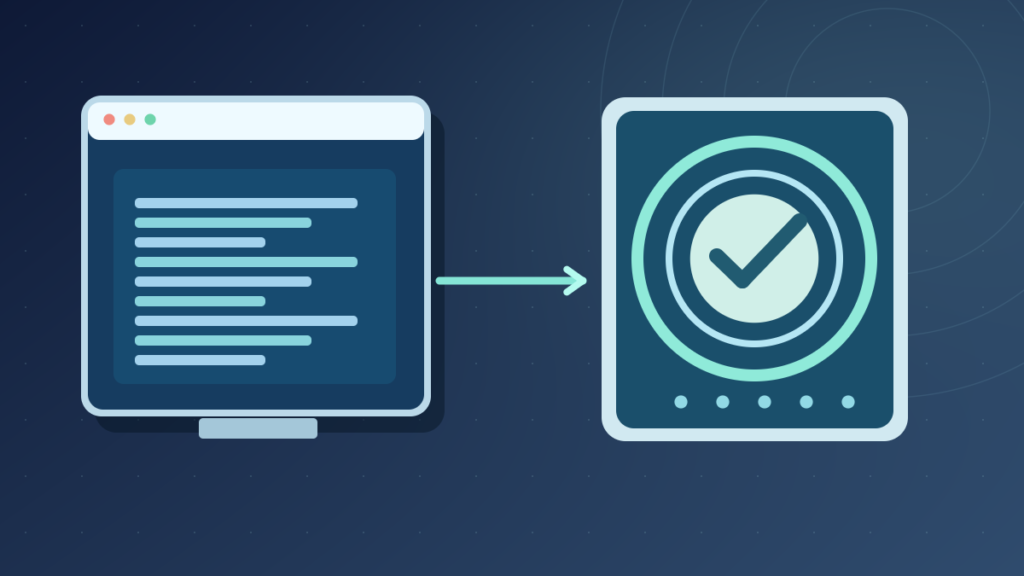

A digital signature is a cryptographic value created with a private signing key and checked with the corresponding public key. It helps verify that signed data matches the signature and can support authenticity when the signing identity and trust chain are established. It does not automatically encrypt the document or guarantee harmless content.
Learn signing and verification, certificates, code signing, PDF documents, trusted timestamps and common security misconceptions.
What A Digital Signature Is
A digital signature is a cryptographic value created using a signing key and verified using the corresponding public key under a specified signature algorithm. It helps a recipient check that the signed data has not been altered and that the signature matches a particular key. Whether that key reliably identifies a named person or organization depends on the surrounding certificate, identity and trust process.
A digital signature is not merely a typed name, a photograph of handwritten ink or a password. Those may be elements of electronic signing workflows, but a cryptographic signature involves mathematical verification of the signed content.
NIST’s FIPS 186-5 Digital Signature Standard describes approved signature mechanisms and their use. Its glossary defines the relationship between private-key signing and public-key verification. The distinction matters because a valid mathematical result and a trustworthy human identity are not automatically the same conclusion.
Digital signatures are used for signed software, system updates, documents, certificates and other data whose origin and integrity are important. They can help detect modification after signing, but they do not necessarily keep the signed data confidential.
Our checksum guide explains basic integrity checks. A signature adds a key-based authenticity element beyond comparing an unauthenticated hash with an expected value.
How Private And Public Keys Work
Public-key signature systems use a mathematically related key pair. The private key is controlled by the signer and is used for signature generation. The public key can be distributed to verifiers, which use it to check a signature under the selected algorithm.
The key pair does not mean that every signature algorithm encrypts the complete document with the private key. That explanation is too simplistic and can be technically wrong for modern signature constructions. Verification follows the algorithm’s defined operations over the message or digest and the signature value.
Exact Signed Data
Signature Algorithm
Delivered To Recipient
Check Signature And Trust
A signature can be mathematically valid under a public key that nobody has established as trustworthy. A person claiming to be a famous company can generate their own key pair and sign arbitrary files. A secure verifier must consider the binding between the key and the claimed identity.
Private keys require protection from theft, unauthorized use and accidental disclosure. A stolen signing key can produce mathematically valid signatures until the compromise is detected and appropriate trust controls respond.
NIST defines the public key’s verification role. The exact signing process should always be implemented using maintained cryptographic libraries rather than hand-written arithmetic from an introductory diagram.
Why A Cryptographic Hash Is Often Used
Digital signature schemes often process a hash or defined representation of the signed message rather than performing a simple operation on every byte independently. A cryptographic hash maps input data to a fixed-size digest under its algorithm, and a suitable signature construction binds that representation to the signing key.
If the signed data changes, verification should fail under the corresponding signature rules, aside from the algorithm’s underlying cryptographic assumptions and any explicitly excluded portions. The exact content covered by the signature matters. Some document and software formats define which bytes are included in the signed region.
A hash alone does not establish the publisher. Anyone who can change a file can ordinarily compute a new hash. A signature combines a cryptographic verification operation with a private-key possession claim, while certificates and policy can help establish who controls the public key.
Our binary data article explains the underlying bytes and checksum article explains comparisons. They are useful background for understanding why exact byte representations matter.
Do not use old or weak algorithms simply because they appear in an ancient tutorial. Current policy and NIST guidance should determine acceptable algorithms, key sizes and hash functions for the actual security requirements.
A valid signature does not guarantee that the information contained in the signed document is truthful. It shows a relationship between data and a signing key under specific verification conditions.
How Verification Works In Practice
A verifier receives the signed data, signature information and access to a corresponding public key. The software applies the specified signature verification algorithm to determine whether the signature is mathematically consistent with that data and key. If the signed content was changed without appropriate resigning, the verification normally fails.
Trust validation can involve more than cryptographic mathematics. A software distributor might have a certificate issued by a recognized certification authority. The verifier may need to check the certificate chain, permitted key use, relevant time information and revocation status under the platform’s policy.
Microsoft’s Authenticode documentation describes publisher identity and the trust relationship through certificates. Such a system is designed to help users identify the signer of software, not to guarantee that the signed executable is free from vulnerabilities.
A signature may also have an associated trusted timestamp. The treatment of certificate expiration and revocation at different times depends on the format, trust policy and timestamp verification. A visible date label by itself is not proof that a trusted timestamp authority validated it.
When a signature verification tool reports invalid or untrusted, read the specific reason. Altered content, an unknown root certificate, a revoked certificate and an unsupported algorithm are different problems.
The safe response is to stop using an unexpected or unverifiable file until its origin can be confirmed through a trusted publisher channel.
Digital Signature Vs Electronic Signature
An electronic signature is a broad category of methods for indicating intent to sign or approve electronically. A typed name, click-to-sign workflow or image of handwritten ink may participate in an electronic signature process depending on the service and legal context. A digital signature is a cryptographic technique that can be used within such a workflow.
Adobe’s digital signature documentation describes certificate-based digital identities in document signing. This demonstrates the distinction: a user-facing signing experience can include identity, audit and agreement features beyond the cryptographic signature operation.
| Term | Main Meaning | Typical Evidence |
|---|---|---|
| Electronic Signature | Electronic Expression Of Agreement | Workflow Records And Signer Actions |
| Digital Signature | Cryptographic Signature Verification | Private/Public Key Relationship |
| Certificate | Binding Between Public Key And Identity Claims | Issuer And Trust Policy |
Not every electronic signing process uses public-key digital signatures. Conversely, a software package can be cryptographically signed without anyone intending to sign a contract. The legal meaning of an electronic signature depends on jurisdiction, transaction type and the surrounding evidence.
A product should not imply that cryptographic validity alone proves legal enforceability. Identity verification, intent, consent, records and applicable law may all matter.
For ordinary users, inspect the complete signing workflow rather than relying only on an image of a signature or a generic statement that a file is digitally signed.
Digital Certificates And Certificate Authorities
A digital certificate can associate a public key with identity-related claims according to a defined format and issuer. A certificate authority, or CA, can issue certificates under its verification and policy process. Applications may trust certain root certificates and use certificate chains to evaluate the claimed identity of a software publisher or service.
Not every certificate is trustworthy merely because it exists. A self-signed certificate can be mathematically valid but may not belong to a recognized or approved trust chain. Some private organizations deliberately use internal certificate authorities, which can be appropriate within their managed environments.
A certificate has defined validity times and may include key usage restrictions. It can also be revoked under certain conditions. A secure verifier evaluates those attributes according to the relevant application policy and supported trust store.
Microsoft’s Windows digital signature documentation explains certificate-backed signing in the driver ecosystem. The actual requirements for a PDF or a server authentication certificate can differ.
A certificate name that resembles a familiar company is not proof that the certificate is trusted or appropriate. The chain and identity verification process should be checked through software that implements the relevant standards.
Administrators should protect signing certificates and keys, maintain issuance records and plan how to respond if a key becomes compromised. Certificate management is an ongoing trust responsibility.
Code Signing And Software Download Safety
Software publishers can digitally sign executables, installer packages and related files to support origin and integrity verification. On Windows, Authenticode is one established code-signing system. Signed software can present publisher information and evidence that covered content has not been modified after signing.
Microsoft’s Authenticode reference explains the publisher trust chain. Its code-signing practices discuss verifying signed artifacts through release workflows.
A signature is not a malware-free guarantee. A legitimate publisher may accidentally release vulnerable software, a signing key could be stolen, or a malicious actor could sign their own program under an unrelated certificate. Verify the publisher, download source and product reputation in addition to the cryptographic status.
An unsigned file is not automatically malicious either. Many legitimate open-source or small projects use different distribution and verification systems. A risk assessment should consider the actual platform’s policies and available evidence.
Our software repository guide explains how package sources and trust mechanisms fit into distribution. A signature is one component of a broader release and security process.
Never disable security warnings merely to run a file that claims a signature problem. Confirm the official source and intended software first.
Signing PDF Documents And Detecting Changes
PDF applications can support certificate-backed digital signatures that cover defined document content and allow verification of selected changes. The visible signature panel may show whether a document has changed, whether a certificate chain is trusted and whether the signature was valid under the application’s rules.
Adobe’s Acrobat documentation describes validating certificate-based digital signatures. A stamped image or typed name in a PDF is not automatically equivalent to a cryptographically validated signed document.
The exact signed byte ranges matter. Some formats permit specific incremental updates after signing, while other modifications invalidate a signature. A verifier must understand the format’s rules rather than claiming that any visible character change always behaves identically.
For important agreements, inspect the signer identity, relevant certificate trust, timestamps and complete audit evidence. Do not rely only on a decorative signature image, and do not assume an application warning can be dismissed safely.
Legal enforceability and identity assurance vary by jurisdiction and document type. A properly validated mathematical signature can form part of the evidence but does not automatically establish consent, authority or truthfulness.
The safest workflow keeps the original signed file intact and verifies it through a trusted application. If verification fails unexpectedly, obtain a fresh copy through the legitimate sender rather than editing the signed document.
Digital Signatures Are Not Encryption
A digital signature can help establish the integrity and origin of selected data, while encryption protects confidentiality under an appropriate key-management design. A signed document can remain completely readable to anyone who obtains it unless separate encryption or access controls are applied.
This is a common misunderstanding because both signing and encryption can use public-key cryptography. However, their goals and algorithms are different. Signing with a private key and verifying with a public key is not the same operation as encrypting data for a recipient to decrypt.
A security-sensitive application may need both: encrypted transport or storage for confidentiality and digital signatures or equivalent mechanisms for integrity and origin assurance. Authentication and authorization can still require additional controls.
A valid signature should not be treated as proof that an attachment can be opened safely or that the signer has permission to access a particular service. Software security relies on several independent checks.
Our firewall guide explains network policy, which is separate again. A firewall does not replace the key relationships used for signed documents.
When describing a cryptographic product, ask which security property it actually provides: confidentiality, integrity, authenticity, availability or some combination. Clear language prevents expensive design mistakes.
What Happens If The Signed Content Changes?
A cryptographic signature is bound to specific signed data under its algorithm and format. If covered content changes, a correctly implemented verifier should normally reject the signature. That behavior can help detect unauthorized modification, accidental corruption or unexpected packaging changes.
The exact meaning of covered content is important. A signed executable format may exclude certain signature metadata from the signed hash calculations so the file can carry the signature itself. A signed document format may describe permitted updates or multiple signatures through its own rules.
Microsoft’s Authenticode timestamp guidance demonstrates how format and timing affect verification. It is not accurate to reduce all digital signature behavior to one universal checksum comparison.
A signature failure may arise from content modification, a certificate trust issue or an unsupported verification algorithm. The application should display enough information to distinguish those cases.
Do not try to make a damaged signature valid by simply changing the file extension or adding a picture of a certificate. Cryptographic verification requires the appropriate signed bytes and key relationship.
If a file is important and unexpectedly invalid, preserve the original for examination and obtain an independently verified replacement from the legitimate publisher or sender.
Private-Key Compromise, Revocation And Trusted Timestamps
The integrity of a signing system depends strongly on protecting the private key. If an attacker obtains it, they can generate signatures that are mathematically valid under the corresponding public key. Verification must therefore consider key trust and any known compromise, not just the raw algorithm result.
Certificate revocation can help signal that a certificate should no longer be trusted under specified conditions. Verification behavior depends on the platform, availability of status information and the configured policy. A revoked certificate is not identical to a signature whose underlying file bytes changed.
Trusted timestamps can provide evidence about when a signature existed, helping some formats validate signatures in relation to certificate validity periods. They must come from a trustworthy timestamp service and be checked according to the relevant signature framework.
A software publisher should use controlled signing services, limit access, log operations and prepare incident-response procedures. Loss or compromise of a key can affect many previously distributed artifacts and trust decisions.
For users, an unexpectedly expired or untrusted signature should be investigated through official publisher channels. Disabling certificate checks to make a download work is not a sound security practice.
The technical and organizational trust controls are part of the signature system. Mathematical validity without trustworthy key management is incomplete assurance.
Electronic Documents, Identity And Nonrepudiation Claims
Digital signatures are sometimes discussed in relation to nonrepudiation, meaning the signer cannot credibly deny an action under the defined evidence and trust model. In practice, such a claim depends on key custody, identity verification, system logs, agreement context and applicable law. The mathematical signature alone does not settle every dispute.
If a private key was shared among employees, attributing one signature to a specific person may be difficult. If a signing system was compromised, an apparently valid signature can coexist with a serious identity question. Strong key custody and authenticated workflows provide crucial context.
NIST’s Digital Signature Standard describes cryptographic assurance, while a legal agreement must also account for the proper authority and consent to sign. These concerns are related but not interchangeable.
An organizational document workflow should retain the signed artifact, certificate information and appropriate audit evidence under an approved retention policy. The evidence should be protected from unauthorized alteration and available for legitimate review.
Readers should not assume that every electronic signature in every country has identical legal force. Different jurisdictions and document categories can impose different requirements.
The practical lesson is to use the right terminology and preserve the evidence necessary for the intended purpose, whether software distribution, business approvals or formal contracts.
How To Verify A Digital Signature Safely
Begin with a trusted tool appropriate to the file type. On Windows, the file’s signature information may be available through the supported file properties and security interface. For PDF documents, use a reputable reader with signature validation features. For package downloads, consult the publisher’s documented verification procedure.
Check the signer or publisher information and whether the trust chain is valid under the platform’s policy. Review the stated result, including content integrity, certificate validity and timestamp information if present. A single green icon may summarize several checks, so expand details when the decision matters.
Confirm the file came from the intended source. A mathematically valid signature on an unrelated program does not make it the product you wanted. Compare official release information and use approved distribution channels.
Do not execute an installer merely to inspect its signature. Many signature checks can be performed without running the untrusted program. Avoid unknown utilities that demand administrator access for basic file verification.
If verification fails, stop and preserve the file rather than repeatedly overriding warnings. Obtain a new copy from the official publisher or consult qualified support with the exact error.
For related integrity checks, read our checksum guide. A strong workflow combines trusted source, valid signature, appropriate identity and up-to-date security policy.
Worked Signature Verification Examples
Example one involves a signed software installer received from the publisher’s official website. The user checks that the file’s signature verifies, that the publisher identity matches the intended software and that the file is not blocked by known security concerns. A valid signature is useful evidence but does not remove the need to install updates and use least privilege.
Example two involves an electronically signed contract. A typed name appears visually in the document, but the reader checks whether a certificate-backed signature also exists and what content it covers. If the document was modified after signing, the validation tool may show an integrity problem. Legal agreement evidence may require more than the cryptographic result.
Example three involves an administrator whose code-signing certificate has expired. A trusted timestamp can affect how a historic signature is evaluated under the relevant policy. The administrator should not simply regenerate timestamps or disable checks to force a desired outcome. They should use supported validation tools and recorded release evidence.
Example four involves a file whose bytes match a published hash but whose publisher identity is unknown. Hash matching alone establishes consistency with the expected digest, not whether the party supplying that expected value is trustworthy. A verified digital signature can provide additional origin assurance when the key and trust chain are properly validated.
Frequently Asked Questions
What Is A Digital Signature?
A cryptographic signature generated using a private key and verified with a corresponding public key under a defined algorithm.
Is A Digital Signature The Same As An Electronic Signature?
No. Digital signatures are cryptographic; electronic signatures are a broader category of electronic signing methods.
Does A Digital Signature Encrypt A Document?
Not necessarily. Signing provides integrity and origin-related assurance, not automatic confidentiality.
Can A Digitally Signed File Still Be Malicious?
Yes. A signature does not guarantee that signed software is harmless or free of vulnerabilities.
What Is A Signing Certificate?
A certificate associates a public key with identity claims according to its issuer and validation policy.
Why Does A Signature Become Invalid After Editing?
Changing covered data normally breaks the cryptographic relationship that verification checks.
Can An Expired Certificate Affect Verification?
Yes. Trusted timestamps, policy and revocation or validity conditions can affect the result.
Does A Valid Signature Prove Someone Legally Agreed?
Not by itself. Identity, consent, authority and applicable law can require additional evidence.


