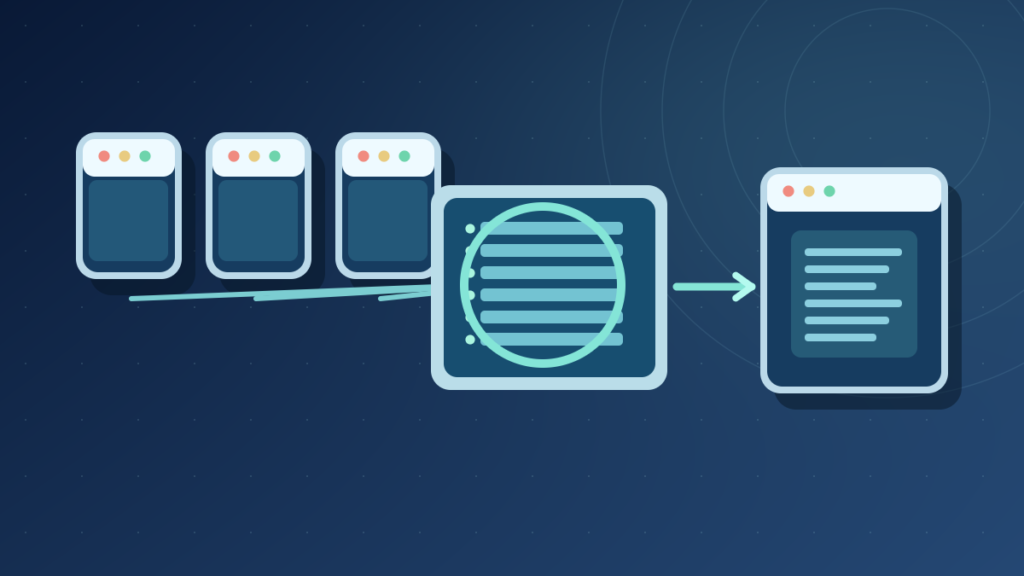

Port forwarding is a router configuration that sends selected incoming TCP or UDP traffic to a designated service on an internal network. It requires a reachable network boundary, a working service and suitable firewall policy. Opening a port can increase security exposure, so use a protected alternative where possible.
This guide explains mapping rules, double NAT, CGNAT, testing, IPv6 and safe configuration choices with documentation-backed examples.
Port Forwarding Explained In Plain English
Port forwarding is a router or firewall configuration that directs selected incoming network traffic from an external address and port to a chosen service on an internal network. It is commonly used when an administrator intentionally wants outside clients to reach a server behind network address translation. A port-forwarding rule is not the same as merely connecting to Wi-Fi or giving a computer an IP address.
Imagine an approved test web server running on a private-addressed computer. An external client cannot necessarily reach that private address directly through the public internet. A router with suitable public reachability, translation and firewall policy may accept traffic on an approved external port and send it to the internal service. The internal application still needs to be running and appropriately secured.
IETF RFC 3022 explains traditional NAT and port translation, while RFC 6886 describes one method of requesting NAT port mappings. Router user interfaces vary, and a rule’s exact behavior depends on its product and network design.
A forwarding rule can expose a service to untrusted internet traffic. Therefore it should never be considered a harmless troubleshooting shortcut. Authentication, software updates, least-privilege firewall rules and alternative secure access methods matter before enabling it.
Our NAT introduction explains address translation generally. This article focuses on deliberate inbound service reachability and the practical configuration prerequisites.
Understand The External Port And Internal Destination
A basic rule identifies an external listening context and an internal destination. It may include a protocol such as TCP or UDP, an outside port number, a destination private IP address, an inside port number and optional restrictions on permitted sources. Some devices also specify an outside interface or public address.
Approved Test Request
Example Port 8443
Selected TCP Mapping
Example 192.168.1.50:443
The port numbers in this diagram are examples only. A real service must use the ports and protocol documented by its publisher. The rule must match the traffic that is supposed to arrive, and network security policy must permit the intended client. Mapping one number does not automatically allow every other protocol.
The private destination should be stable enough that the rule continues pointing to the correct host. Administrators sometimes use a DHCP reservation to maintain the assigned internal address. Random static addresses entered without understanding the subnet can create collisions.
When an application changes ports, the router and the application must still agree. A successfully saved router rule does not start the server or create a missing listener.
For the foundational layers see IP addresses and default gateways. Both are relevant to return traffic after forwarding.
TCP Ports And UDP Ports Are Not Interchangeable
Port numbers identify transport endpoints in protocols such as TCP and UDP. The same numeric port can exist separately in TCP and UDP because the protocol is part of the endpoint interpretation. A router mapping TCP traffic does not necessarily forward UDP traffic carrying the same port number.
TCP supports a connection-oriented byte-stream transport with sequence and acknowledgment behavior. UDP provides datagrams with different delivery characteristics. Games, real-time communication, web servers and other applications can use one or both under their documented design. Opening both protocols indiscriminately is not required just because an online tutorial lists a number.
A packet-forwarding rule may also apply filtering to source addresses. If only a known authorized client needs access, restricting the permitted source can reduce exposure under supported routers. This is not a substitute for authentication, since source addressing and routing policy have their own limitations.
The UDP NAT requirements describe why mapping behavior can affect real-time applications. TCP and UDP implementations may have different state and timeout rules, so one successful connection test does not prove both work.
Before configuring a rule, inspect the application’s official documentation for listening protocol, port and security requirements. Avoid sharing sensitive credentials during online troubleshooting.
Our internet packet guide explains how transport messages fit inside IP packets, while port forwarding addresses one controlled path for traffic at the network boundary.
How A Home Router Chooses The Internal Server
The router uses its translation and policy configuration to decide where selected inbound traffic should go. The destination is commonly a private IPv4 address assigned to a server, game device or other approved service. If the device’s IP address changes after a reboot or DHCP lease update, a rule pointing to the old address can fail or reach the wrong host.
A DHCP reservation can be one way to maintain a predictable internal address on a network you administer. It should be configured according to the router’s supported interface and the actual device identity. An improperly configured reservation may conflict with another device or a network’s existing policy.
A service also must listen on the mapped internal port and address. Some programs listen only on 127.0.0.1, which is the local loopback interface. A port-forwarding rule cannot generally make that loopback-only listener reachable as though it were bound to the host’s LAN address.
Our loopback address guide explains why localhost is not another device’s network address. The same distinction helps diagnose why a service works in a browser on its own computer but cannot be reached by a second computer.
The endpoint’s firewall is another independent control. Even if NAT translates the packet, the host can reject it. Do not disable the firewall as a default workaround; create only approved narrow allowances where appropriate.
Check the whole path: external reachability, router mapping, internal routing, service listener and endpoint policy. A failure at one stage cannot be repaired by repeatedly changing another stage.
What Must Be True Before Port Forwarding Can Work
The router needs an appropriate way to receive incoming traffic from the intended external client. In a conventional IPv4 home deployment this often involves a publicly reachable address at a controllable boundary. Some internet providers use carrier-grade NAT, which places another translation stage outside the customer’s control.
The application must be reachable on the local network first. An administrator should confirm that the service starts, listens on the intended interface and accepts an authorized local connection. If local access fails, port forwarding alone will not solve the service’s actual error.
The home router and any upstream gateway must have suitable translation and firewall rules. Double NAT can require more than one boundary to be configured when intentionally supported. CGNAT may require an ISP option or alternative architecture; a customer generally cannot create the missing provider-side mapping through a normal home-router rule.
An external test should be carried out from a genuinely separate authorized network. Testing the public address from inside the same LAN can depend on NAT loopback or hairpin features, which are not universally supported. A failed in-LAN test therefore does not always prove remote clients cannot connect.
Take note of dynamic public IPv4 changes. Dynamic DNS can help a hostname follow an address when supported, but it does not solve an upstream CGNAT restriction or a blocked service.
The correct prerequisite checklist reduces frustrating trial and error: local listener, stable address, network security, public reachability and an authorized outside test.
Double NAT And Carrier-Grade NAT Failure Cases
Double NAT commonly occurs when a provider gateway and a customer router both perform address translation. Each may have a separate private subnet and translation state. Ordinary browsing can work, but inbound access becomes more complex because the external connection must traverse each relevant boundary.
With home-controlled double NAT, an administrator might use supported bridge or access-point modes to simplify the topology, or configure authorized rules at both devices. These changes can affect network services, so they require a rollback plan and care with provider equipment.
Carrier-grade NAT is different because an ISP manages the upstream translation device. Even a perfectly configured forwarding rule on the customer’s router may not receive external packets. The provider may offer a public IPv4 option or supported alternative, but availability and pricing vary.
Our NAT guide covers CGNAT and double NAT in more detail. The important lesson here is that a local router’s saved rule is not proof of external reachability.
If external connections fail despite local success, inspect the router’s outside address and compare it with the provider’s documented network service. Do not post private subscriber account details or management credentials publicly.
Do not use repeated factory resets as a CGNAT remedy. Rebuilding the same home configuration cannot provide control over translation owned by the upstream provider.
Port Forwarding Vs UPnP And Automatic Mapping
Some consumer routers support mechanisms that allow applications to request temporary mappings without manually entering every port. Universal Plug and Play Internet Gateway Device functions, NAT-PMP and similar protocols can provide convenience when correctly supported and configured.
RFC 6886 documents NAT Port Mapping Protocol and its role in mapping requests. An application can sometimes create a mapping for a game or other network service through a supported gateway. This reduces manual configuration but also requires trust in the requesting devices and applications.
Automatic mapping can increase exposure if untrusted software or a compromised machine creates a service mapping. A sensible policy considers which devices are allowed to request changes, whether mappings expire and whether the household actually needs this feature.
Do not enable every automatic mapping protocol merely to clear a vague NAT error. Check the official application’s requirements and the router’s documentation. Some modern applications use authenticated relay services or other traversal methods rather than demanding a permanent public port.
Temporary mappings should be reviewed and removed when no longer needed. A home router may provide a table of active mappings, but the displayed entries and logging detail depend on the product.
Manual forwarding and automatic mapping are different configuration methods for related connectivity needs. Neither authenticates the service’s users or replaces software updates, encryption and firewall rules.
Security Risks Of Opening Services To The Internet
A port-forwarding rule can increase a service’s public attack surface. An attacker may scan reachable endpoints, test weak credentials or exploit a vulnerable application. Even if the port number is unusual, an exposed service is not secure by obscurity. The safest option may be not to expose the service directly.
CISA guidance on securing remote access software emphasizes appropriate controls for remote access. Microsoft recommends maintaining Windows Firewall as part of defense in depth.
For remote administration, consider a properly configured authenticated VPN, an approved zero-trust access solution or a vendor-supported secure relay. The correct choice depends on the service and organization. Directly publishing management interfaces should not be the default home-user troubleshooting approach.
A service that is intentionally exposed must be patched, authenticated and monitored. Restrict source networks when possible, avoid unnecessary privileges and remove rules after the need ends. Enabling encryption at the application layer is also important for sensitive data.
Avoid opening large port ranges that an unverified app requests without documentation. Do not disable router or endpoint firewall protections to obtain a green connectivity test.
Our firewall explainer describes filtering, and VPN fundamentals describes one possible protected connection design.
A Safe Router Configuration Workflow
Start by documenting the actual service requirement, permitted users and risk level. Confirm that the application works locally and is updated. Identify its supported protocol, internal port and address, then determine whether a public incoming connection is genuinely necessary. A game or remote application may already offer a relay or other managed option.
Log in only through the router’s legitimate administration interface using authorized credentials. Router labels vary, but the feature may appear under Port Forwarding, Virtual Server, NAT, Firewall or Advanced Settings. Do not copy numeric settings from a different person’s screenshot without understanding which device and protocol they refer to.
Choose a narrow destination and rule scope. Do not forward administration ports or unknown services merely because a search result suggests them. If the service is a sensitive management interface, prefer a protected access design instead of direct public exposure.
Record the original settings, the purpose of the mapping and its intended removal date. Apply changes through the supported interface. If the router warns about configuration conflicts or duplicate ports, stop and resolve the reason rather than disabling unrelated security settings.
Test the service from an authorized external connection with its expected authentication, not by assuming a port checker establishes full security. Confirm logs and user experience, and remove the rule if it does not deliver a legitimate need.
A good workflow ends with documentation and a rollback plan. It does not encourage exposing a home computer to untrusted internet traffic simply for demonstration.
Why A Port Forward Can Look Correct And Still Fail
A saved rule can fail if it points to an old internal address, references the wrong protocol, maps the wrong internal port or targets a service that is not running. Endpoint firewall rules and application-specific binding behavior also affect reachability. These are common local prerequisites worth checking before blaming the provider.
Upstream CGNAT or double NAT can prevent incoming traffic from reaching the configured router. An ISP can also block selected inbound connections under its service policy. The network’s actual public-facing architecture matters more than the name of the rule in the router interface.
Some tests performed from inside the same LAN depend on the gateway’s NAT hairpin behavior. A failure during that type of test may not match an external client’s experience. Use a separate authorized network where appropriate and interpret results carefully.
A timeout, actively refused connection and successful TCP handshake with an application error represent different outcomes. A socket that is reachable but returns unauthorized may have working packet forwarding while the application correctly rejects the user.
Our packet guide explains why transport connectivity and application responses are separate stages. Avoid treating one generic red status light as proof that every underlying component failed.
Diagnostic changes should be reversible and narrow. If a proposed fix requires turning off all firewall protections, find an approach that preserves the intended security boundary.
Port Forwarding For Games, Cameras And Remote Work
Online games may use peer-to-peer networking, NAT traversal or centralized relays. A game’s platform-specific NAT status label is not a universal diagnosis. Follow the publisher’s support guidance, and prefer the supported connection method that needs the least exposure.
Home security cameras may offer vendor-managed access, direct local access or self-hosted remote methods. Any remote access design involves privacy and account security. Avoid directly exposing an unauthenticated camera web page to the public internet. Even a product with a cloud app needs updated credentials and a reputable vendor.
Remote work introduces additional risks because sensitive documents and company systems may be reachable through the endpoint. Organization-managed laptops should not have arbitrary port-forwarding rules created by users. Consult the employer’s approved VPN, remote desktop gateway or zero-trust access design.
Microsoft’s Remote Desktop documentation discusses external access options, but merely documenting a possible forwarding method does not establish it as the safest choice for an unprotected home PC.
A home media server can also use authenticated external services or relay mechanisms. The necessary ports, permission model and encryption depend on the chosen application and should be taken from its verified documentation.
Different applications have different threat models, so no single universal list of open ports is appropriate for every household or business.
Port Forwarding And IPv6 Addressing
Traditional home port forwarding is strongly associated with IPv4 NAT, in which private devices share externally reachable addresses. IPv6 networks can provide globally scoped addresses to individual devices without requiring the same address-sharing translation arrangement. However, a global IPv6 address does not imply that unsolicited incoming connections should be permitted.
In IPv6, the relevant configuration may be an explicit firewall rule rather than IPv4-style port address translation. The application must still listen on the intended address family, and the network must have correct routing and access policy.
Some home networks operate in dual-stack mode, using IPv4 and IPv6 simultaneously. A service might be accessible through one family but not the other because of DNS, firewall or provider configuration. Changing IPv4 forwarding rules cannot necessarily fix an IPv6-specific issue.
A secure administrator should understand the exact protocol and address family before exposing a service. Automatic assumptions about a public IP may misidentify whether the address belongs to the router, client or provider translation service.
Our IP address guide introduces both address families and explains their scale. The essential point is that routing and permitted access remain separate, regardless of the presence of NAT.
IPv6 does not remove the need for authentication, software updates, network segmentation and safe remote-access design.
Final Port Forwarding Safety And Audit Checklist
An acceptable forwarding arrangement starts with a documented purpose. Confirm ownership of the service, a legitimate need for incoming reachability and the absence of a safer supported relay or authenticated tunnel. Ensure the service is current, strongly authenticated and limited to the intended users.
Verify the internal listener first, then the router’s mapping, firewall policy and upstream address configuration. Use a permitted external test and check the application response. A saved rule and a green router status indicator are not substitutes for actual functional verification.
Review source restrictions, exposed ports and automatic mapping entries periodically. Remove stale entries when a game server or home application is no longer used. Revisit the design after router, ISP or network changes, since new address-sharing arrangements can invalidate the old assumptions.
Document the date, owner, rule name, internal destination, protocol and test result in a safe administrative record. Keep credentials out of that document unless stored through an approved secret-management system.
If testing suggests provider CGNAT, discuss available connectivity options with the ISP rather than attempting to bypass its network restrictions. Do not assume a factory reset can create a public address that the service does not provide.
Port forwarding is a controlled network boundary change. Its value lies in providing authorized reachability without weakening the rest of the network, not in opening the maximum number of ports.
Frequently Asked Questions
What Is Port Forwarding In Simple Terms?
It is a router rule that directs selected incoming traffic to a specified internal service.
Does Port Forwarding Speed Up The Internet?
Not generally. It changes reachability rather than increasing a connection’s available bandwidth.
Is Port Forwarding Safe?
It can increase exposure. Use it only for legitimate, updated and authenticated services with narrow rules.
Why Does My Port Forwarding Not Work?
Possible causes include wrong address or protocol, a stopped server, firewalls, double NAT or carrier-grade NAT.
Can I Port Forward Through CGNAT?
A home router rule alone usually cannot control upstream provider translation. Ask the ISP about supported options.
What Is The Difference Between TCP And UDP Ports?
They identify endpoints in different transport protocols; a rule for one does not automatically cover the other.
Is A VPN Better Than Exposing Remote Desktop Directly?
A properly configured authenticated VPN or approved gateway can reduce direct exposure, depending on the environment.
Does IPv6 Require Traditional Port Forwarding?
IPv6 may use globally scoped addresses with firewall access rules rather than traditional IPv4 address-sharing NAT.


