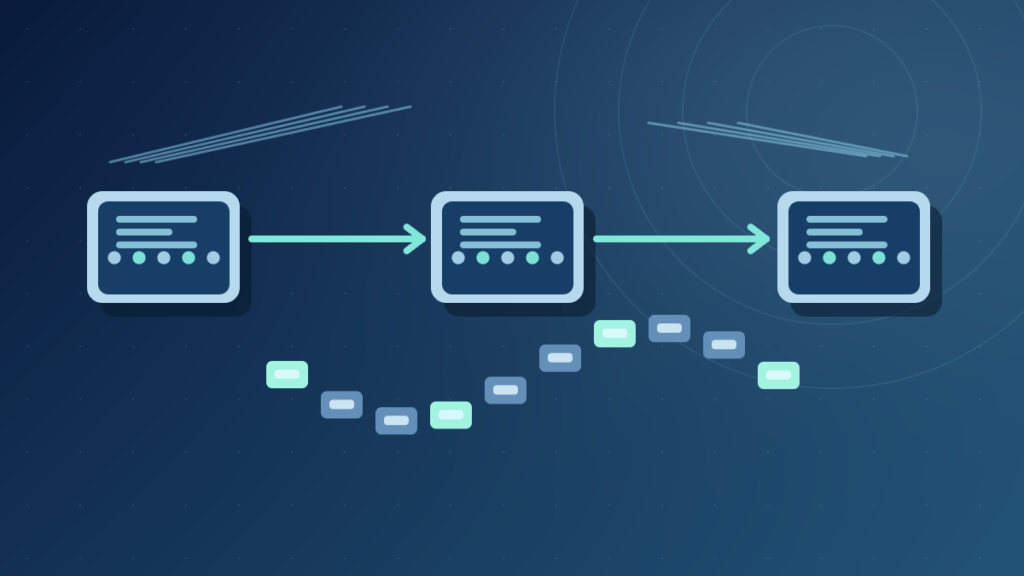

An internet packet contains an IP header and a payload. The header helps routers forward the packet toward its destination, while the payload carries higher-level data. Packets can be delayed or lost; TCP or applications provide additional reliability when needed.
This guide explains IPv4 and IPv6 packet headers, Ethernet frames, TCP segments, fragmentation, packet loss and safe diagnosis with original diagrams.
What An Internet Packet Is
An internet packet is a unit of network-layer information that travels through an IP network. It contains an IP header and a payload. The header includes addressing and control information that helps systems forward the packet, while the payload carries data for a higher-level protocol or another supported structure. This is how many different applications can use the same underlying packet-switched infrastructure.
A webpage, voice call or software download may involve numerous packets rather than one uninterrupted physical message. Network equipment handles packets according to routing information and protocol rules. The receiver uses the headers and higher-layer processing to understand how the received data belongs to a conversation.
The original IPv4 specification, RFC 791, describes internet datagrams and their headers. The IPv6 specification, RFC 8200, defines a newer header format. These standards make it clear that packet is not merely another word for the complete webpage, one Ethernet frame or the application message a user sees.
A packet can cross many routers, but an individual router does not need to read the full application contents to decide where to forward it. The required routing information sits in the network-layer header, while higher-layer information has separate roles and protections.
Our network fundamentals guide explains the broader structure. The key idea is that internet traffic is divided into manageable units that networks can route independently according to current conditions.
The Parts Of An IP Packet
An IP packet contains a header and payload. In IPv4, header fields include source and destination addresses, protocol identification, total length and a Time to Live field. IPv6 uses a different fixed base header with fields including source and destination addresses, Payload Length, Next Header and Hop Limit. Extension headers can supply additional functionality under defined rules.
The payload may contain a TCP segment, UDP datagram, ICMP message or other supported higher-layer content. IP itself does not guarantee successful delivery or preserve every application’s concept of a message. Those responsibilities, when needed, are handled by other protocols or by applications.
Source, Destination And Control Fields
TCP, UDP Or Other Higher-Layer Data
An application that sends a short text message does not construct an IP header directly in most ordinary programming environments. The operating system’s network stack and associated software handle encapsulation, routing and interaction with network interfaces.
Both packet contents and header sizes depend on protocol options. A diagram showing only two large boxes is a useful teaching aid, but it is not a bit-level representation of every packet on the wire.
The IETF specifications establish the field definitions and should take precedence over visual shortcuts that confuse payload length with total frame length.
IP Packet Vs Ethernet Frame Vs TCP Segment
Networking terminology refers to different layers. An Ethernet frame is a data-link-layer unit used on an Ethernet link. An IP packet is a network-layer unit that can be carried inside such a frame. A TCP segment is a transport-layer unit that can appear inside an IP packet. A UDP datagram is another transport-layer unit with its own header.
| Unit | Layer Or Role | Important Information |
|---|---|---|
| Ethernet Frame | Local Data Link | Local Hardware Addresses |
| IP Packet | Network Layer | Source And Destination IP Addresses |
| TCP Segment | Reliable Byte-Stream Transport | Ports, Sequence And Control Data |
| UDP Datagram | Datagram Transport | Ports, Length And Checksum |
RFC 894 describes carrying IP datagrams in Ethernet frames, while RFC 9293 specifies TCP and the transmission of its segments through IP. These standards demonstrate how one unit can be encapsulated inside another without becoming the same thing.
A packet traveling over Wi-Fi may use a different link-layer frame format from one moving through Ethernet. Routers can remove one link-layer encapsulation and use another for the next hop while the IP forwarding process continues.
Our Ethernet guide and IP address guide explain those layers separately. Understanding encapsulation makes diagnostic information such as frame errors and IP packet loss easier to interpret.
Do not assume that every line displayed in a packet analyzer corresponds to a complete user transaction. A single application request can create many network and transport-layer units.
How Routers Forward Packets Across The Internet
A host determines whether the destination address belongs to a locally reachable network or requires forwarding through a gateway. For an off-network destination, it sends the packet toward an appropriate next hop. Routers examine relevant network-layer information, consult forwarding tables and transmit the packet toward the next link.
The route can involve several independent networks and administrative domains. A packet’s path depends on addressing, connectivity, routing policies and network conditions. The path is not necessarily a straight geographic line or a permanent sequence of the same devices.
IPv4 routers typically decrease the Time to Live field at each forwarding hop. IPv6 routers decrease Hop Limit. If the relevant count reaches its expiration condition, the packet is discarded and a diagnostic message may be generated according to protocol and policy. These fields help limit the lifetime of packets in routing loops.
The IPv6 standard defines Hop Limit, while the IPv4 specification defines TTL. Despite the historical word time, TTL operates in common router forwarding as a bounded hop-related field rather than a guaranteed wall-clock delivery timer.
Our router explanation and default gateway article describe the preceding decisions. A gateway forwards according to routing information; it does not guarantee delivery if downstream links or destinations are unavailable.
Routing also changes when failures occur. Two packets belonging to one application may encounter different paths in some networks, and the receiver must tolerate the protocol’s supported behavior.
IPv4 Header Fields In Context
IPv4 uses a variable-length header whose ordinary minimum is 20 bytes. The format includes fields for version, header length, type of service or differentiated services interpretation, total length, identification, flags, fragment offset, Time to Live, protocol, header checksum and addressing. Options may extend the header in supported circumstances.
The header checksum applies to the IPv4 header rather than guaranteeing the correctness of the application payload. Transport protocols and applications can implement separate integrity checks. It is inaccurate to claim that one valid IPv4 header checksum proves an entire downloaded file is authentic.
IPv4 addressing uses 32-bit addresses. The sender’s source address and intended destination address participate in routing and return communication, subject to translation or tunneling designs. A NAT router can alter selected header and transport information at a network boundary.
Fragmentation-related fields exist because an IPv4 datagram may need handling when it cannot fit a particular link’s supported packet size. However, modern networks often seek to avoid fragmentation because it can reduce efficiency and complicate reliability.
The original RFC 791 lays out these fields and their functions. Later standards and updates refine operational behavior, so a historical introductory figure should not be assumed to include every modern networking consideration.
For beginners, recognize the purposes instead of memorizing every bit position: addressing identifies the endpoints, length describes the unit, control fields guide processing, and protocol identification supports delivery to a higher-layer handler.
How IPv6 Packets Differ From IPv4
IPv6 uses 128-bit addresses and a fixed 40-byte base header. Its base header includes Version, Traffic Class, Flow Label, Payload Length, Next Header, Hop Limit and source and destination addresses. Optional extension headers can carry additional information in a defined sequence. The base header does not contain the same checksum and fragmentation fields used by IPv4.
RFC 8200 describes the IPv6 packet format. IPv6 routers do not perform the same in-network fragmentation that IPv4 can support. Instead, the source is responsible for suitable packet sizing, with IPv6 fragmentation handled through defined mechanisms and extension headers where appropriate.
A larger address space does not make every packet faster or immune to loss. Link capacity, routing, congestion, implementation and application behavior still determine performance. IPv6 adoption also requires correct DNS, firewall and endpoint configuration.
IPv4 and IPv6 can operate together in dual-stack systems. A website may have usable records and paths for both or only one family. When a client reports an apparent delay, the address-family choice and network availability can be relevant diagnostics.
Our NAT explanation distinguishes traditional IPv4 address translation from IPv6 routing and selected interoperation mechanisms. Do not treat NAT as a mandatory part of every IPv6 packet path.
The essential lesson is that both versions carry internet-layer data but use different header structures, address sizes and forwarding details. Use the correct standard when interpreting a captured packet.
Packet Size, MTU And Fragmentation
Maximum Transmission Unit, or MTU, describes the maximum size of a packet or payload that a particular network-layer interface can carry under its relevant definition. A route can involve links with different limits. If a sender creates packets that are too large for some part of the path, the network needs an appropriate response.
IPv4 supports specified fragmentation behavior, subject to flags and router policy. IPv6 does not allow ordinary routers to fragment packets in transit as IPv4 routers may. Path MTU Discovery and related mechanisms help endpoints choose suitable packet sizes, though broken signaling can cause connectivity problems.
The IETF’s RFC 8900, IP Fragmentation Considered Fragile, explains practical difficulties including fragment loss and inspection challenges. A recommendation to force maximum-size packets on every network is therefore misguided.
Packet size also interacts with transport protocols. TCP can adapt its segment sizing based on relevant information, while UDP applications must handle datagram size carefully under their protocol and path constraints.
A VPN or tunnel introduces additional encapsulation overhead and can reduce the size available for application payloads. A service might work on a local network but fail on a particular tunnel because of MTU or filtering issues rather than an application login problem.
Do not randomly change router MTU settings when troubleshooting one slow website. Confirm the suspected path problem using authorized diagnostics and follow the provider or equipment documentation.
TCP Reliability Vs IP Packet Delivery
IP forwarding is fundamentally best effort. Packets can be delayed, reordered, discarded or delivered through different paths depending on network behavior. IP does not promise that every packet will arrive in order or that the receiver will reconstruct an application’s original byte stream automatically.
TCP provides a transport-level reliable ordered byte stream under its supported operating conditions. It uses sequence information, acknowledgments, retransmission and congestion-control behavior to manage communication. The application receives a stream rather than necessarily the same boundaries that existed in the original send operations.
The TCP specification explains these mechanisms and the relationship of TCP segments to IP datagrams. Importantly, TCP cannot make an unavailable network continuously deliver data; it may eventually report failure after retries or timeouts.
UDP offers a different datagram-oriented transport model. It has less protocol-level reliability machinery than TCP and is useful where applications manage timing and recovery themselves. Audio, real-time media and various infrastructure protocols can use UDP, often with application-specific mechanisms above it.
Our client server architecture article explains how web requests sit above these transport mechanisms. An HTTP status code is not the same thing as an IP delivery acknowledgment.
When diagnosing a failed download, distinguish packet loss from application errors, server-side rejection and storage failures. Network reliability is a layered property, not one universal checkbox.
Why Internet Packet Loss Happens
Packet loss occurs when a transmitted packet does not reach the intended stage or is discarded along the path. Congested router queues, wireless interference, faulty links, filtering rules or resource exhaustion can contribute. A lost packet is not always evidence that the internet service provider intentionally blocked it.
Network devices have finite buffers and processing capacity. Under congestion, queues can fill and packets can be dropped. Congestion-control algorithms may then reduce transmission rates. Some packets are also intentionally rejected by firewalls or policies, which can look like connectivity failure from an application perspective.
Wireless connections add radio-specific challenges such as interference, weak signal and retransmissions at the link layer. A Wi-Fi device can show strong bars while still experiencing contention or packet loss. Conversely, a weak indicator alone is not sufficient to diagnose an upstream server problem.
Different tests measure different things. A ping command sends particular diagnostic messages that may be filtered or deprioritized. A successful ping does not prove every application port is open, and a failed ping does not necessarily prove that normal web browsing is impossible.
For Wi-Fi symptoms, our connectivity troubleshooting guide offers a broader checklist. Measure more than one destination and compare wired and wireless behavior where possible.
A reproducible support report should include the time, affected service, network type and observed loss pattern. Random equipment resets may erase useful evidence without addressing the actual source of the problem.
Latency, Bandwidth And Jitter
Latency measures the delay associated with moving information or completing a request. Bandwidth describes available capacity for data transfer, while throughput describes the amount successfully carried over a measured interval. Jitter refers to variation in delay between packets or observations, which can matter for real-time communication.
A connection can have ample bandwidth and still feel slow for interactive actions if latency is high. Conversely, a low-latency link with limited bandwidth may respond quickly to small messages but take longer to transfer a large backup. These are distinct performance characteristics.
Video calls may suffer when delay varies substantially because audio and video must arrive in time to be played smoothly. Applications can use buffers and recovery methods, but large fluctuations remain challenging. A speed-test download figure does not describe every aspect of this experience.
Packet size, route length, queueing, radio conditions and server processing all affect measured delay. A browser’s time to first byte also includes application and server work, not merely network propagation.
When troubleshooting, compare latency to the local gateway, provider network and relevant remote destination using authorized tools. Avoid treating one public speed test as a complete diagnosis. Local congestion and external service overload can produce different patterns.
Our WAN guide explains wide-area links and network context. A premium network diagnosis separates these metrics before choosing a repair.
How NAT And Firewalls Affect Packets
NAT devices can translate IP addresses and selected transport identifiers when packets cross network boundaries. A firewall can allow, reject or drop traffic according to policy and state. These functions often appear in one router but are not equivalent.
A client behind traditional IPv4 NAT can send outbound packets using its private address. The router maps the flow to appropriate external addressing and maintains information used for returning traffic. Inbound connections may need explicit mappings or other supported mechanisms.
The NAT guide explains translation tables and carrier-grade NAT. Our firewall article explains traffic-permission decisions. An IP packet is the unit these components handle according to their respective functions.
A firewall can filter traffic without translating it, and NAT can translate traffic without authenticating application users. Changing addressing is not encryption. A VPN may encapsulate packets inside another transport structure, but it also does not automatically make every application safe.
Administrators should be cautious when diagnosing blocked packets. Opening arbitrary ports or disabling all filtering can expose services that were never designed for public access. Identify the legitimate application requirement and apply the narrowest supported rule.
These distinctions are particularly important when an online game or remote tool reports a strict NAT type. The label may reflect specific peer connectivity limitations, not a failure of every packet on the network.
Packet Captures And Responsible Diagnostics
A packet capture records network traffic visible at a chosen interface or observation point. It can help authorized administrators inspect IP header fields, protocol conversations and timing. However, a capture can also contain sensitive information such as internal addresses, DNS queries, cookies or unencrypted application data, so it should be handled as potentially confidential.
Inspect only traffic for which you have permission. A computer ordinarily cannot see every packet passing through a switched office network without supported monitoring arrangements. Do not attempt to circumvent network access controls to obtain other users’ traffic.
Tools such as Wireshark can decode protocol structures and highlight selected fields. Learning to recognize the IP version, source address, destination address and transport protocol is a safer starting exercise than trying to extract credentials or inspect private conversations.
A packet capture does not show application content when it is protected by suitable end-to-end encryption, though some metadata may remain visible. The presence or absence of readable text depends on the protocol and encryption design.
Capture timing, interface selection and offloading features can also affect what an observer sees. A displayed packet length in a capture may not always be identical to every on-wire detail when the host performs hardware offload or uses virtual interfaces.
A responsible workflow uses a disposable local service or approved lab network, minimizes retained data and redacts sensitive values before sharing traces for support.
A Safe Worked Example Of Sending A Web Request
Imagine a browser on a laptop requesting a document from a website. It first uses a supported method to obtain the destination’s IP address, often through DNS. The operating system selects a route and transport mechanism, then sends packets carrying the relevant communication. A router forwards them toward the service.
The server’s response may involve many IP packets. The client transport stack processes them, and the browser interprets the higher-level data as HTTP content, styles, scripts or images. This entire process can involve caches, gateways and content delivery systems.
For a harmless teaching example, consider the IPv4 documentation addresses 192.0.2.10 and 198.51.100.20. They are placeholders for a client and server, not targets to contact. A diagram showing them emphasizes packet addressing without suggesting that these endpoints are reachable on the public internet.
A DNS error occurs before useful communication with the intended service address in many scenarios. A TCP timeout suggests a different issue, while an HTTP 404 means the application protocol returned a not-found response. These outcomes should not be combined into one generic packet error.
Our DNS guide and API article cover adjacent stages. Understanding these layers makes internet troubleshooting more systematic.
The central lesson is that a visible webpage is assembled from many structured communications, with IP packets forming one transport foundation rather than representing the whole user experience.
Packet Troubleshooting And Final Checklist
When a service fails, first identify whether the device has a valid network configuration, a default route and appropriate DNS. Check whether the problem affects every destination or only one application. A loopback test may confirm local stack behavior but cannot prove external packet delivery.
Inspect connection conditions before changing settings. A damaged Ethernet cable, weak Wi-Fi signal or overloaded router can affect packets, but so can server outages and firewall policy. Compare representative tests from another device or network when permitted and useful.
If packet-size problems are suspected, use documented path-MTU diagnostics rather than copying random fragmentation settings. If connection failures occur only through a VPN, consider encapsulation overhead, routing and supported tunnel configuration. Avoid disabling firewall protections as a generic shortcut.
For developers, application logs and status codes complement packet diagnostics. A successful network connection can carry an invalid application request, and a healthy server can remain unreachable because the route is broken.
Our loopback guide illustrates one safe local test. Layered diagnosis preserves security and prevents an unnecessary Windows reinstall for an application-specific network problem.
An internet packet is an addressable unit of network-layer communication. Reading its header, understanding its payload and distinguishing it from link and transport units gives a much more accurate model of how the internet works.
Frequently Asked Questions
What Is An Internet Packet In Simple Terms?
An internet packet is an IP header plus payload that can be forwarded through an IP network.
Is A Packet The Same As An Ethernet Frame?
No. Ethernet frames operate at the data-link layer and can carry IP packets as their payload.
What Does An IP Packet Header Contain?
It contains addressing and control information; the exact fields differ between IPv4 and IPv6.
Does Every Packet Reach Its Destination?
No. IP provides best-effort forwarding, and packets can be delayed, lost or filtered.
What Is TTL In An IPv4 Packet?
Time to Live is a header field used to limit packet lifetime through forwarding hops.
Can Routers Fragment IPv6 Packets?
Ordinary IPv6 routers do not fragment packets in transit; source-side mechanisms and path-MTU handling are used instead.
Why Do Online Games Have Packet Loss?
Possible causes include congestion, Wi-Fi interference, faulty links, filtering and service-side problems.
Can A Packet Capture Show My Password?
Depending on the protocol and encryption, a capture may reveal sensitive data or metadata and must be handled with authorization and care.


